Building a Personal Quant Platform
Turning market hypotheses into testable strategies, from historical backtesting to real-time trading on a personal built system
Inspiration and Philosophy
The global financial markets have always fascinated me, and I know I am not alone in feeling this way. Throughout my life, I have come across like-minded individuals sharing strategies they say have worked for them, and countless articles making similar claims.
Do those strategies actually work? A convincing explanation or a few well-chosen charts might make an idea sound promising, but I wanted to understand how it held up beyond those examples. Under what conditions does it work? How often does it fail? Does it still look useful after accounting for transaction costs?
I was skeptical of claims that a profitable strategy could simply be picked up and repeated. But skepticism alone would not answer my questions. I wanted a way to investigate them myself, and backtesting seemed like a practical place to start.
By testing strategies I encountered or developed against historical data, I could replace some of that uncertainty with evidence I could inspect and question. That would not prove a strategy would work in the future, but it would give me a firmer basis for deciding which ideas deserved further exploration.
The challenge was finding a platform that suited how I wanted to work. The options I explored were either too expensive for my needs, too restrictive in their capabilities, or more complex than I wanted for the task at hand.
Similar to the philosophy behind my home server, which I explored in my previous article - Exploring Self Hosted-Infrastructure Through UmbrelOS, I wanted the platform to reduce friction when testing new ideas, while leaving enough flexibility to experiment with different rules and data inputs.
In this article, I will walk through how those goals shaped my personal quant platform, exploring the architecture, engineering decisions, and trade-offs involved in bringing its different components together, and finally ending off with the next steps for this system.
A Work in Progress - A Disclaimer
This platform is an ongoing side project, and this article captures a checkpoint in its development. There is still plenty to build, refine, and reconsider as I continue working on it in my free time. What follows documents the progress so far, the decisions behind it, and where I hope to take it next.
Initial Goals - High-Level Functional Requirements
Before starting the project, I already had a rough idea of what I wanted the platform to do. What I failed to appreciate was the engineering depth and complexity behind each seemingly simple feature. Retrieving historical prices meant accounting for missing data, different resolutions, and caching. Running multiple strategies meant managing their individual orders, positions, and execution lifecycles. Even plotting the results grew into an interactive diagnostic interface for understanding how those strategies behaved.
Those details became clearer as development progressed. At the outset, however, my goals were relatively straightforward:
- Table:
Finding and Preparing Data
| Features | Details |
|---|---|
| Asset Definition Discovery | Reliably retrieve the instrument definitions needed to identify and trade the selected assets. |
| Flexible Price Candle Time Resolution | Be able to easily switch between various time span resolutions for the candlesticks (e.g: 1 sec, 10 sec, 1 min, 1 day, 1 year...) |
| Configurable historical look-back | Specify how far back a backtest should begin. |
- Table:
Expressing and Running
| Features | Details |
|---|---|
| Custom Indicators | Define indicators suited to the ideas I wanted to explore, on top of standard built-in indicators. |
| Concurrent strategies | Load in multiple strategies to run concurrently on the same backtest session without conflict. |
- Table:
Result Analysis
| Features | Details |
|---|---|
| Performance statistics | Examine backtest results through metrics such as the Sharpe ratio, Win Rate, and Expected Value (EV). |
| Trade visualisation | See exactly where trades occurred on a chart and inspect the conditions that triggered them. |
| Indicator visualisation | Easily plot custom signals and indicators into the chart in the best way they can be represented. |
- Table:
Live Integration
| Features | Details |
|---|---|
| Live Trading Support | Eventually connect to a broker and be able to test strategies in a live environment with both paper and real money support. |
In addition to those starting goals, I had some features that I had thought of that are not core to the system, but would like to explore if possible.
- Table:
Nice to Haves
| Features | Details |
|---|---|
| Explicit backtest date windows | Select both a start and an end date, rather than always testing from a past date through to the latest available data. |
| Historical data caching | Reuse previously retrieved price data at a given resolution, reducing repeated requests to the data provider and speeding up subsequent backtests. |
| Auxiliary data inputs | Supply strategies with additional data, such as another asset’s price history when investigating a suspected relationship. |
| Options support | Explore strategies that express a view on an underlying asset through corresponding options contracts. |
Getting my feet wet - Backtrader
With those goals in mind, I started looking for a framework that could help me get something working without having to build an entire trading engine first. There was already plenty for me to learn about market data, indicators, and strategy evaluation. Having to implement the underlying simulation mechanics at the same time would have made the starting point considerably more demanding.
Backtrader stood out as a practical starting point for several reasons:
- Approachable Python interface: Compared with some of the alternatives I explored, it was relatively easy to understand how data, indicators, strategies, and orders fitted together.
- Built-in capabilities: Historical backtesting, custom indicators, multiple data feeds, and performance analysers covered many of my initial requirements.
- Extensive community resources: Backtrader is very mature and well adopted. Years of tutorials, examples, and community Q&A gave me plenty of material to learn from. When I encountered something unfamiliar, there was often an existing discussion to help me work through it.
- Open-source foundation: I could inspect how the framework worked internally and extend or modify it where necessary. The high level of transparency is well appreciated.
However, I was aware that Backtrader’s original project was no longer seeing active maintenance. The last update from its original author was back in April 2023 as of time of writing, about 3 years ago. But I was willing take it in despite that at this point as my immediate priority was to get a working research environment together, test ideas, and learn what the platform would actually need. Its accessibility and existing community resources made it a useful starting point despite those concerns.
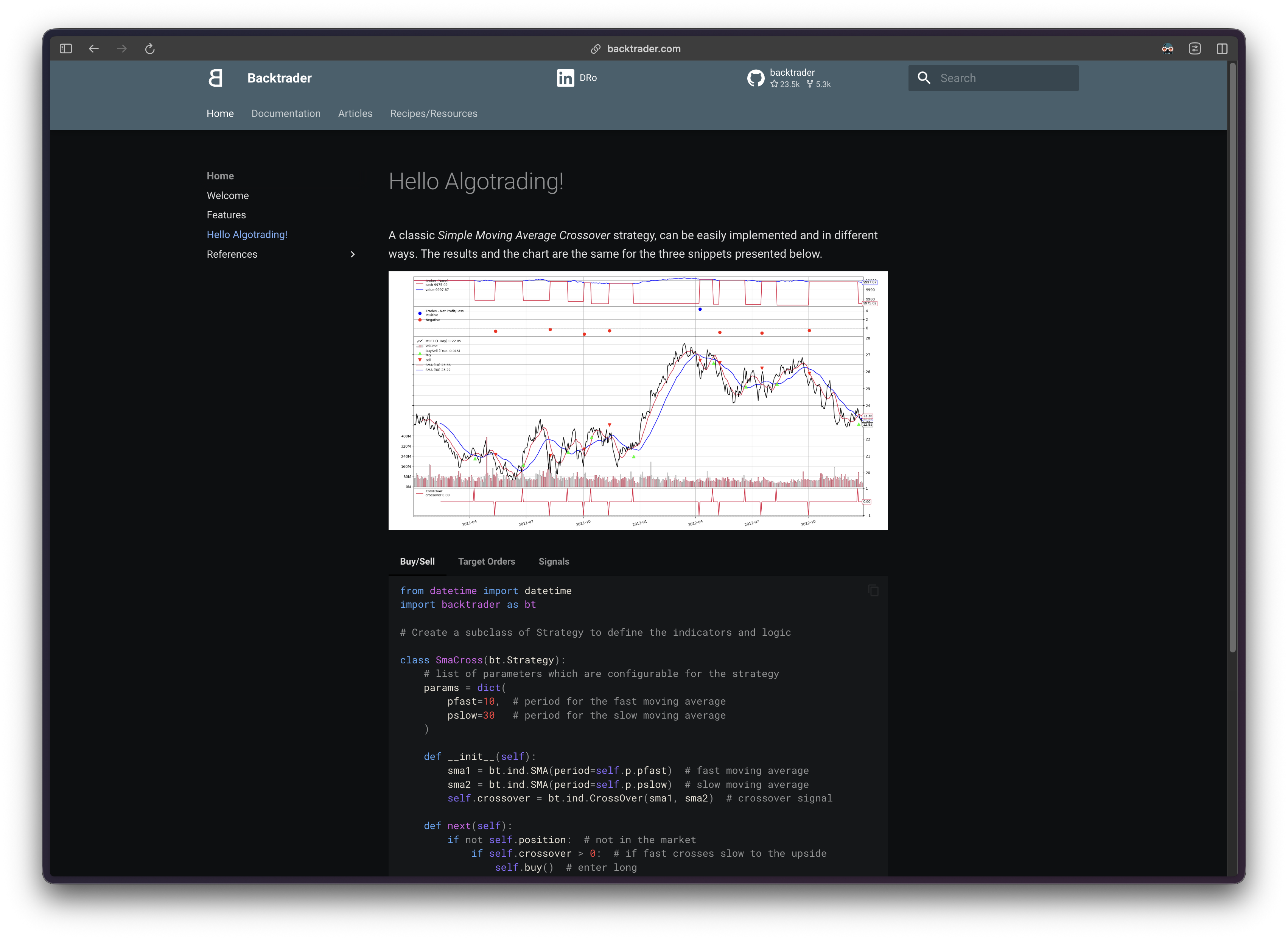
Backtrader was the framework I used to build the first version of the platform, before eventually migrating to NautilusTrader. This section follows that early development and the decisions that led to the migration. The current system’s architecture and implementation will be covered in detail later in the article.
Picking a Data Source - yfinance or massive.com (formerly polygon.io)
I needed historical market data to feed into it. After some quick search, I found yfinance, a Python package for retrieving data from Yahoo Finance, to be a good starting point. It suited my starting point for two reasons:
- Free access: I could experiment without committing to a recurring data subscription.
- Convenient retrieval: It provided a straightforward way to get historical prices into my initial backtesting workflow.
As I started exploring one-minute strategies, however, the available historical depth became a constraint a lot faster than I had anticipated.
- Table:
Areas of limitation using yfinance.
| What I needed | The limitation I encountered |
|---|---|
| One-minute candles over longer historical periods | One-minute data was available only within a short recent window. |
| Flexibility to investigate older periods | Other intraday intervals also had historical restrictions. Selecting an earlier start date could not unlock unavailable data. |
| Preserve the detail used by my strategy | Moving to coarser candles provided more history, but changed the price information available to the strategy. |
A short dataset was enough to get a strategy running and inspect its behaviour. I wanted to go further and investigate how it behaved across longer periods and different market conditions. One possibility was to source historical data from wherever I could find it and stitch those datasets together. However, finding sufficient coverage, normalising different formats, and checking their consistency would become a substantial engineering task of its own. I estimated that the effort would be disproportionate to what I wanted to achieve at this stage, and was willing to pay a modest subscription for a more convenient source of historical data.
Amongst the data providers that I had looked into, Polygon.io (now rebranded to massive.com as time of writing) suited my needs the best for a couple of reasons:
- Table:
Benefits Analysis of Massive Data Broker
| Decision factor | What Polygon.io offered | Why it mattered to me |
|---|---|---|
| Free starting point | The Stocks Basic tier included minute aggregates and two years of historical data, limited to five API calls per minute. | I could test the integration and explore longer periods of minute-level data without paying upfront. If I slowed development in the future, I could return to the free tier and continue experimenting within its limits. |
| Affordable upgrade | Stocks Starter cost US$29 per month when billed monthly. | The additional capabilities made the recurring cost reasonable for my personal project. |
| Greater historical depth | Starter extended historical access to five years. | I could investigate strategies across longer periods and a wider range of market conditions. |
| Unlimited API calls | Starter removed the free tier’s five-calls-per-minute restriction. | I had more freedom to retrieve datasets and repeat experiments without that constraint. |
| Finer data resolution | Starter also included second aggregates. | Although my initial focus was one-minute candles, this left room for finer-resolution experiments later. |
After experimenting with the free tier, I upgraded to Starter fairly quickly. Five years of historical data, unlimited API calls, and access to second aggregates offered enough value to justify the US$29 monthly subscription for what I wanted to build.
Bringing the First Version Together - A Basic Working Draft
With Backtrader and a source of historical data in place, I could begin connecting the pieces: prepare the data, run strategies against it, and inspect the resulting trades.
The Backtrader version became the foundation for much of the current platform’s design. This was where I developed the shared strategy structure, common execution controls, and interactive plotting mechanisms that I would later carry forward and refine in NautilusTrader.
As I experimented with different strategies, several common needs emerged:
- Table:
Short term requirements of basic draft system
| Area | What I needed | What took shape |
|---|---|---|
| Strategy development | Implement new trading ideas without repeatedly writing the same surrounding mechanics. | A shared base class, with individual strategies supplying their own entry, take-profit, and stop-loss rules. |
| Execution management | Apply consistent controls across strategies and handle orders beyond their initial submission. | Reusable session restrictions, cooldowns, position limits, order cancellation, and forced-close behaviour. |
| Results and diagnostics | Understand individual trades alongside the signals and price movements surrounding them. | CSV trade exports and interactive Plotly charts with indicator panels, trade markers, and hover details. |
Together, these supported the experimentation loop I had wanted: change a strategy’s rules, run a backtest, inspect its behaviour, and refine the implementation. Common execution controls could remain in the base class while I worked on the logic specific to each strategy. This also laid the foundations for the code design in my current workflow, and I will cover those (and their implementation detail) in a later section.
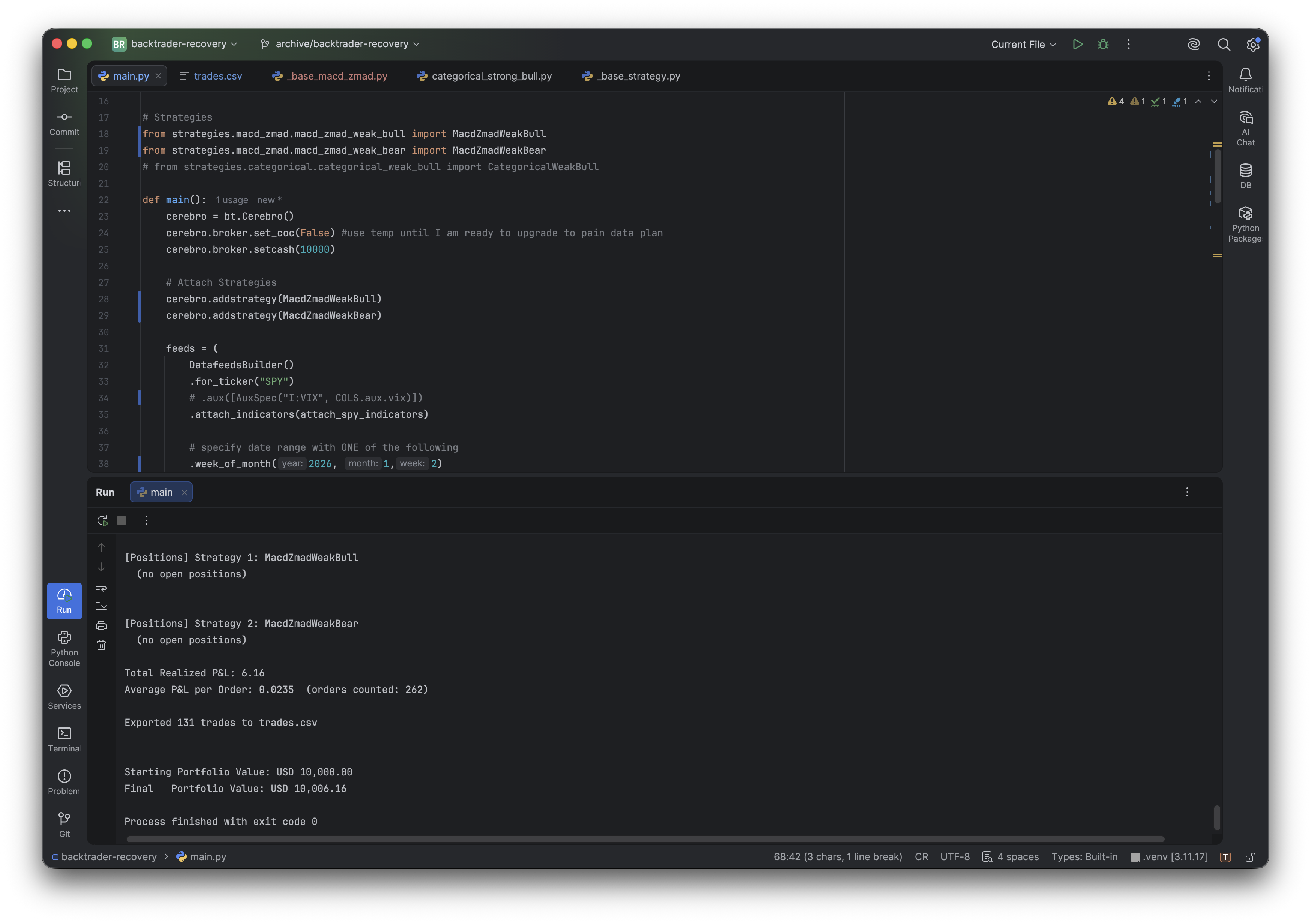
Once the run completed, I could inspect the resulting trades alongside the price movements and indicators in an interactive chart that i had built with plotly.
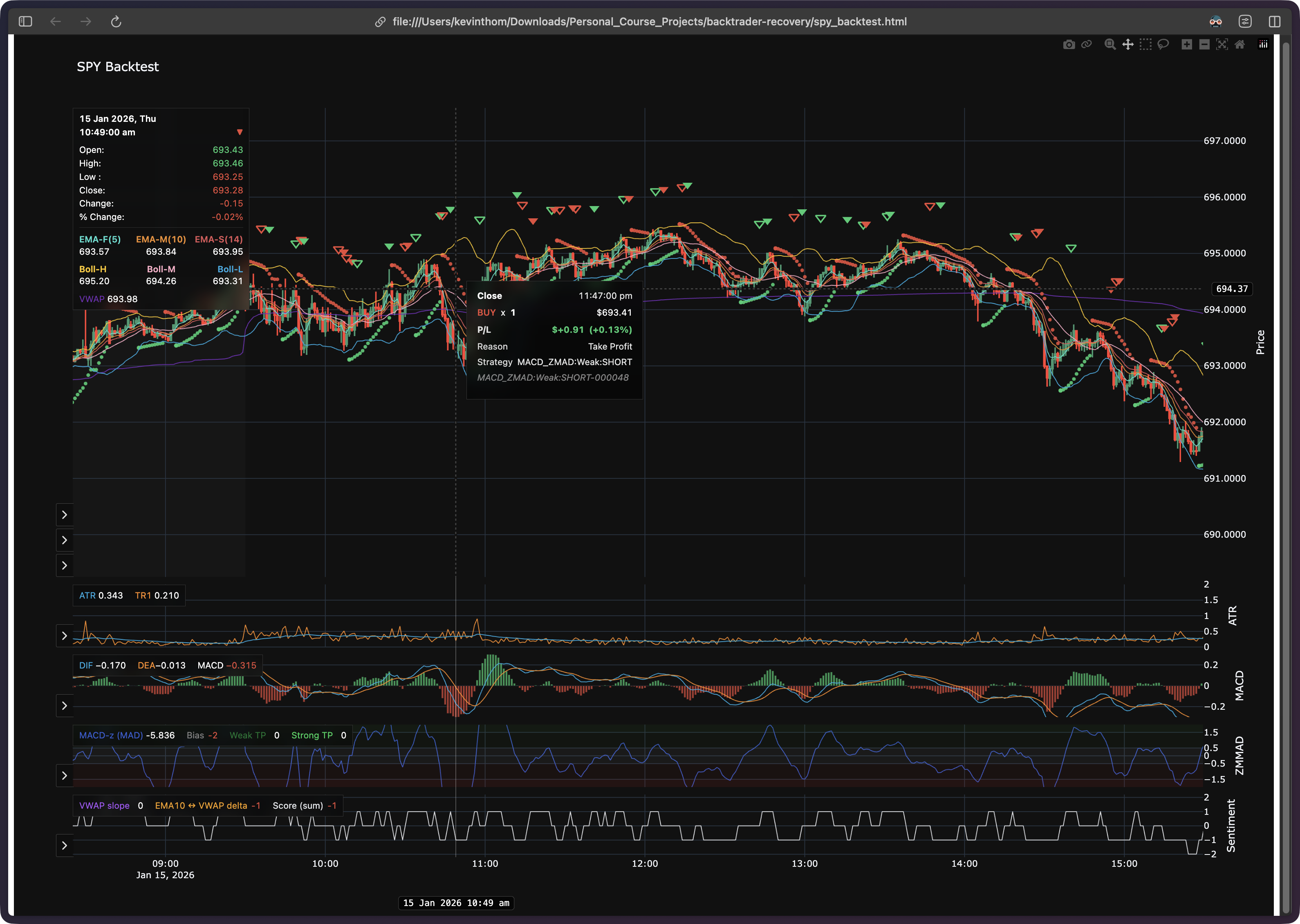
Hover details provided context about individual entries and exits, including their recorded reasons. This helped me investigate whether a strategy was behaving as intended and identify cases that needed closer attention.
By this stage, I had a usable historical research platform and a clearer understanding of the infrastructure needed around it. Extending that work into broker-connected paper trading would introduce the next set of challenges—and eventually lead me to reconsider the framework underneath it.
Expanding Beyond Backtesting - Live Trade Integration Research
With the historical research workflow working, I wanted to take the next step: connect the platform to Interactive Brokers and run strategies against incoming market data in a paper account. This would let me explore the broker-connected workflow without putting real money at risk.
That introduced responsibilities beyond processing a historical dataset. Market updates, order acknowledgements, fills, and account positions would arrive asynchronously, and the platform needed to respond while keeping its internal state consistent with the broker.
Backtrader had an existing IBKR integration, but its documented implementation relied on IbPy, whose repository had been archived in 2021. I explored using ib_async to communicate with IB Gateway instead. It provided a modern client for accessing the broker, but connecting that client to Backtrader still required substantial bridging work.
- Table:
Responsibilities of bridge between Backtrader and IBKR
| Area | What the integration needed to handle |
|---|---|
| Market data | Translate incoming broker updates into feeds that Backtrader could consume. |
| Order submission | Map strategy orders and cancellation requests to the corresponding broker operations. |
| Execution updates | Reflect acknowledgements, rejections, partial fills, and completed orders in the strategy engine. |
| Positions | Keep the platform’s view of holdings consistent with the broker’s reported state. |
| Runtime coordination | Keep the asynchronous broker client processing events while the strategy engine operated. |
The challenge was the amount of infrastructure needed around a working connection. Each of those translations would become code I needed to test and maintain, alongside the research and strategy components I had already built.
I had accepted Backtrader’s maintenance limitations when my immediate goal was to get something working and explore ideas. As I moved towards continuous, broker-connected operation, that trade-off became harder to justify. A custom integration would leave me responsible for maintaining the bridge as the surrounding libraries and broker API evolved.
At the same time, migrating would mean adapting a research platform that already worked. The shared strategy structure, execution controls, and diagnostics represented a meaningful investment, and changing frameworks would introduce its own learning and development costs.
I had reached a crossroads: continue extending Backtrader with a broker integration of my own, or move to a framework that already handled more of that infrastructure. That was the question that led me to take a closer look at NautilusTrader.
Migrating to NautilusTrader - Tradeoff Research
At this point of time, I had been also playing around with the best practices for agentic software development as covered in an article I wrote - Software Engineers Are Here to Stay - so is AI. While searching for the Backtrader framework on Context7, I stumbled across NautilusTrader by pure chance and was attracted by its Cython / Rust core engine, while exposing Python interfaces. This to me meant many benefits of the speed of a compiled language, while maintaining the low barrier to entry with a simpler language like Python.
That initial curiosity led me to look more closely at what it offered. With the Backtrader-to-IBKR integration work still ahead of me, its project-maintained IBKR adapter was particularly appealing. As I explored further, I found additional capabilities that could support the broader platform I wanted to build.
The following comparison brings together the differences that stood out, from the integration work I was facing immediately to infrastructure that offered room for future development.
Comparing the Foundations
After some research, the areas which NautilusTrader could prove to have an edge over Backtrader could be categorized into the following:
- Table:
Broker Integration and Live Operation
| Area | Backtrader | NautilusTrader | Potential benefit of switching |
|---|---|---|---|
| IBKR integration | Original integration relies on IbPy. Using ib_async requires a separate adapter or custom bridge. |
Project-maintained IBKR adapters provide market-data and execution integration. | Reduces the broker-integration code the application developer must build and maintain. |
| Persistence and reconciliation | Broader restart recovery and state reconciliation generally require additional application work. | Provides persistence and execution-reconciliation infrastructure, depending on configuration and adapter support. | Provides a foundation for restoring execution state and checking it against broker-reported activity. |
- Table:
Strategy Execution and Risk
| Area | Backtrader | NautilusTrader | Potential benefit of switching |
|---|---|---|---|
| Central risk infrastructure | Controls are primarily implemented through strategies, sizers, and broker checks. | A dedicated risk engine provides central order validation and configurable controls. | Allows common order checks to operate independently of individual strategies. |
| Detailed execution simulation | Supports commissions, slippage, and volume-based filling. | Additionally provides explicit latency models and order-book-based execution simulation. | Enables more detailed investigation of execution assumptions when suitable market data is available. |
- Table:
Market Data and Instrument Modelling
| Area | Backtrader | NautilusTrader | Potential benefit of switching |
|---|---|---|---|
| Historical-data storage | Supports file and Pandas feeds; persistent dataset storage and querying generally require additional tooling. | Provides an integrated Parquet catalog for instruments and historical market data. | Reduces custom storage infrastructure and supports dataset reuse across experiments. |
| Instrument definitions | Instrument properties are distributed across feeds, broker integrations, and commission settings. | Dedicated instrument objects represent venue identity, tick sizes, quantity increments, multipliers, and contract metadata. | Provides a consistent representation of tradable instruments, particularly useful for options and futures. |
| Price and quantity precision | Feed values generally use floating-point numbers, with broker-specific rounding and validation. | Dedicated Price and Quantity types provide explicit fixed-point precision. |
Makes precision requirements explicit and reduces reliance on scattered rounding conventions. |
| Timestamp modelling | Uses floating-point datetime representations internally. | Uses nanosecond timestamps distinguishing event occurrence from object initialisation. | Supports finer event sequencing and timing analysis, although immediate benefits may be limited for minute-level strategies. |
- Table:
Architecture and Extensibility
| Area | Backtrader | NautilusTrader | Potential benefit of switching |
|---|---|---|---|
| Engine architecture | Pure Python, with batch indicator calculation, multiprocessing optimisation, and memory-saving options. | The 1.x architecture combined compiled Cython and Rust components. | Offers potential throughput improvements and capacity for larger workloads; actual gains require measurement. |
| Component communication | Uses feed updates, strategy callbacks, observers, analysers, and custom application wiring. | Provides a message bus, actor components, subscriptions, and shared cache access. | Supports independent shared services and data producers, reducing coordination inside trading strategies. |
- Table:
Maintenance and Long-Term Development
| Area | Backtrader | NautilusTrader | Potential benefit of switching |
|---|---|---|---|
| Upstream maintenance | The original package’s latest PyPI release is April 2023; community forks have separate development activity. | Active upstream development, with releases and development builds. | Provides an upstream path for fixes and evolving integrations, alongside the need to manage API changes and upgrades. |
- * The comparison concerns original upstream Backtrader and NautilusTrader’s framework facilities. Availability and behaviour depend on the framework version, adapter, and configuration.
Making the Choice
The maintained IBKR adapter was the most immediate reason to migrate. It addressed the integration work I was facing, while NautilusTrader’s active development and broader architecture gave me more confidence in extending the platform over time. I did not need every capability in the comparison immediately, but they offered room to grow as the project developed.
The decision came down to where I wanted to spend my engineering effort. Continuing with Backtrader meant building and maintaining more of the broker integration myself. Moving to NautilusTrader meant investing that effort upfront in learning a new framework and adapting the platform around it.
There were several costs to that choice:
- Table:
Trade-offs for switching to a new framework
| Trade-off | What it meant for the project |
|---|---|
| Learning new abstractions | Understanding how NautilusTrader represented instruments, data, orders, and positions, then mapping the existing design onto those concepts. |
| Adapting working code | Revisiting the data feeds, strategy lifecycle, trade recording, and plotting connections built around Backtrader. |
| Following an evolving framework | Working through API differences and ensuring examples matched the particular build being used. |
Much of the thinking behind the Backtrader version still applied. The shared strategy structure, execution policies, and interactive diagnostics had emerged from needs I continued to have. I carried those ideas forward, adapting their implementation and refining them as I became more familiar with NautilusTrader.
The migration ultimately gave me a platform I could use for both historical backtesting and IBKR paper trading. There was still substantial application code to build around the framework, but I now had an integrated foundation for the broker-connected side of the project.
The Framework Underneath it all - NautilusTrader
NautilusTrader provides an extremely powerful infrastructure for receiving market data, running strategies, processing orders, and tracking trading state (at least when compared to Backtrader, that is).
Before I dive into the details of how my current platform is built, I think it is essential for us to get a better idea of the framework that it is built around first.
A Shared Foundation for Backtesting and Live Trading
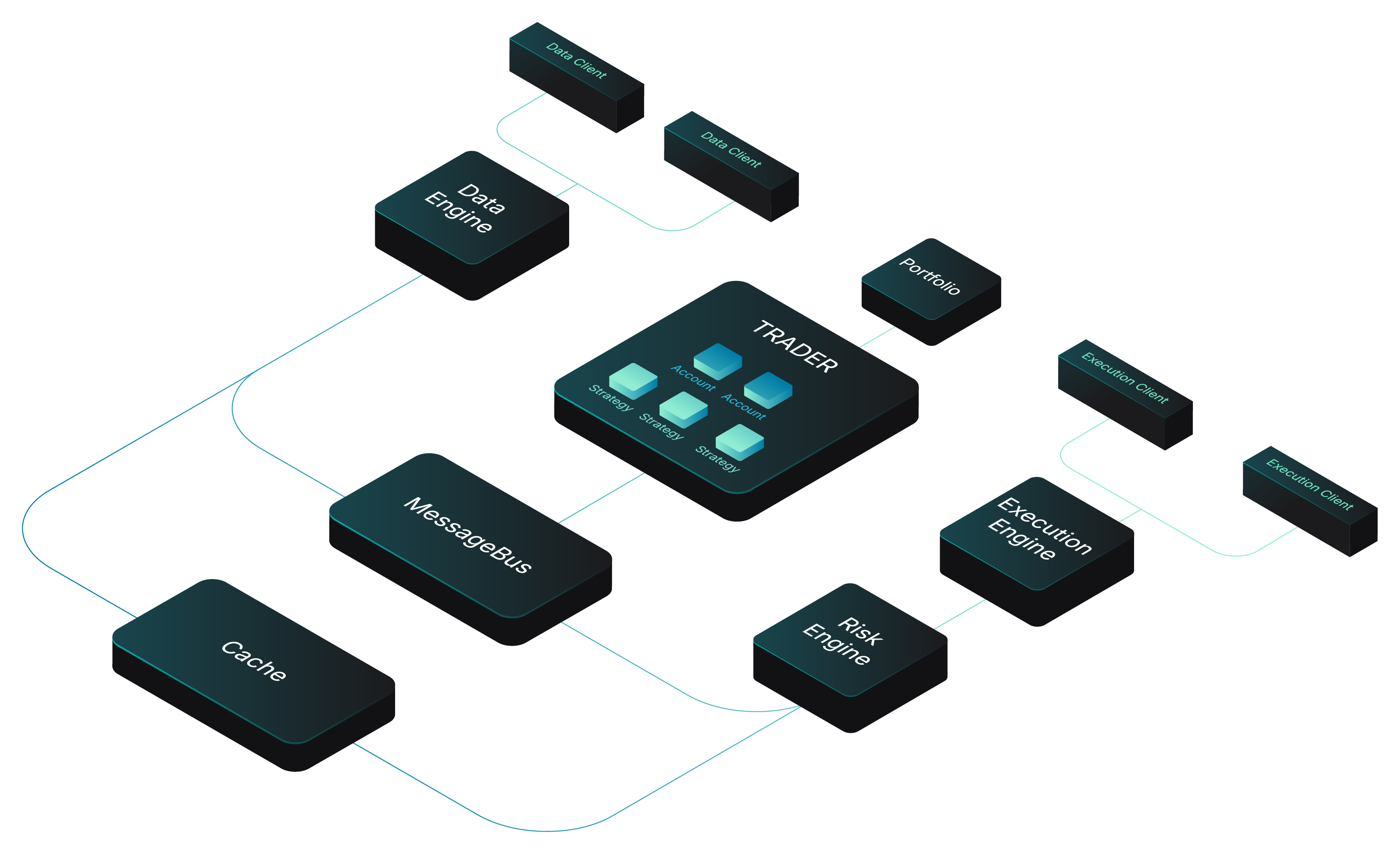
I found this diagram online here that does a pretty good job in encapsulating the main responsibilities of some of the framework components, as well as the shared infrastructure underneath, and the supplying data and handling execution.
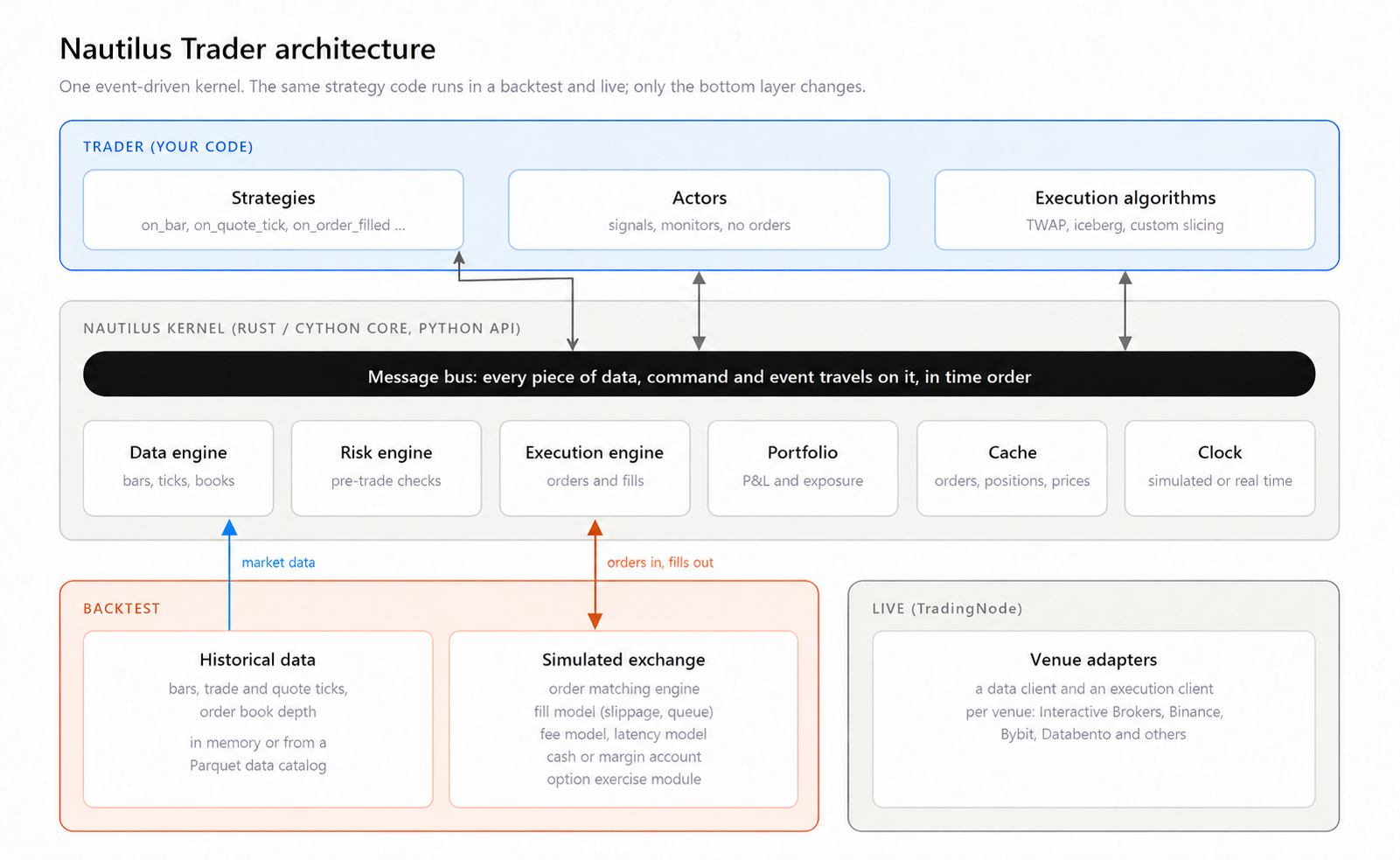
- Table:
List of components and their responsibilities
| Component | Responsibility |
|---|---|
| Trader | Manages registered strategies, actors, and execution algorithms. Base classes provided by NautilusTrader that the developer will extend from, to define their own roles and logic to trade in the market. |
| Nautilus Kernel | The "Brain" or "CPU" of the framework, where a lot of the heavy computation is being done. By having this parts written in a compiled language like Rust or Cython (only for 1.x version that this project had used), and exposing them with python interfaces, the framework gains a lot of the speed and resource efficiency of those languages, while reducing the cognitive overload for developers working with it. |
| Data engine | Processes market data and manages subscriptions. |
| Risk engine | Applies configured checks to trading commands. |
| Execution engine | Routes order commands and processes execution events. |
| Portfolio | Tracks exposure and profit and loss. |
| Cache | Holds instruments, orders, positions, and other trading state. |
| Clock | Supplies simulated time during backtests or real time during live operation. |
| Backtest | One of the 2 main modes supported by the framework engine. It intakes some common components such as the instrument object (financial asset being traded), strategies, and bar specifications (resolution of bars), as well as additional data required for backtesting such as price data. |
| Live | The other of the 2 main modes supported by the framework. It intakes the same few components used in backtesting, such as the instrument object (financial asset being traded), strategies, and bar specifications (resolution of bars), as well as a bunch of configurations needed for it to communicate to external services to execute live trades. |
Backtesting supplies historical data and simulated execution. Broker-connected operation uses adapters for incoming market data and order execution. Both environments build on shared trading infrastructure, allowing strategy logic to carry across while the surrounding environment changes.
How the Components Connect
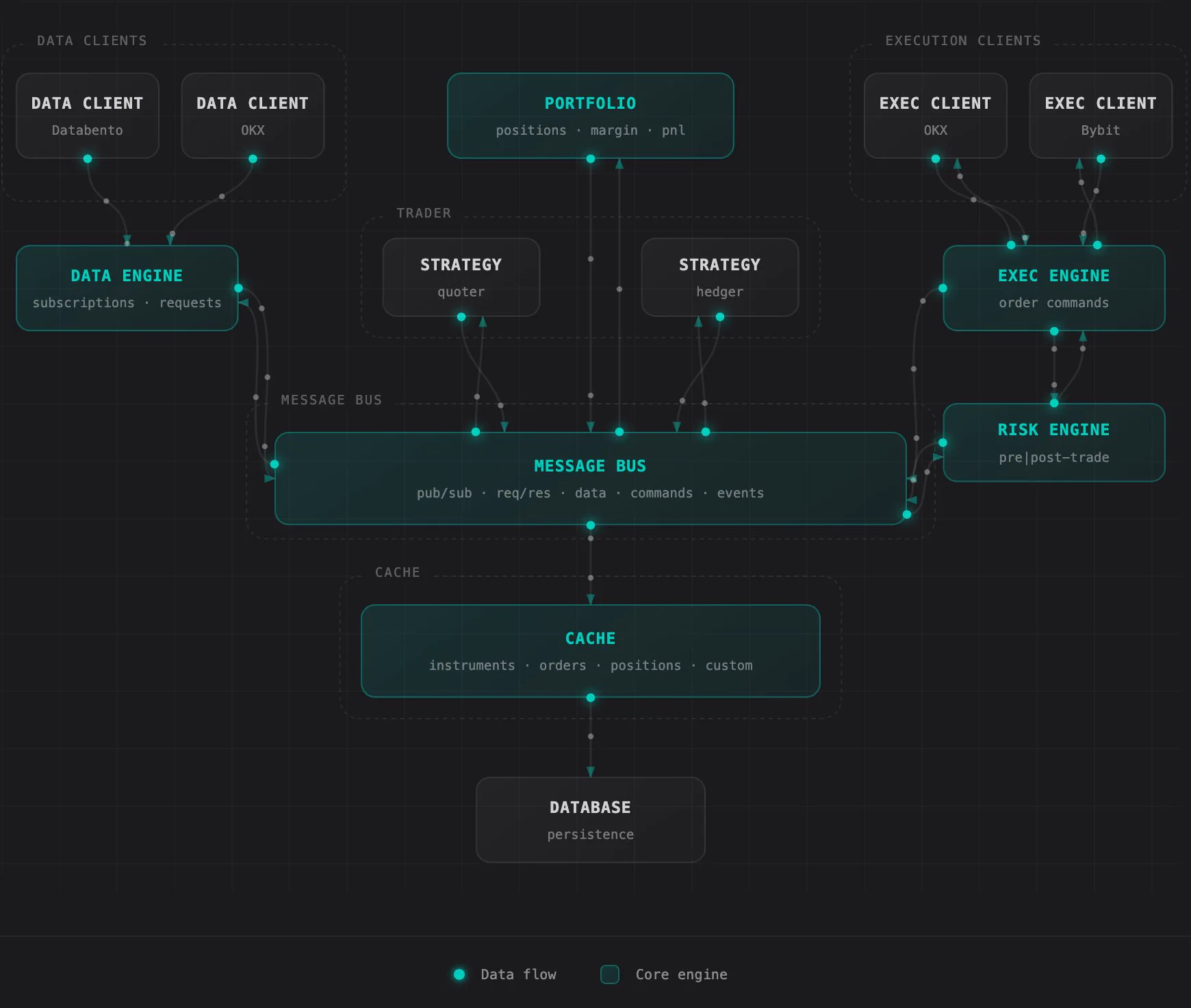
The message bus lies at the center of the framework, coordinating communication through data, commands, and events. Components can subscribe to relevant messages without each producer needing to know every consumer. The cache serves a different purpose: it provides access to stored trading state. Messaging and state access therefore work alongside each other.
Two paths help explain the interaction:
- Market data: Incoming data passes through the data engine and reaches subscribed strategies.
- Order execution: A strategy submits an order command through risk checks and execution routing. Execution events return to update trading state and notify the strategy.
The cache complements the message bus by giving components access to current state, such as instrument definitions, open orders, and positions. A strategy can react to an execution event and consult the cache when it needs to check its current position.
The Personal Quant Platform — Component Architecture
My current platform brings together historical research, strategy execution, and diagnostic tools around NautilusTrader. It supports backtesting and broker-connected paper trading, with shared strategy infrastructure across both workflows.
Each run centers on a selected underlying asset and can load multiple strategies concurrently. Configuration determines the instrument, data resolutions, strategies, and operating mode. From there, the platform prepares the required inputs and starts the appropriate workflow.
The diagram below shows how those pieces fit together. Blue highlights the custom application components I developed, while orange identifies the supporting services I operate.
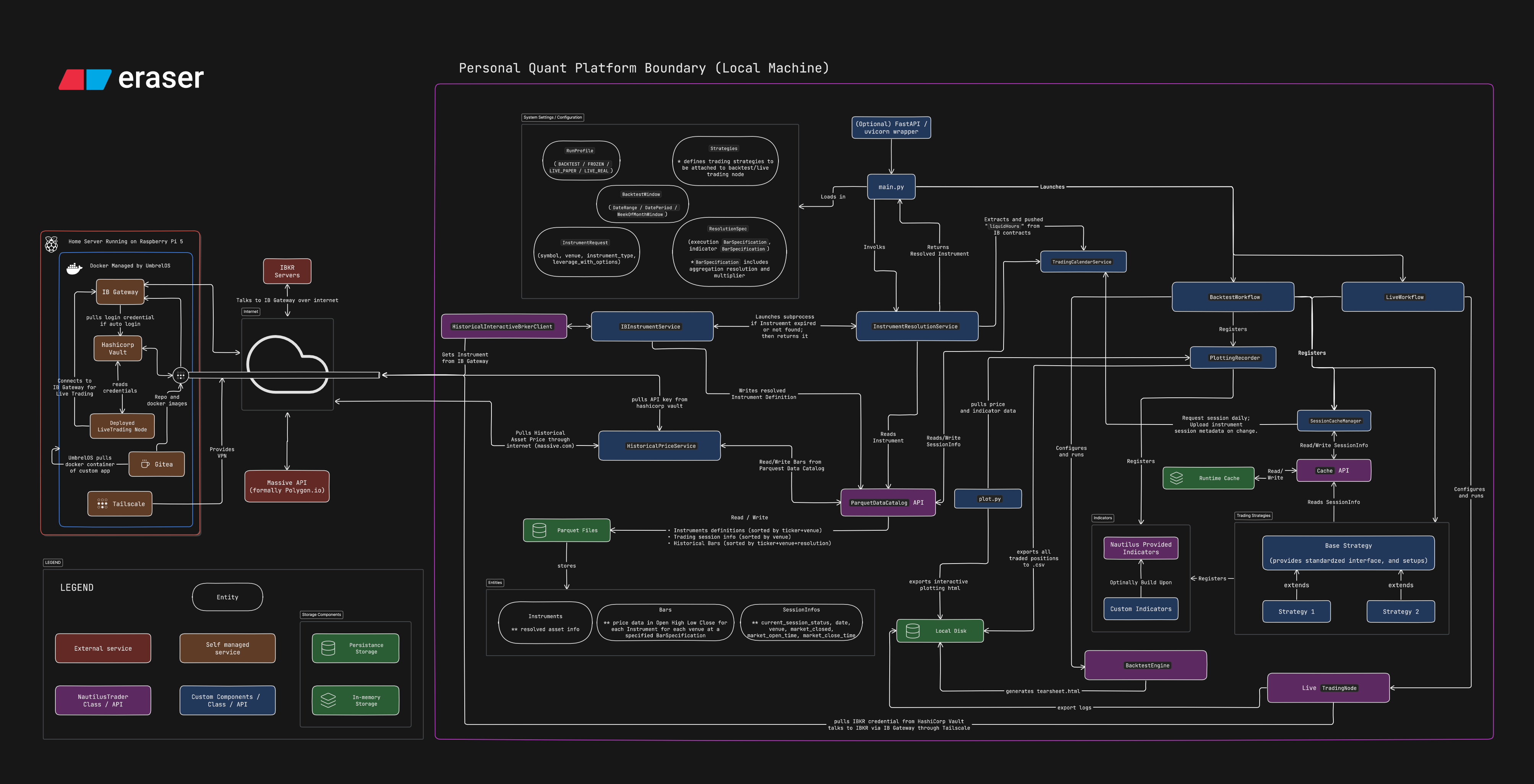
The following tables identify the main components shown in the diagram and their responsibilities within these areas. They are grouped by whether they support both workflows or are specific to backtesting or broker-connected paper trading.
Shared Components
- Table:
Components shared amongst both backtesting and live paper trading.
| Components | Responsibility | Area |
|---|---|---|
main.py, run configurations |
Define the instrument, strategies, data resolutions, and operating profile, then start the selected workflow. | Preparation and orchestration |
InstrumentResolutionService, IBInstrumentService |
Resolve an asset request into an instrument (financial asset) definition containing its identity and trading specifications. Reuse stored definitions or retrieve them through IBKR when needed. | Preparation and orchestration |
TradingCalendarService |
Supply daily trading schedules from stored session records, with a market-calendar fallback when required. | Preparation and orchestration / Strategy execution |
SessionCacheManager |
Maintain the current trading day and market phase in the shared runtime cache for strategies to reference. | Strategy execution |
| Trading Strategies, Indicators | Define the entry and exit rules for each trading idea being investigated. Calculate signals and measurements from market data for use by strategies. | Strategy execution |
ParquetDataCatalog and Parquet files |
Store and retrieve reusable instrument definitions, historical bars, and trading-session records. | Preparation and orchestration / Strategy execution |
| NautilusTrader Runtime Cache | Provide shared access to instruments, session information, orders, positions, and other runtime state (managed by NautilusTrader). Also used to manage custom trading session info during run time. | Strategy execution. |
Backtest Components
- Table:
Components that prepare historical experiments, run simulated execution, and produce outputs for analysis for backtesting.
| Components | Responsibility | Area |
|---|---|---|
| Backtest Workflow | Coordinate data preparation, configure the runtime, register components, run the backtest, and organise reporting. | All areas |
PriceHistoryService |
Check stored price coverage, retrieve missing intervals from Massive, and prepare historical data for the requested period and resolutions. | Preparation and orchestration |
BacktestEngine |
Replay historical market data and run registered strategies against a simulated trading venue. | Strategy execution |
PlottingRecorder |
Record bars and independently computed indicator values for subsequent charting. | Inspection and reporting, Strategy execution |
| Custom Reporting and Plotting, NautilusTrader Tear Sheet | Combine recorded observations with trading activity to produce positions CSV exports and interactive Plotly charts. Present backtest performance statistics and visual summaries through the framework’s reporting facilities. | Inspection and reporting |
Live Components
- Table:
Components that assemble and run the broker-connected workflow, currently used with an IBKR paper account.
| Components | Responsibility | Area |
|---|---|---|
| Live Workflow | Configure broker connections, register strategies and supporting components, and start the trading node. | Preparation and orchestration |
TradingNode |
Host the broker-connected runtime and coordinate market-data processing, strategy execution, and execution services. | Strategy execution |
| IBKR Data Client | Receive market data through IB Gateway and deliver it into the framework’s data-processing infrastructure. | Strategy execution |
| IBKR Execution Client | Submit trading commands through IB Gateway and process broker-reported order, execution, and account updates. | Strategy execution |
This overview establishes where the components sit and how they relate. The detailed walkthrough later in the article examines the setup, implementation, and trade-offs behind each part.
The Personal Quant Platform — Infrastructure
The platform extends beyond a single Python process. It depends on supporting services, including IB Gateway for broker connectivity and HashiCorp Vault for credentials, alongside third-party services such as IBKR and Massive.
Separating Local Development from Remote Execution
I split the workload between my development computer and home server, based on their available resources and when they need to remain running.
- Table:
Responsibility of each hardware infrastructure, and justification
| Local development computer | Home server | |
|---|---|---|
| Hardware | MacBook Pro, M1 Max, 32 GB RAM | Raspberry Pi 5, 8 GB RAM |
| Responsibilities | Development, historical research, backtesting, and interactive charts | Supporting services and the deployed paper-trading application |
| Reason for placement | More resources for long backtests and charting | Runs independently of my development computer, including overnight |
| Trade-off | Research workloads occupy my development machine and require it to remain awake | Trading and supporting services share limited resources with Home Assistant, AdGuard Home, and other applications |
This arrangement serves two practical goals:
- Keep research workloads off the shared server. Long backtests and interactive charts can consume considerable processing power and memory. Running them locally reduces competition with the other services on the Pi.
- Keep overnight paper trading independent of my laptop. The Pi runs both the trading application and its supporting services, allowing my development computer to sleep or remain available for other work.
The locally running application accesses the required services on the Pi through the home network, or through Tailscale when I am away.
Hosting the Supporting Services
My Raspberry Pi runs UmbrelOS, which I use to manage the containerised applications on my home server. The Personal Quant Platform builds on this existing setup, with Docker containers hosting its supporting services and deployed trading application.
I covered this environment in more detail in Exploring Self-Hosted Infrastructure Through UmbrelOS. In particular, “How Custom Apps Work in UmbrelOS” explains how custom applications fit into the setup. That article also briefly introduces IB Gateway and some of the services used here.
- Table:
List of supporting services, and their responsibilities
| Service | Responsibility |
|---|---|
| Tailscale | Provides remote access to the home server when I am away. Allows me to run the services without dealing with the complications and possible increase in attack surface when port forwarding. |
| HashiCorp Vault | Stores credentials for retrieval by the application and login automation. |
| IB Gateway | Provides connectivity to IBKR for instrument discovery and paper trading. Custom script injected to pull credentials from Hashicorp Vault when restarting container. |
| Gitea | Hosts the source repository and container images used to deploy the application. UmbrelOS pulls from the Community App Store Repository for custom apps, and the docker-compose files pulls custom packages for apps such as IB-gateway, and the Personal Quant Platform docker images. |
Using the same environment lets me manage these services alongside the applications I already host. The trade-off is a shared dependency on the Pi. Maintenance, restarts, or resource contention on the server can affect several parts of the platform together.
Tailscale
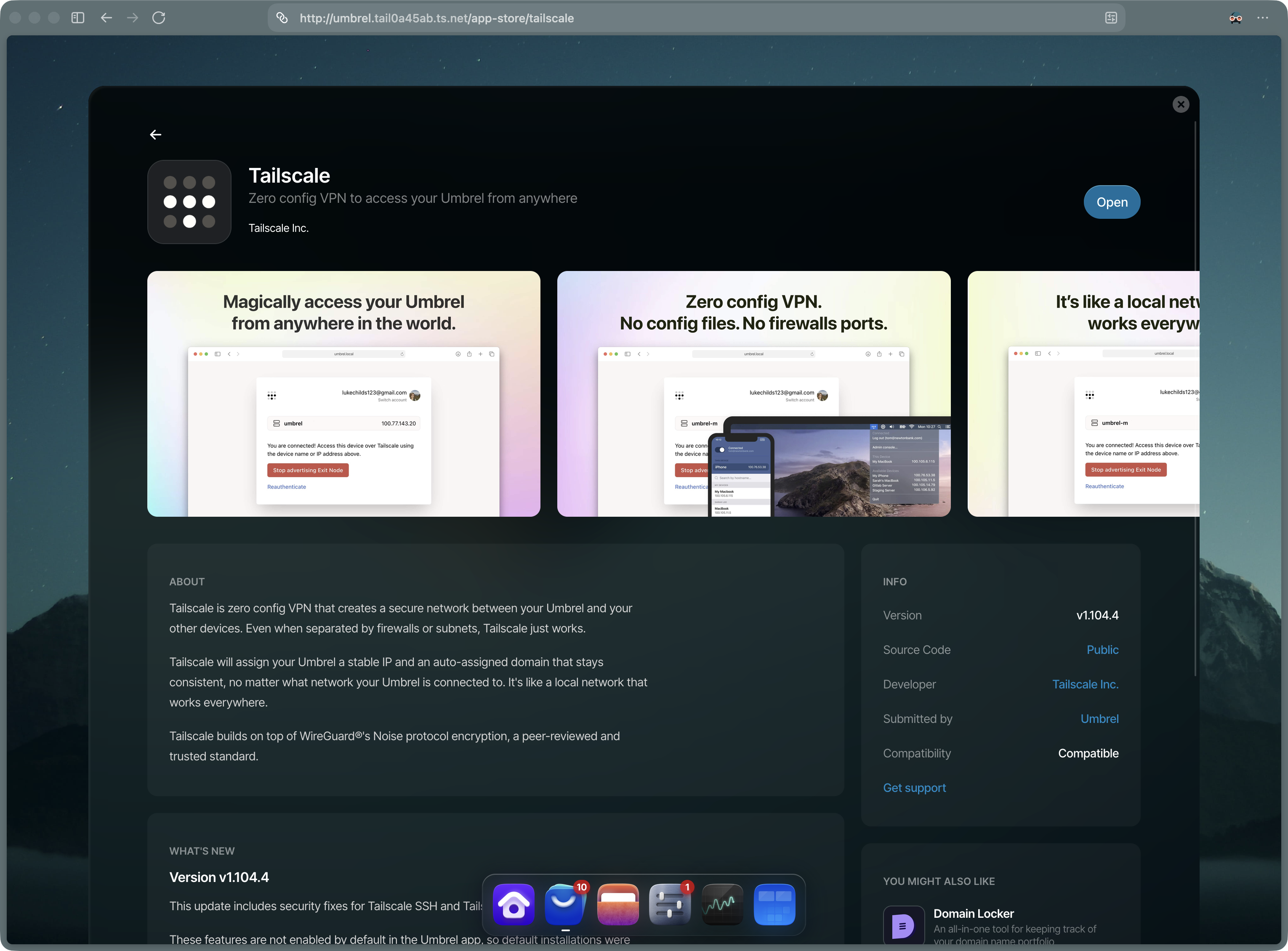
I already used Tailscale to reach my home server when I was away. Since Tailscale was available through UmbrelOS, I didn’t have to install or maintain a separate package for the Personal Quant Platform. I could reuse the same connection from my MacBook to reach services such as IB Gateway on the Pi, without setting up port forwarding on my router.
HashiCorp Vault
The nature of building any moderately complex system like this Personal Quant Platform, it is only natural that I eventually run into the need of storing secrets. I could have just chucked those into a .env file and called it a day, but if I am really being honest with myself, I do not think that is even considered security practice, but a bare minimum.
At this point of time, I knew about products used by systems like Google / AWS Secrets Manager. But if you have been reading the other articles written by me previously, you would have known that the closed source and pricing of those products are against my philosophy.
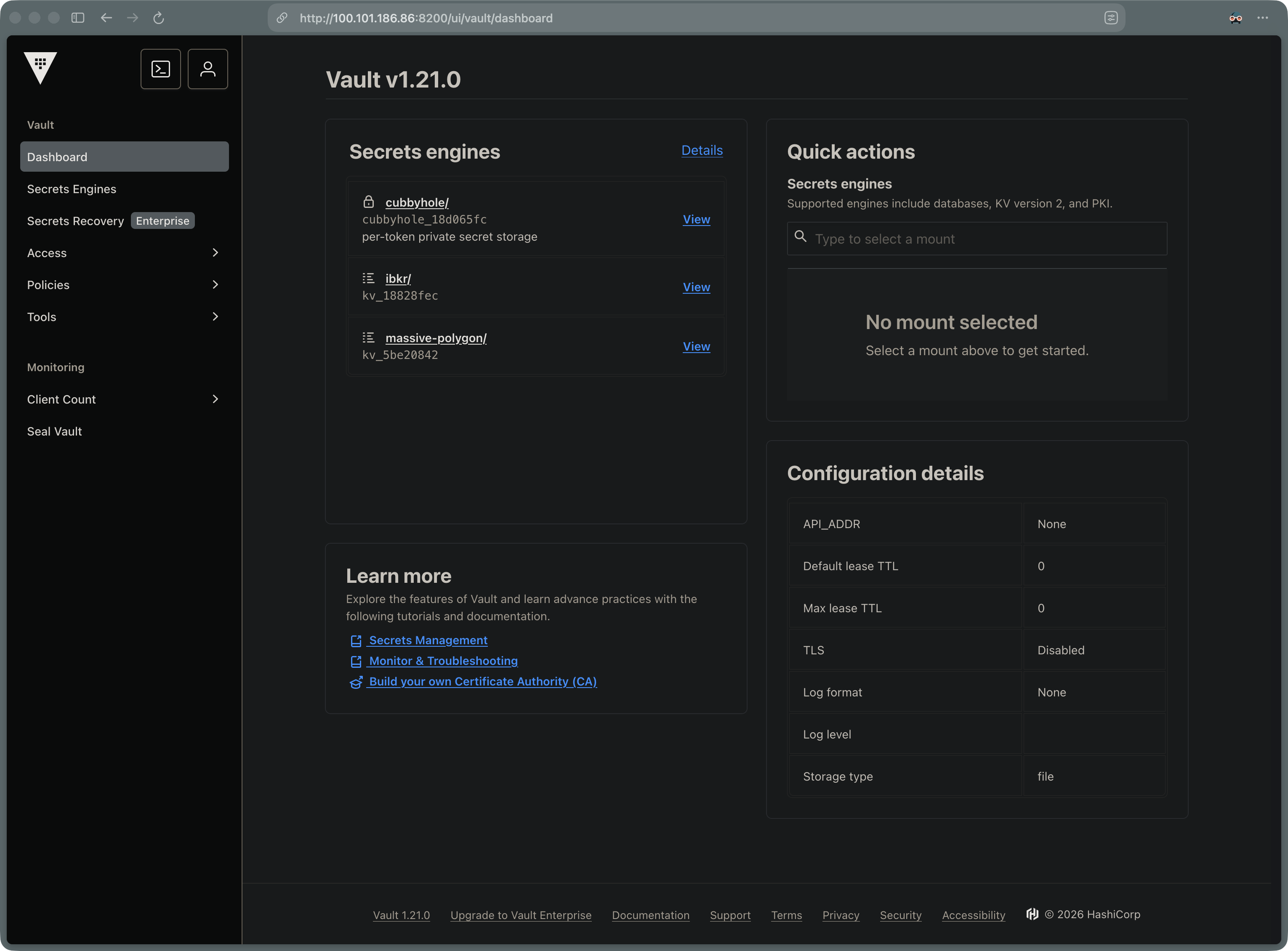
HashiCorp Vault Community Edition, on the other hand, offers something more akin to what I am looking for. Though not open sourced licensed, it is sourced available, and most of the core features are free as long as I hosted it on my own infrastructure. Unlike Tailscale however, the product is not provided as part of the curated selection of applications packaged into my home server's OS, hence I will have to install it the old fashioned way by pulling a docker image.
Luckily for me, HashiCorp has gracefully published the product on Docker Hub, saving the need for me to build my own image. All I needed to do was to pull the image from the docker hub when writing my compose file, and ensure there is no clashing ports with the curated applications from UmbrelOS.
version: '3.7'

services:
  vault:
    image: hashicorp/vault:latest@sha256:62dd55c9ccbdc0af0a9269e87481a64650258907434d5ddb5e795e2eb2ac5780
    container_name: vault
    restart: unless-stopped
    cap_add:
      - IPC_LOCK

    ports:
      - "8200:8200"

    volumes:
      - ${APP_DATA_DIR}/data/config/:/vault/config
      - ${APP_DATA_DIR}/data/file/:/vault/file

    environment:
      VAULT_ADDR: "http://0.0.0.0:8200"

    command: >
      vault server
      -config=/vault/config/vault.hcl
I also added an umbrel-app.yml manifest so Vault would appear in my personal Umbrel app store alongside the other apps.
IB Gateway
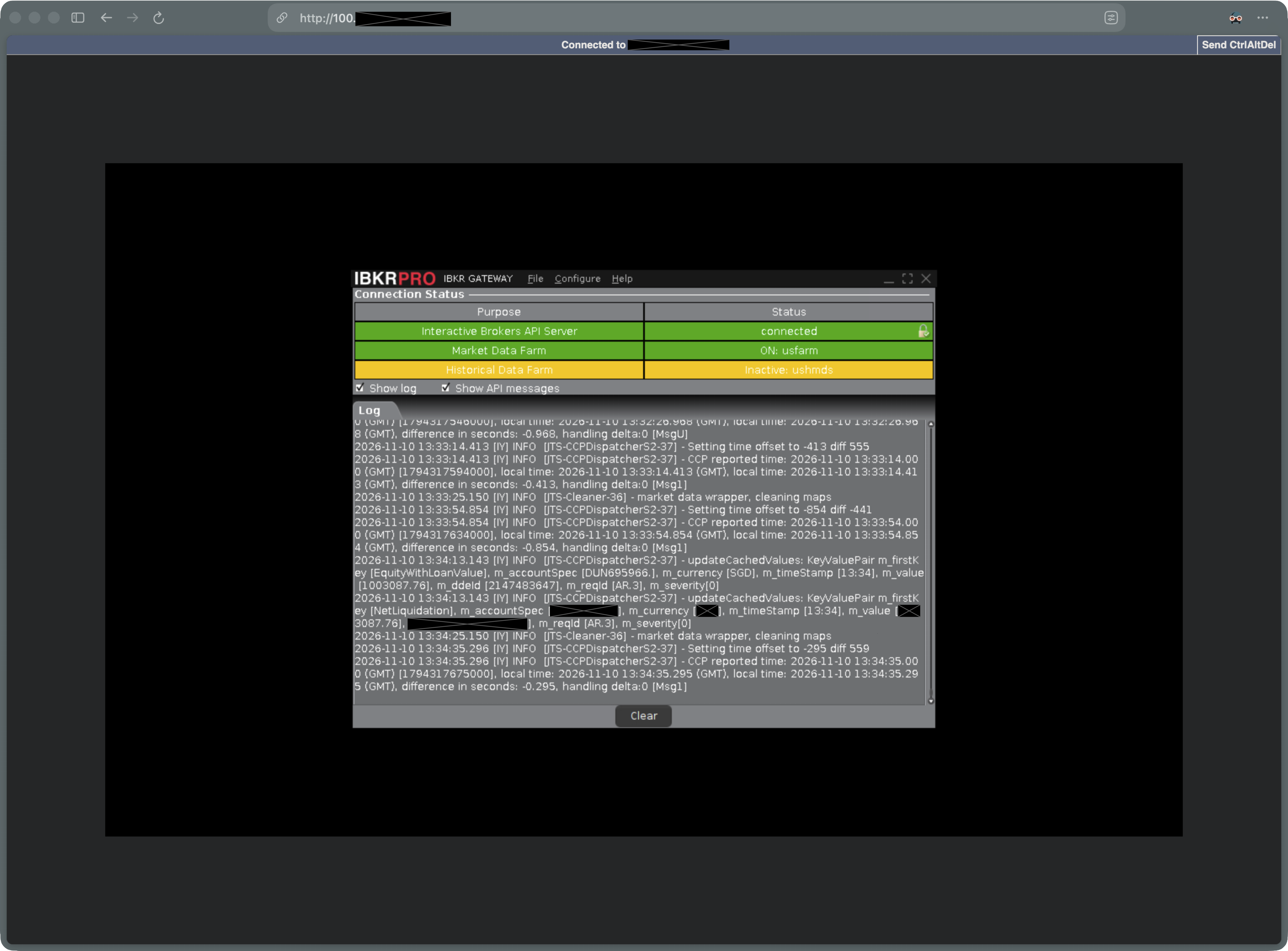
What first drew me to Interactive Brokers was the pricing. Its fees looked competitive for the kinds of trades I wanted to test. It also helped that NautilusTrader already had an IBKR adapter, so I could use an existing integration for market data and order execution. And since I planned to run the broker connection on my Raspberry Pi, I liked having IB Gateway as a lighter alternative to Trader Workstation. I needed the API connection, and the Gateway gave me that without the full trading desktop.
I use IB Gateway in two places. When a research run on my MacBook needs a fresh instrument definition, the application requests it through the Gateway on the Pi. During paper trading, the trading node runs on the Pi too and uses the Gateway to receive market data and submit orders to my IBKR paper account.
I run the Gateway in its own container on UmbrelOS. That lets me restart the trading application independently and use the same Gateway for research from my MacBook and paper trading on the Pi.
I couldn’t find an official IB Gateway image on Docker Hub. I was a little wary of handing my brokerage credentials to a third-party image, so I built my own around the Linux installer published by IBKR. I added VNC and noVNC so I could open the Gateway’s window in my browser and see what it was doing.
The Dockerfile runs the ARM64 installer headless during the build, before Xvnc is available, and checks that the Gateway launcher exists and is executable. When the container starts, it hands off to entrypoint.sh.
Expand to view full Dockerfile for IB Gateway
FROM debian:bookworm-slim


ARG TARGETARCH


ENV IBG_HOME=/opt/ibgateway \
    DISPLAY=:0 \
    LANG=C.UTF-8


RUN apt-get update \
    && apt-get install -y --no-install-recommends \
        ca-certificates \
        curl \
        jq \
        libglib2.0-0 \
        libnss3 \
        libxext6 \
        libxi6 \
        libxrender1 \
        libxtst6 \
        openjdk-17-jre \
        python3 \
        procps \
        tigervnc-standalone-server \
        tigervnc-tools \
        tzdata \
        websockify \
        xdotool \
        xauth \
        xfonts-base \
    && rm -rf /var/lib/apt/lists/*


# Install noVNC manually to avoid distro packaging issues.
RUN set -eux; \
    NO_VNC_VERSION=1.6.0; \
    mkdir -p /usr/share/novnc; \
    curl -fsSL "https://github.com/novnc/noVNC/archive/refs/tags/v${NO_VNC_VERSION}.tar.gz" \
      | tar -xz --strip-components=1 -C /usr/share/novnc; \
    ln -sf /usr/share/novnc/vnc_lite.html /usr/share/novnc/index.html; \
    chmod +x /usr/share/novnc/utils/novnc_proxy


# Install IB Gateway (maps TARGETARCH to IBG installer arch: linux-arm or linux-x64).
RUN set -eux; \
    case "${TARGETARCH:-}" in \
      amd64) IBG_ARCH=linux-x64 ;; \
      arm64|aarch64) IBG_ARCH=linux-arm ;; \
      *) echo "Unsupported TARGETARCH '${TARGETARCH:-unset}'" >&2; exit 1 ;; \
    esac; \
    mkdir -p "${IBG_HOME}"; \
    IBG_URL="https://download2.interactivebrokers.com/installers/ibgateway/latest-standalone/ibgateway-latest-standalone-${IBG_ARCH}.sh"; \
    echo "Downloading ${IBG_URL}"; \
    curl -fsSL "${IBG_URL}" -o /tmp/ibgateway.sh; \
    chmod +x /tmp/ibgateway.sh; \
    env -u DISPLAY /tmp/ibgateway.sh -q -dir "${IBG_HOME}" \
      -Djava.awt.headless=true \
      -Dinstall4j.logToStderr=true; \
    launcher="$(find "${IBG_HOME}" -maxdepth 4 -type f \
      -name ibgateway -executable -print -quit)"; \
    if [ -z "${launcher}" ]; then \
      echo "IB Gateway installer finished without an executable launcher under ${IBG_HOME}" >&2; \
      ls -la "${IBG_HOME}" >&2; \
      exit 1; \
    fi; \
    echo "Installed IB Gateway launcher: ${launcher}"; \
    rm -f /tmp/ibgateway.sh


COPY entrypoint.sh /usr/local/bin/entrypoint.sh
RUN chmod +x /usr/local/bin/entrypoint.sh


EXPOSE 5900 8080 4001 4002
VOLUME ["/config"]


ENTRYPOINT ["/usr/local/bin/entrypoint.sh"]
The trading node connects to IB Gateway over a dedicated Docker bridge network called quant-broker. The Gateway’s Compose file creates the network, and the Nautilus container joins it as an external network. Nautilus reaches the Gateway using the alias quant-ib-gateway. I gave Nautilus a fixed IP outside Docker’s automatic allocation range so the Gateway sees the same source address even when I recreate the container. Both containers also join Umbrel’s shared network to reach services such as Vault.
Expand to view the full Docker Compose file for IB Gateway
services:
  app_proxy:
    environment:
      APP_HOST: personal-ib-gateway_server_1
      APP_PORT: 8080


  server:
    image: localhost:8085/kavtee/ib-gateway:0.1.22@sha256:59f2d02f3fcf9447e19b6c0d14f8a9b72bdc417b5d4df04b83a1ab53b587198e
    restart: unless-stopped
    stop_grace_period: 1m
    environment:
      ENABLE_NOVNC: "1"
      NOVNC_PORT: "8080"
      VNC_PASSWORD: "xxx"
      IBG_AUTO_LOGIN: "1"
      VAULT_ADDR: "http://vault:xxx"
      VAULT_MOUNT: "ibkr"
      VAULT_PATH: "xxx"
      VAULT_TOKEN_FILE: "/config/secrets/vault-token"
      VAULT_TOKEN_HOST_FILE: "${APP_DATA_DIR}/data/secrets/vault-token"
    ports:
      - "4001:4001"
      - "4002:4002"
    # dedicated network for personal nautilus quant platform static IP allocation so address will not clash with
    # other umbrel os apps.
    networks:
      default: { }
      quant_broker:
        aliases:
          - quant-ib-gateway
    volumes:
      - "${APP_DATA_DIR}/data/root:/root"
      - "${APP_DATA_DIR}/data/logs:/var/log/ibgateway"
      - "${APP_DATA_DIR}/data/secrets:/config/secrets:ro"


networks:
  quant_broker:
    name: quant-broker
    driver: bridge
    internal: true
    ipam:
      config:
        - subnet: 172.30.50.0/24
          ip_range: 172.30.50.128/25
          gateway: 172.30.50.1
In the Gateway’s API settings, I leave Allow connections from localhost only unchecked and manually add the Nautilus container’s address, 172.30.50.10, to Trusted IPs. On my UmbrelOS setup, that entry survives app restarts. I only need to add it again after uninstalling and reinstalling the app.
| Connection | Source IP seen by IB Gateway |
|---|---|
| MacBook traffic forwarded from Tailscale | 10.21.0.1 (Umbrel Docker bridge gateway) |
| Nautilus trading node over quant-broker | 172.30.50.10 |
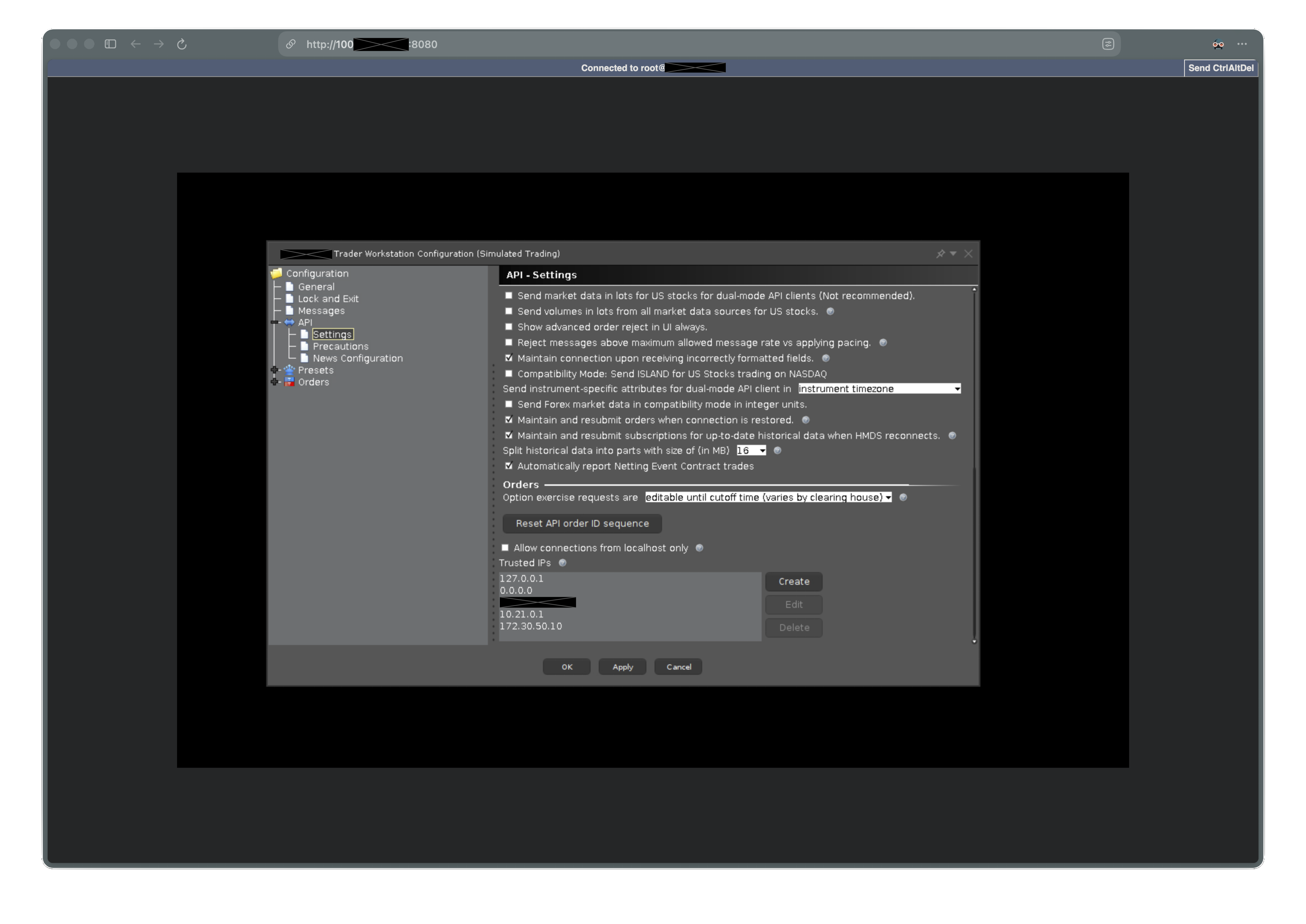
These addresses are specific to my Docker network. If you’re setting up something similar, you can run tcpdump inside the Gateway container, try connecting from each client, and check the source IP of the incoming TCP connection.
Of course, getting the container to start was only half the job. There was still a login window to get through. Since I was already keeping my IBKR credentials in Vault, I wrote a startup script that fetches them and uses mouse and keyboard automation to fill in the form and submit it. That keeps the credentials out of the Docker image and saves me from typing them each time the container starts. Vault does need to be reachable when the script runs.
The mouse clicks use fixed screen coordinates, so I run the Gateway desktop at a fixed resolution and rely on the login window opening in the same place each time. I could make the script adapt to different resolutions and layouts by having it find the controls at runtime. For a desktop I control, fixed coordinates were enough.
Expand to view the full IB Gateway startup script (sensitive data redacted)
#!/usr/bin/env bash
set -euo pipefail


IBG_HOME=${IBG_HOME:-/opt/ibgateway}
CONFIG_ROOT=${CONFIG_ROOT:-/config}
DISPLAY=${DISPLAY:-:0}
VNC_PORT=${VNC_PORT:-5900}
RESOLUTION=${RESOLUTION:-1280x800x24}
ENABLE_NOVNC=${ENABLE_NOVNC:-0}
IB_USERNAME=${IB_USERNAME:-}
IB_PASSWORD=${IB_PASSWORD:-}
VAULT_ADDR=${VAULT_ADDR:-}
VAULT_MOUNT=${VAULT_MOUNT:-ibkr}
VAULT_PATH=${VAULT_PATH:-credentials}
VAULT_TOKEN=${VAULT_TOKEN:-}
VAULT_TOKEN_FILE=${VAULT_TOKEN_FILE:-}
IBG_AUTO_LOGIN=${IBG_AUTO_LOGIN:-1}
IBG_WINDOW_NAME=${IBG_WINDOW_NAME:-IBKR Gateway}
IBG_LOGIN_DELAY=${IBG_LOGIN_DELAY:-6}
IBG_LOGIN_ATTEMPTS=${IBG_LOGIN_ATTEMPTS:-12}
IBG_LOGIN_RETRY_DELAY=${IBG_LOGIN_RETRY_DELAY:-5}
IBG_LOGIN_TYPE_DELAY=${IBG_LOGIN_TYPE_DELAY:-70}
IBG_CLICK_IBAPI_X=731
IBG_CLICK_IBAPI_Y=269
IBG_CLICK_PAPER_X=731
IBG_CLICK_PAPER_Y=315
IBG_CLICK_DELAY=0.4
# API access reference groups; useful breadcrumbs for future troubleshooting.
LOCALHOST_IPS=${LOCALHOST_IPS:-127.0.0.1,0.0.0.0}
LAN_IPS=${LAN_IPS:-192.168.50.138}
TAILSCALE_BRIDGE_IPS=${TAILSCALE_BRIDGE_IPS:-10.21.0.1}
API_ONLY=${API_ONLY:-false}
# Combined list for IBG API TrustedIPs (comma-separated).
TRUSTED_IPS=${TRUSTED_IPS:-${LOCALHOST_IPS},${LAN_IPS},${TAILSCALE_BRIDGE_IPS}}


LOG_DIR=${LOG_DIR:-/var/log/ibgateway}


read_vault_token() {
  local token reason


  if [[ -n "${VAULT_TOKEN}" ]]; then
    token="${VAULT_TOKEN//$'\n'/}"
    if [[ -n "${token}" ]]; then
      printf '%s' "${token}"
      return 0
    fi
    echo "VAULT_TOKEN contains only newlines. Set a valid token or unset it to use the token file." >&2
    return 1
  fi


  if [[ -z "${VAULT_TOKEN_FILE}" ]]; then
    echo "Set VAULT_TOKEN_FILE in Docker Compose to the mounted token file path." >&2
    return 1
  elif [[ -d "${VAULT_TOKEN_FILE}" ]]; then
    reason="is a directory"
  elif [[ ! -e "${VAULT_TOKEN_FILE}" ]]; then
    reason="is missing"
  elif [[ ! -f "${VAULT_TOKEN_FILE}" ]]; then
    reason="is not a regular file"
  elif [[ ! -r "${VAULT_TOKEN_FILE}" ]] ||
       ! token="$(tr -d '\n' < "${VAULT_TOKEN_FILE}")"; then
    reason="could not be read"
  elif [[ -z "${token}" ]]; then
    reason="is empty"
  else
    printf '%s' "${token}"
    return 0
  fi


  printf 'Vault token file %s %s.\n' "${VAULT_TOKEN_FILE}" "${reason}" >&2
  if [[ -n "${VAULT_TOKEN_HOST_FILE:-}" ]]; then
    printf 'On the Umbrel Pi, create or fix this file: %s\n' \
      "${VAULT_TOKEN_HOST_FILE}" >&2
  fi
  if [[ -d "${VAULT_TOKEN_FILE}" ]]; then
    echo "If the directory at that path is empty, remove it with rmdir before creating the file." >&2
  fi
  echo "Put the raw Vault token on one line in the file, then restart IB Gateway." >&2
  return 1
}
vault_read_json() {
  local token="$1" url="$2" response body code
  response="$(curl -sSL -H "X-Vault-Token: ${token}" -w '\n%{http_code}' "${url}" || true)"
  body="${response%$'\n'*}"
  code="${response##*$'\n'}"
  if [[ -z "${body}" ]]; then
    echo "Vault returned empty response (HTTP ${code}) for ${url}"
    return 1
  fi
  if [[ "${code}" != "200" ]]; then
    echo "Vault read failed (HTTP ${code}) for ${url}"
    return 1
  fi
  printf '%s' "${body}"
}


fetch_vault_credentials() {
  local token url json health_code username password


  if [[ -z "${VAULT_ADDR}" ]]; then
    echo "VAULT_ADDR is unset. Set it in Docker Compose, then redeploy IB Gateway." >&2
    return 1
  fi


  if ! token="$(read_vault_token)"; then
    # read_vault_token already logged how to fix the token or its file.
    return 1
  fi


  url="${VAULT_ADDR%/}/v1/${VAULT_MOUNT}/data/${VAULT_PATH}"
  if ! json="$(vault_read_json "${token}" "${url}")"; then
    url="${VAULT_ADDR%/}/v1/${VAULT_MOUNT}/${VAULT_PATH}"
    if ! json="$(vault_read_json "${token}" "${url}")"; then
      if health_code="$(curl -sS --connect-timeout 5 --max-time 10 \
        -o /dev/null -w '%{http_code}' \
        "${VAULT_ADDR%/}/v1/sys/health")"; then
        case "${health_code}" in
          503)
            echo "Vault is sealed. Unseal Vault, then restart IB Gateway to retry auto-login." >&2
            ;;
          *)
            printf 'Vault health returned HTTP %s. See the credential read errors above.\n' \
              "${health_code}" >&2
            ;;
        esac
      else
        echo "Could not check Vault health. See the curl error above." >&2
      fi
      return 1
    fi
  fi


  if ! command -v jq >/dev/null 2>&1; then
    echo "jq is missing from the Gateway image. Install jq in the image and redeploy." >&2
    return 1
  fi


  if ! username="$(jq -er \
      '(.data.data.username // .data.username) | strings | select(length > 0)' \
      <<< "${json}" 2>/dev/null)" ||
     ! password="$(jq -er \
      '(.data.data.password // .data.password) | strings | select(length > 0)' \
      <<< "${json}" 2>/dev/null)"; then
    printf 'Vault read succeeded at %s, but the response did not contain a usable username and password. Check both fields in the Vault secret.\n' \
      "${url}" >&2
    return 1
  fi


  IB_USERNAME="${username}"
  IB_PASSWORD="${password}"
  echo "Vault credentials loaded."
}


auto_login_ibg() {
  if [[ "${IBG_AUTO_LOGIN}" != "1" ]]; then
    return 0
  fi
  if ! command -v xdotool >/dev/null 2>&1; then
    echo "xdotool not available; cannot auto-login."
    return 1
  fi
  echo "Auto-login enabled; waiting ${IBG_LOGIN_DELAY}s for IB Gateway window."
  if [[ -z "${IB_USERNAME}" || -z "${IB_PASSWORD}" ]]; then
    if ! fetch_vault_credentials; then
      echo "IB credentials not available; skipping auto-login."
      return 1
    fi
  fi


  echo "Auto-login starting (attempts: ${IBG_LOGIN_ATTEMPTS}, retry delay: ${IBG_LOGIN_RETRY_DELAY}s)."
  sleep "${IBG_LOGIN_DELAY}"
  for _ in $(seq 1 "${IBG_LOGIN_ATTEMPTS}"); do
    local win_id win_name
    win_id="$(xdotool search --name "${IBG_WINDOW_NAME}" 2>/dev/null | head -n 1 || true)"
    if [[ -n "${win_id}" ]]; then
      win_name="$(xdotool getwindowname "${win_id}" 2>/dev/null || true)"
      if [[ -n "${win_name}" ]]; then
        echo "Auto-login targeting window '${win_name}' (id ${win_id})."
      else
        echo "Auto-login targeting window id ${win_id}."
      fi
      # Select IB API in the login UI (window-relative coordinates).
      sleep 1
      xdotool mousemove --window "${win_id}" 515 212
      xdotool click 1
      sleep 1
      # Switch to Paper Trading before entering credentials (window-relative coordinates).
      xdotool mousemove --window "${win_id}" 508 225
      xdotool click 1
      sleep 1
      TYPE_WIN="$(xdotool getwindowfocus 2>/dev/null || echo "${win_id}")"
      if [[ -n "${TYPE_WIN}" ]]; then
        TYPE_NAME="$(xdotool getwindowname "${TYPE_WIN}" 2>/dev/null || true)"
        echo "Typing into focused window '${TYPE_NAME:-unknown}' (id ${TYPE_WIN})."
      fi
      xdotool type --window "${TYPE_WIN}" --delay "${IBG_LOGIN_TYPE_DELAY}" --clearmodifiers -- "${IB_USERNAME}"
      xdotool key --window "${TYPE_WIN}" --delay "${IBG_LOGIN_TYPE_DELAY}" --clearmodifiers Tab
      xdotool type --window "${TYPE_WIN}" --delay "${IBG_LOGIN_TYPE_DELAY}" --clearmodifiers -- "${IB_PASSWORD}"
      xdotool key --window "${TYPE_WIN}" --delay "${IBG_LOGIN_TYPE_DELAY}" --clearmodifiers Return
      # Accept trade disclaimer if prompted (window-relative coordinates).
      sleep 10
      xdotool mousemove --window "${win_id}" 400 410
      xdotool click 1
      echo "Auto-login submitted for window '${IBG_WINDOW_NAME}'."
      return 0
    fi
    sleep "${IBG_LOGIN_RETRY_DELAY}"
  done


  echo "Auto-login window not found after ${IBG_LOGIN_ATTEMPTS} attempts."
  return 1
}


# Keep a reference of trusted IPs in /root/Jts/jts.ini for future debugging.
ensure_setting() {
  local key="$1" val="$2" file="$3"
  if grep -q "^${key}=" "${file}" 2>/dev/null; then
    sed -i "s/^${key}=.*/${key}=${val}/" "${file}"
  else
    echo "${key}=${val}" >> "${file}"
  fi
}


mkdir -p /root/Jts "${LOG_DIR}"
JTS_FILE="/root/Jts/jts.ini"
touch "${JTS_FILE}"
ensure_setting "ApiOnly" "${API_ONLY}" "${JTS_FILE}"
ensure_setting "TrustedIPs" "${TRUSTED_IPS}" "${JTS_FILE}"
WIDTH=${RESOLUTION%%x*}
REST=${RESOLUTION#*x}
HEIGHT=${REST%%x*}
DEPTH=${RESOLUTION##*x}


VNC_ARGS=(
  ":${DISPLAY#:}"
  -rfbport "${VNC_PORT}"
  -localhost
  -geometry "${WIDTH}x${HEIGHT}"
  -depth "${DEPTH}"
  -MaxDisconnectionTime 0
  -MaxConnectionTime 0
  -NeverShared=0
  -AlwaysShared=1
)


if [[ -n "${VNC_PASSWORD:-}" ]]; then
  VNC_PASS_FILE="${CONFIG_ROOT}/.vncpass"
  printf "%s\n" "${VNC_PASSWORD}" | vncpasswd -f > "${VNC_PASS_FILE}"
  chmod 600 "${VNC_PASS_FILE}"
  VNC_ARGS+=(-SecurityTypes VncAuth -PasswordFile "${VNC_PASS_FILE}")
else
  VNC_ARGS+=(-SecurityTypes None)
fi


echo "Starting Xvnc on display ${DISPLAY} (port ${VNC_PORT})"
Xvnc "${VNC_ARGS[@]}" >"${LOG_DIR}/xvnc.log" 2>&1 &
VNC_PID=$!
sleep 2
if ! kill -0 "${VNC_PID}" 2>/dev/null; then
  echo "Xvnc failed to start"
  tail -n 200 "${LOG_DIR}/xvnc.log" || true
  exit 1
fi


if [[ "${ENABLE_NOVNC}" == "1" ]]; then
  echo "Starting noVNC on port ${NOVNC_PORT:-8080}"
  NOVNC_PORT=${NOVNC_PORT:-8080}
  /usr/share/novnc/utils/novnc_proxy --vnc "localhost:${VNC_PORT}" --listen "${NOVNC_PORT}" >"${LOG_DIR}/novnc.log" 2>&1 &
  NOVNC_PID=$!
fi


# Find IB Gateway launcher produced by the installer.
IBG_BIN=${IBG_BIN:-}
if [[ -z "${IBG_BIN}" ]]; then
  IBG_BIN=$(find "${IBG_HOME}" -maxdepth 4 -type f -name "ibgateway" | head -n 1 || true)
fi


if [[ -z "${IBG_BIN}" ]]; then
  echo "IB Gateway binary not found in ${IBG_HOME}. Check installer URL/version."
  exit 1
fi


echo "Launching IB Gateway via ${IBG_BIN}"
"${IBG_BIN}" &
IBG_PID=$!


auto_login_ibg &


# Monitor IB Gateway in the background without relying on wait.
monitor_ibg() {
  while kill -0 "${IBG_PID}" 2>/dev/null; do
    sleep 5
  done
  echo "IB Gateway exited."
}
monitor_ibg &
IBG_MONITOR_PID=$!


cleanup() {
  echo "Shutting down..."
  kill -TERM "${IBG_PID}" "${VNC_PID}" 2>/dev/null || true
  [[ -n "${NOVNC_PID:-}" ]] && kill -TERM "${NOVNC_PID}" 2>/dev/null || true
  [[ -n "${IBG_MONITOR_PID:-}" ]] && kill -TERM "${IBG_MONITOR_PID}" 2>/dev/null || true
}
trap cleanup TERM INT


# Keep container alive as long as Xvnc (and optionally noVNC) run.
if [[ -n "${NOVNC_PID:-}" ]]; then
  wait "${VNC_PID}" "${NOVNC_PID}"
else
  wait "${VNC_PID}"
fi
Gitea
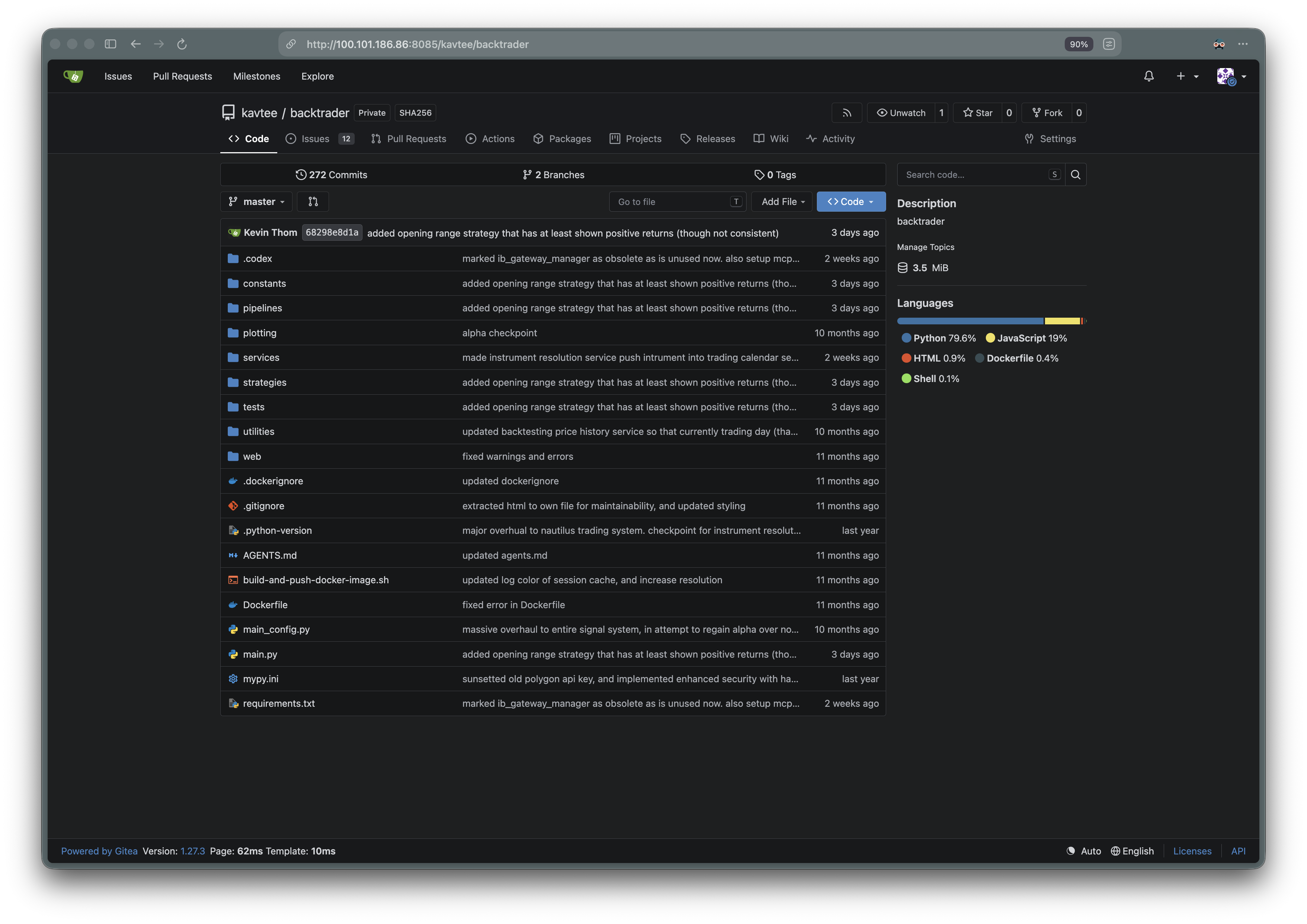
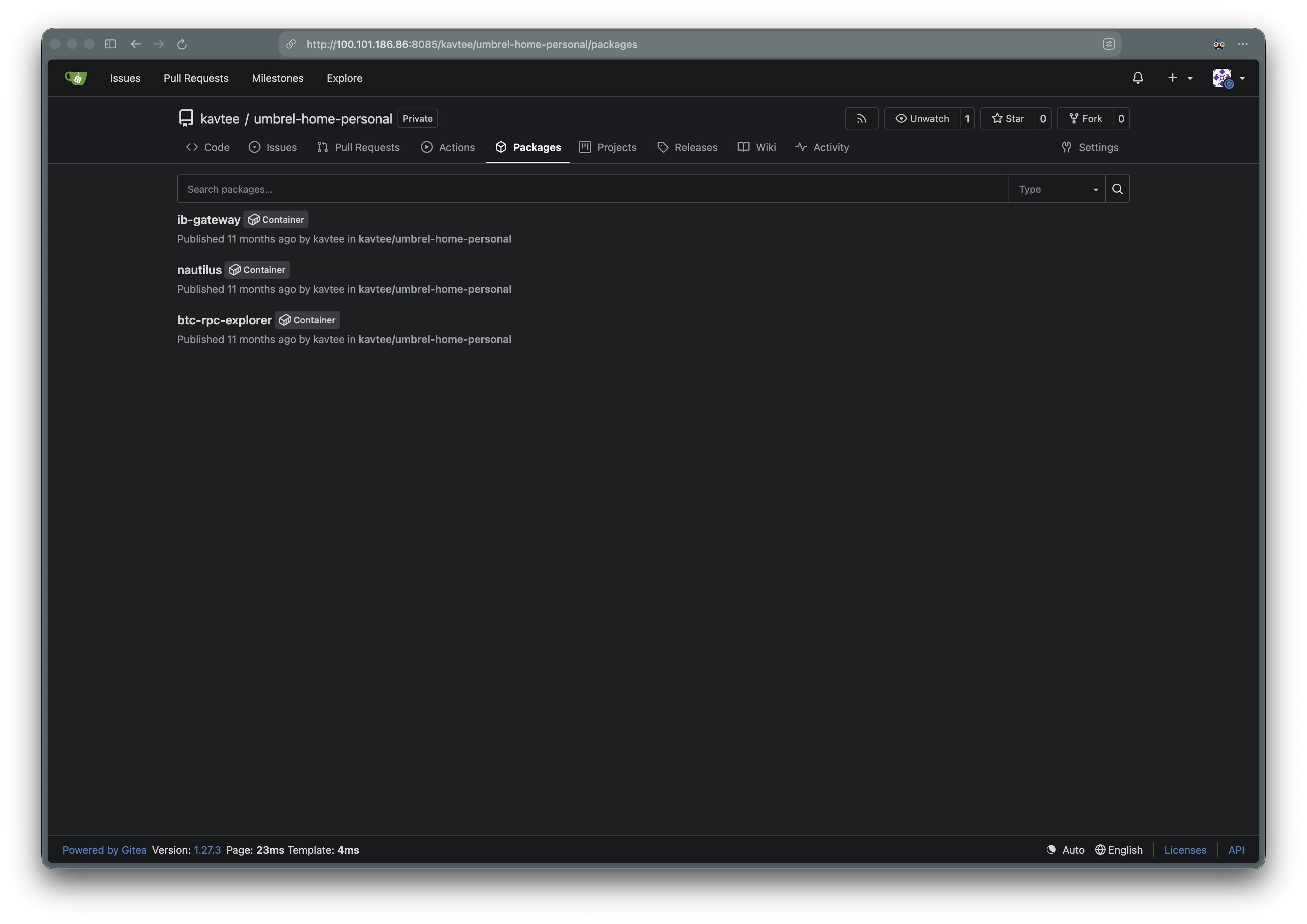
The final service that supports the entire research platform, is Gitea. Again, as already covered in my article on Exploring Self Hosted Infrastructure through UmbrelOS, I could have easily hosted the repository on readily available public platforms like Docker Hub or Github. But I’ve always preferred infrastructure I can run myself and see how it’s put together. That mattered even more for this project, where the repository contains trading logic I wanted to keep private.
I originally set up Gitea on my Raspberry Pi to host the repository for my UmbrelOS community app store, so to use it to also host both the custom docker images I built, and the platform's source code, was a no-brainier.
Deploying the Trading Application
As the project started as a historical backtest platform first, running it for backtests was pretty straightforward - just run main.py and let it do its thing. But as I had covered earlier, live trading would mean leaving it on while the market is open, taking up resource on my development machine, and preventing it from sleeping. Hence deploying it on a dedicated machine meant to be kept running makes the most sense.
And this is where my Raspberry Pi comes in. The device currently runs as my Home Server, running on UmbrelOS, and hence, deploying the application as yet another application in my personal community app store would make the most sense. But that also means, it is highly recommended to adopt the UmbrelOS App Package Recommendation. TL;DR: Running the app as a headless dockerized container, though technically possible, is not recommended, and Apps should instead expose a web interface.
To do that, I used FastAPI and Uvicorn.
FastAPI is a framework for building web applications in Python. It gives you a way to define what happens when someone opens a page, asks for an update, or clicks a button. You write the Python functions that handle those requests, and FastAPI connects them to the corresponding URLs.
Uvicorn is the web server that runs the FastAPI app. It listens for requests from the browser, passes them to the app, and sends the responses back. It can also keep a connection open to stream updates as they become available.
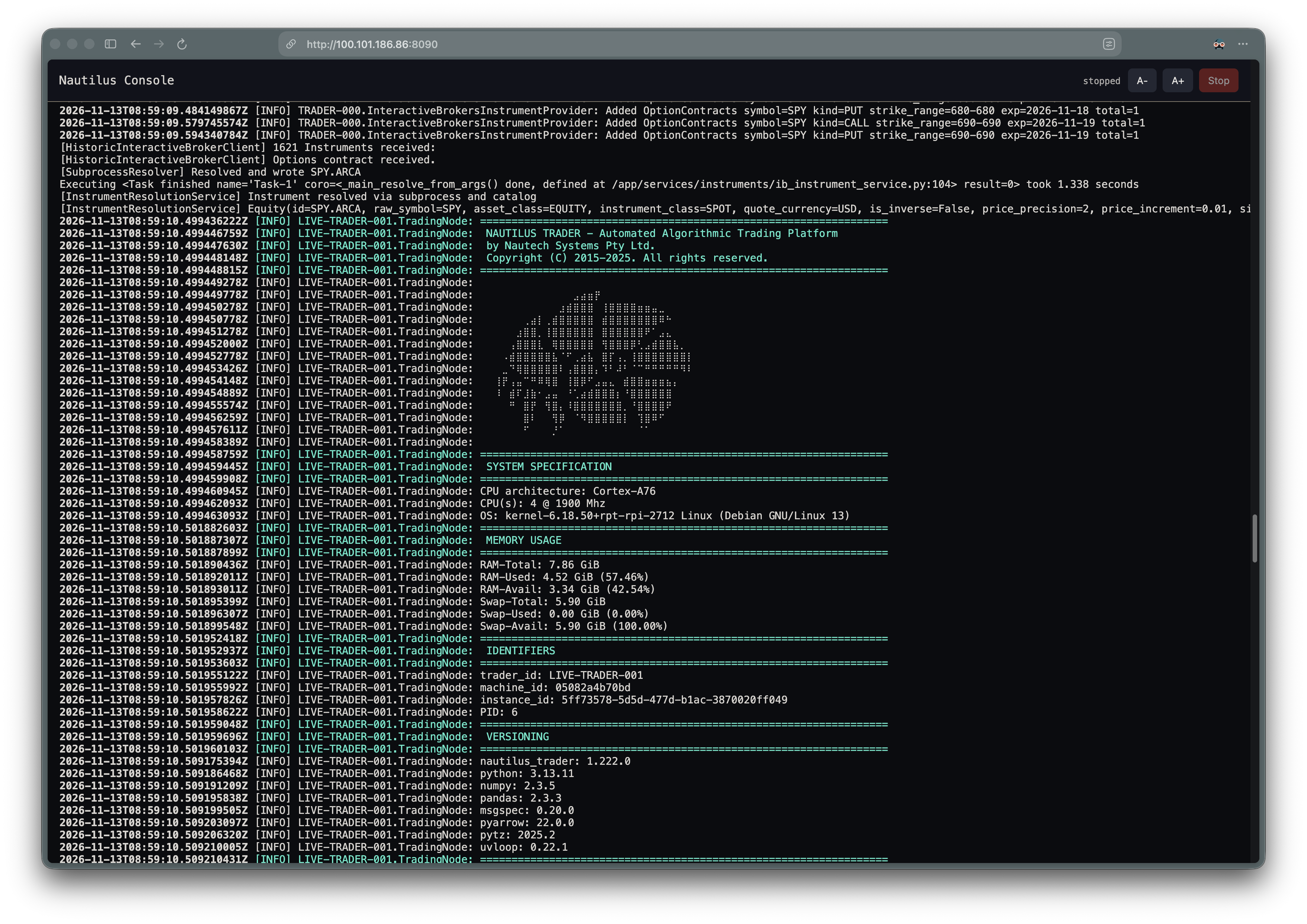
In my case, the FastAPI app starts main.py as a separate process and captures its output. I wanted the page I open from the UmbrelOS dashboard to feel like the terminal I was used to watching. It shows whether the process is running and streams new log lines to the browser through Server-Sent Events, so I can follow what’s happening without refreshing the page.
The console has no shell input. Its only process control is Stop, which sends an interrupt to the trading process, much like pressing Ctrl+C in a terminal. The browser console stays available so I can see any remaining output as the process shuts down.
Expand to view app.py
"""Web wrapper to expose logs and shutdown controls for Nautilus."""


from __future__ import annotations


import json
import os
import queue
import re
import shlex
import signal
import subprocess
import threading
import time
from collections import deque
from contextlib import asynccontextmanager
from dataclasses import dataclass
from html import escape
from typing import AsyncGenerator, Deque, Iterator, Optional


from fastapi import FastAPI, HTTPException
from fastapi.responses import HTMLResponse, StreamingResponse


_DEFAULT_PORT = 8090
_LOG_BUFFER_LINES = 2000
_LOG_KEEPALIVE_SECS = 1.0
_OPTION_LOG_THROTTLE_SECS = 1.0


@dataclass
class ProcessStatus:
    """Represents the current status of the Nautilus subprocess."""


    running: bool
    pid: Optional[int]
    exit_code: Optional[int]


class NautilusProcessManager:
    """Manage the Nautilus subprocess and stream logs to the web UI."""


    def __init__(self) -> None:
        """Initialize process state, log buffers, and synchronization primitives."""
        self._proc: subprocess.Popen[str] | None = None
        self._logs: Deque[str] = deque(maxlen=_LOG_BUFFER_LINES)
        self._log_queue: queue.Queue[str] = queue.Queue()
        self._lock = threading.Lock()
        self._stop_event = threading.Event()
        self._reader_thread: threading.Thread | None = None
        self._option_counts: dict[str, int] = {}
        self._option_last_emit: dict[str, float] = {}
        self._option_ranges: dict[str, tuple[float, float]] = {}
        self._option_prefixes: dict[str, str] = {}
        self._account_state_allowance = 3


    def start(self) -> None:
        """Start the Nautilus subprocess if it is not already running."""
        if self._proc is not None and self._proc.poll() is None:
            return


        cmd = self._resolve_command()
        self._proc = subprocess.Popen(
            cmd,
            stdout=subprocess.PIPE,
            stderr=subprocess.STDOUT,
            text=True,
            bufsize=1,
            preexec_fn=os.setsid if hasattr(os, "setsid") else None,
        )
        self._reader_thread = threading.Thread(target=self._read_output, daemon=True)
        self._reader_thread.start()


    def stop(self) -> bool:
        """Send SIGINT to the Nautilus subprocess and return whether it was running."""
        if self._proc is None:
            return False
        if self._proc.poll() is not None:
            return False
        self._send_sigint(self._proc)
        return True


    def status(self) -> ProcessStatus:
        """Return the current status of the Nautilus subprocess."""
        if self._proc is None:
            return ProcessStatus(running=False, pid=None, exit_code=None)
        exit_code = self._proc.poll()
        return ProcessStatus(running=exit_code is None, pid=self._proc.pid, exit_code=exit_code)


    def iter_logs(self) -> Iterator[str]:
        """Yield log lines from the in-memory buffer and live stream."""
        with self._lock:
            snapshot = list(self._logs)
        for line in snapshot:
            yield line
        while not self._stop_event.is_set():
            try:
                line = self._log_queue.get(timeout=_LOG_KEEPALIVE_SECS)
                yield line
            except queue.Empty:
                yield ": keep-alive"


    def shutdown(self) -> None:
        """Signal the log iterator to stop and attempt to terminate the subprocess."""
        self._stop_event.set()
        if self._proc is not None and self._proc.poll() is None:
            self._send_sigint(self._proc)


    @staticmethod
    def _resolve_command() -> list[str]:
        """Resolve the command used to launch Nautilus."""
        env_cmd = os.getenv("NAUTILUS_CMD")
        if env_cmd:
            return shlex.split(env_cmd)


        for candidate in ("/opt/venv/bin/python", ".venv/bin/python"):
            if os.path.exists(candidate):
                return [candidate, "main.py"]


        raise RuntimeError("No supported Python interpreter found for Nautilus.")


    def _read_output(self) -> None:
        """Read stdout from the subprocess and store it in the log buffer."""
        assert self._proc is not None
        stdout = self._proc.stdout
        if stdout is None:
            return
        for line in iter(stdout.readline, ""):
            self._append_log(line.rstrip("\n"))
        stdout.close()
        self._append_log(f"[wrapper] Nautilus exited with code {self._proc.poll()}")


    def _append_log(self, line: str) -> None:
        """Append a log line to the buffer and queue."""
        if self._should_drop_account_state(line):
            return


        summary = self._maybe_aggregate_option_line(line)
        if summary is None:
            with self._lock:
                self._logs.append(line)
            self._log_queue.put(line)
            return
        if summary == "":
            return


        with self._lock:
            self._logs.append(summary)
        self._log_queue.put(summary)


    def _maybe_aggregate_option_line(self, line: str) -> str | None:
        """
        Aggregate option chain add lines by expiration date.


        Returns a summary line when throttling permits; returns an empty string
        to drop the line; otherwise returns None when no aggregation applies.
        """
        if "InteractiveBrokersInstrumentProvider: Adding instrument=OptionContract" not in line:
            return None


        exp_date = self._extract_expiration_date(line)
        if exp_date is None:
            return None
        symbol = self._extract_option_symbol(line) or "unknown"
        option_kind = self._extract_option_kind(line) or "unknown"
        strike = self._extract_option_strike(line)
        prefix = self._extract_log_prefix(line)
        key = f"{exp_date}|{symbol}|{option_kind}"


        self._option_counts[key] = self._option_counts.get(key, 0) + 1
        if prefix:
            self._option_prefixes[key] = prefix
        if strike is not None:
            current = self._option_ranges.get(key)
            if current is None:
                self._option_ranges[key] = (strike, strike)
            else:
                low, high = current
                self._option_ranges[key] = (min(low, strike), max(high, strike))
        now = time.monotonic()
        last_emit = self._option_last_emit.get(key, 0.0)
        if (now - last_emit) < _OPTION_LOG_THROTTLE_SECS:
            return ""


        self._option_last_emit[key] = now
        count = self._option_counts[key]
        strike_range = self._option_ranges.pop(key, None)
        prefix = self._option_prefixes.pop(key, "[options]")
        if strike_range is None:
            strike_summary = "strike=unknown"
        else:
            low, high = strike_range
            strike_summary = f"strike_range={low:g}-{high:g}"
        self._option_counts[key] = 0
        return (
            f"{prefix}: Added OptionContracts "
            f"symbol={symbol} kind={option_kind} {strike_summary} exp={exp_date} total={count}"
        )


    def _should_drop_account_state(self, line: str) -> bool:
        """
        Drop noisy AccountState updates until a PositionOpened/PositionClosed event is seen.
        """
        if "PositionOpened(" in line or "PositionClosed(" in line:
            self._account_state_allowance = 3
            return False
        if "Updated AccountState(" not in line:
            return False
        if self._account_state_allowance > 0:
            self._account_state_allowance -= 1
            return False


        return True


    @staticmethod
    def _extract_expiration_date(line: str) -> str | None:
        """Extract an expiration date from an OptionContract log line."""
        match = re.search(r"expiration=(\d{4}-\d{2}-\d{2})", line)
        if match:
            return match.group(1)


        match = re.search(r"OptionContract\(id=[A-Z]+(\d{6})[CP]\d+\.", line)
        if not match:
            return None
        raw = match.group(1)
        return f"20{raw[0:2]}-{raw[2:4]}-{raw[4:6]}"


    @staticmethod
    def _extract_option_symbol(line: str) -> str | None:
        """Extract the underlying symbol from an OptionContract log line."""
        match = re.search(r"raw_symbol=([A-Z]+)", line)
        if match:
            return match.group(1)


        match = re.search(r"OptionContract\(id=([A-Z]+)", line)
        if match:
            return match.group(1)
        return None


    @staticmethod
    def _extract_option_strike(line: str) -> float | None:
        """Extract the strike price from an OptionContract log line."""
        match = re.search(r"strike_price=([0-9]+(?:\.[0-9]+)?)", line)
        if match:
            return float(match.group(1))
        return None


    @staticmethod
    def _extract_option_kind(line: str) -> str | None:
        """Extract the option kind (CALL/PUT) from an OptionContract log line."""
        match = re.search(r"option_kind=(CALL|PUT)", line)
        if match:
            return match.group(1)


        match = re.search(r"OptionContract\(id=[A-Z]+\d{6}([CP])\d+\.", line)
        if match:
            return "CALL" if match.group(1) == "C" else "PUT"
        return None


    @staticmethod
    def _extract_log_prefix(line: str) -> str | None:
        """Extract the log prefix to the left of the first ': ' delimiter."""
        delimiter = ": "
        idx = line.find(delimiter)
        if idx == -1:
            return None
        return line[:idx]


    @staticmethod
    def _send_sigint(proc: subprocess.Popen[str]) -> None:
        """Send SIGINT to the subprocess process group."""
        if proc.poll() is not None:
            return
        if hasattr(os, "killpg"):
            os.killpg(proc.pid, signal.SIGINT)
        else:
            proc.send_signal(signal.SIGINT)


manager = NautilusProcessManager()


@asynccontextmanager
async def lifespan(_: FastAPI) -> AsyncGenerator[None, None]:
    """Manage Nautilus startup/shutdown using FastAPI lifespan events."""
    manager.start()
    try:
        yield
    finally:
        manager.shutdown()


app = FastAPI(lifespan=lifespan)


_ANSI_COLOR_MAP = {
    30: "#1b1b1b",
    31: "#e74c3c",
    32: "#2ecc71",
    33: "#f1c40f",
    34: "#3498db",
    35: "#9b59b6",
    36: "#1abc9c",
    37: "#ecf0f1",
    90: "#7f8c8d",
    91: "#ff6b5a",
    92: "#53e39c",
    93: "#f7dc6f",
    94: "#6bb9ff",
    95: "#c18be6",
    96: "#5fe2d4",
    97: "#ffffff",
}


def _ansi_to_html(text: str) -> str:
    """Convert ANSI color sequences into HTML spans with inline styles."""
    if "\x1b[" not in text:
        return escape(text)


    parts: list[str] = []
    current_style: str | None = None
    idx = 0
    for match in re.finditer(r"\x1b\[([0-9;]*)m", text):
        start, end = match.span()
        if start > idx:
            chunk = escape(text[idx:start])
            if current_style:
                parts.append(f'{chunk}')
            else:
                parts.append(chunk)
        codes = match.group(1)
        if codes == "" or codes == "0":
            current_style = None
        else:
            next_style = []
            for code_str in codes.split(";"):
                if not code_str:
                    continue
                code = int(code_str)
                if code == 0 or code == 39:
                    next_style = []
                elif code == 1:
                    next_style.append("font-weight:600")
                elif code in _ANSI_COLOR_MAP:
                    next_style.append(f"color:{_ANSI_COLOR_MAP[code]}")
            current_style = ";".join(next_style) if next_style else None
        idx = end


    if idx < len(text):
        chunk = escape(text[idx:])
        if current_style:
            parts.append(f'{chunk}')
        else:
            parts.append(chunk)
    return "".join(parts)


@app.get("/", response_class=HTMLResponse)
def home() -> HTMLResponse:
    """Serve a minimal log viewer with a shutdown button."""
    html_path = os.path.join(os.path.dirname(__file__), "templates", "index.html")
    with open(html_path, "r", encoding="utf-8") as handle:
        content = handle.read()
    return HTMLResponse(content)


@app.get("/health")
def health() -> dict:
    """Return a simple health check response."""
    return {"status": "ok"}


@app.get("/status")
def status() -> dict:
    """Return the current status of the Nautilus subprocess."""
    current = manager.status()
    return {
        "running": current.running,
        "pid": current.pid,
        "exit_code": current.exit_code,
    }


@app.post("/shutdown")
def shutdown() -> dict:
    """Send SIGINT to Nautilus to request a graceful shutdown."""
    if manager.stop():
        return {"status": "sent_sigint"}
    raise HTTPException(status_code=409, detail="Nautilus is not running.")


@app.get("/logs/stream")
def logs_stream() -> StreamingResponse:
    """Stream logs to clients using Server-Sent Events."""
    def event_stream() -> Iterator[str]:
        """Yield lines in SSE format from the log iterator."""
        for line in manager.iter_logs():
            if line.startswith(":"):
                yield f"{line}\n\n"
            else:
                payload = {"html": _ansi_to_html(line)}
                yield f"data: {json.dumps(payload)}\n\n"
    return StreamingResponse(event_stream(), media_type="text/event-stream")


def _resolve_port() -> int:
    """Resolve the port to bind from the environment."""
    value = os.getenv("WEB_PORT")
    if value is None:
        return _DEFAULT_PORT
    try:
        return int(value)
    except ValueError as exc:
        raise RuntimeError("WEB_PORT must be an integer") from exc


def run() -> None:
    """Run the Uvicorn server when executed as a module."""
    import uvicorn


    port = _resolve_port()
    uvicorn.run("web.app:app", host="0.0.0.0", port=port, log_level="info")


if __name__ == "__main__":
    run()
Expand to view index.html
<!doctype html>
<html lang="en">
<head>
  <meta charset="utf-8"/>
  <meta name="viewport" content="width=device-width, initial-scale=1"/>
  <title>Nautilus Console</title>
  <style>
    :root { --log-font-size: 13px; }
    body { margin: 0; overflow-x: hidden; font-family: ui-monospace, SFMono-Regular, Menlo, Monaco, Consolas, "Liberation Mono", "Courier New", monospace; background: #0e0f13; color: #e6e6e6; }
    header { position: fixed; top: 0; left: 0; right: 0; z-index: 10; display: flex; align-items: center; justify-content: space-between; padding: 12px 16px; background: #151722; border-bottom: 1px solid #2b2f3a; }
    button { background: #d9534f; color: white; border: 0; padding: 8px 12px; border-radius: 6px; cursor: pointer; }
    button:disabled { opacity: 0.6; cursor: not-allowed; }
    .btn-muted { background: #2c3140; }
    .toolbar { display: inline-flex; gap: 8px; align-items: center; }
    #status { font-size: 12px; opacity: 0.8; }
    #log { padding: 72px 16px 12px; max-width: 100vw; box-sizing: border-box; overflow-x: auto; font-size: var(--log-font-size, 13px); }
    .line { white-space: pre; }
  </style>
</head>
<body>
  <header>
    <div>Nautilus Console</div>
    <div>
      <span id="status">connecting...</span>
      <span class="toolbar">
        <button id="font-dec" class="btn-muted" title="Decrease font size">A-</button>
        <button id="font-inc" class="btn-muted" title="Increase font size">A+</button>
        <button id="stop">Stop</button>
      </span>
    </div>
  </header>
  <div id="log"></div>
  <script>
    const logEl = document.getElementById("log");
    const statusEl = document.getElementById("status");
    const stopBtn = document.getElementById("stop");
    const fontDec = document.getElementById("font-dec");
    const fontInc = document.getElementById("font-inc");
    const FONT_MIN = 8;
    const FONT_MAX = 18;
    function getFontSize() {
      const stored = localStorage.getItem("logFontSize");
      const parsed = stored ? parseInt(stored, 10) : 12;
      return Number.isNaN(parsed) ? 12 : parsed;
    }
    function setFontSize(size) {
      const next = Math.min(FONT_MAX, Math.max(FONT_MIN, size));
      logEl.style.setProperty("--log-font-size", `${next}px`);
      localStorage.setItem("logFontSize", `${next}`);
    }
    setFontSize(getFontSize());
    const es = new EventSource("/logs/stream");
    const MAX_LINES = 2000;
    /** @param {MessageEvent} event */
    es.onmessage = (event) => {
      if (!event.data || event.data.startsWith(":")) { return; }
      try {
        /** @type {{html?: string}} */
        const payload = JSON.parse(event.data);
        if (payload && payload.html) {
          logEl.insertAdjacentHTML("beforeend", `<div class="line">${payload.html}</div>`);
          while (logEl.children.length > MAX_LINES) {
            logEl.removeChild(logEl.firstChild);
          }
          window.scrollTo(0, document.body.scrollHeight);
        }
      } catch (err) {
        console.warn("Failed to parse log payload", err);
      }
    };
    es.onerror = () => { statusEl.textContent = "disconnected"; };
    /** @returns {Promise<void>} */
    async function refreshStatus() {
      const res = await fetch("/status");
      if (!res.ok) return;
      /** @type {{running: boolean}} */
      const data = await res.json();
      statusEl.textContent = data.running ? "running" : "stopped";
      stopBtn.disabled = !data.running;
    }
    stopBtn.addEventListener("click", async () => {
      await fetch("/shutdown", { method: "POST" });
      await new Promise((r) => setTimeout(r, 500));
      await refreshStatus();
    });
    fontDec.addEventListener("click", () => setFontSize(getFontSize() - 1));
    fontInc.addEventListener("click", () => setFontSize(getFontSize() + 1));
    refreshStatus();
    setInterval(refreshStatus, 3000);
  </script>
</body>
</html>
Building the Platform, Component by Component
Now that we have covered the high level overview of the platform, let us dive into the nitty gritty of the system that I had put together. Despite it having being composed of so many components, most of the components work together and share a higher level responsibility. This section aims to cover the components grouped into those responsibilities to give a better understanding of the workflow that brought this system together.
Main
Regardless of the mode that the platform is running in, historical backtests or live trading, the platform starts from here. This component has been provisioned to be a sort of 'organizer' of the entire system, where I would define all that is needed for a backtest or live run. The goal is to have this component responsible for the commonly used configurable of a run, and have all other complexities abstracted away elsewhere.
Expand to view main.py
"""Entry point for the Nautilus Trader runtime."""


from __future__ import annotations


import time


import pandas as pd
from nautilus_trader.common import Environment
from nautilus_trader.model.data import BarSpecification, BarAggregation
from nautilus_trader.model.enums import PriceType
from nautilus_trader.model.instruments.base import Instrument
from nautilus_trader.persistence.catalog import ParquetDataCatalog


from nautilus_trader.model.instruments.equity import Equity
# from nautilus_trader.model.instruments.index import IndexInstruments


from main_config import (
    MainConfig,
    ResolutionSpec,
    SystemSettings, InstrumentRequest, RunProfile, resolve_profile_settings
)
#  workflows
from pipelines.live_pipeline import LiveWorkflow
from pipelines.backtest_pipeline import BacktestWorkflow


# utilities
from utilities.calendar_utilities import DatePeriod, DateSpan, WeekOfMonthWindow, DateRange
from services.instruments.instrument_resolution_service import InstrumentResolutionService


# strategies
from strategies.opening_range.opening_range_bull import OpeningRangeBull, OpeningRangeBullConfig
from strategies.opening_range.opening_range_bear import OpeningRangeBear, OpeningRangeBearConfig


def main() -> None:
    """Entry point that inlines its configuration for local runs."""


    config = MainConfig(
        instrument=InstrumentRequest(
            symbol="SPY",
            venue="ARCA",
            instrument_type=Equity,
            leverage_with_options=False
        ),
        cal_venue_map={
            "ARCA": "NYSE",
            "NASDAQ": "NASDAQ",
        },
        # aux_specs=[AuxSpec("I:VIX", COLS.aux.vix, AssetType.INDEX)],
        strategies={
            OpeningRangeBull: OpeningRangeBullConfig,
            OpeningRangeBear: OpeningRangeBearConfig,
        },
        resolutions=ResolutionSpec(
            execution=BarSpecification(
                1,
                BarAggregation.MINUTE,
                PriceType.LAST,
            ),
            indicator=BarSpecification(
                1,
                BarAggregation.MINUTE,
                PriceType.LAST,
            ),
            # do not use for now as have not implemented resampling logic. will plot based on indicator resolution
            plot=BarSpecification(
                1,
                BarAggregation.MINUTE,
                PriceType.LAST,
            ),
        ),


        # backtest_window=DatePeriod(multiplier=4, span=DateSpan.YEAR),
        # backtest_window=DateRange(start="2025-03-31", end="2025-03-31"), # liberation day
        backtest_window=WeekOfMonthWindow(year=2025, month=12, week=2),


        system_settings=SystemSettings(
            run_profile=RunProfile.BACKTEST,
            max_instrument_spec_age=3,
            backfill_delta=pd.Timedelta(days=3),
            live_offline_debug_mode=True,
            parquet_catalog_path="data/.persistent_data_catalog",
            tearsheet_tag=""
        )
    )


    run_profile = config.system_settings.run_profile
    profile_settings = resolve_profile_settings(run_profile)
    print(f"[MAIN] Launching nautilus quant system in {run_profile.value}...")
    time.sleep(3)


    # Resolve the underlying instrument
    catalog: ParquetDataCatalog = ParquetDataCatalog(config.system_settings.parquet_catalog_path)
    instrument_res_svc: InstrumentResolutionService = InstrumentResolutionService(
        catalog,
        config.cal_venue_map,
        profile_settings
    )
    instrument: Instrument = instrument_res_svc.resolve_instrument(
        config.instrument,
        max_age_days=config.system_settings.max_instrument_spec_age
    )


    # start the system
    if profile_settings.environment == Environment.BACKTEST:
        workflow = BacktestWorkflow(
            instrument,
            config.resolutions.execution,
            config.resolutions.indicator,
            catalog,
        )
        workflow.run(config)
    elif profile_settings.environment == Environment.LIVE:
        workflow = LiveWorkflow(
            instrument,
            config.resolutions.execution,
            config.resolutions.indicator,
            catalog,
            profile_settings,
        )
        workflow.run(config)
    else:
        raise ValueError(
            f"Mode '{config.system_settings.run_profile.value}' is not supported.")


if __name__ == "__main__":
    main()
The main.py excerpt above uses several configuration objects to describe how a run should work. Some come from NautilusTrader, while others are types I defined for my own application. These objects give the settings an explicit structure and make it clearer what values each part of the application expects. Those unfamiliar with the domain might not implicitly understand what do they represent, hence the table below covers the main objects used, and what they control / represent.
- Table:
Configurable Objects in main.py
| Object | What it controls |
|---|---|
MainConfig |
Created by me to group the settings for a run. It brings together the instrument request, strategy classes and their configuration types, bar resolutions, backtest window, and system settings. It also maps instrument venues to the market calendars the application uses. |
InstrumentRequest |
Created by me to describes which instrument to look up for, including the ticker symbol, venue, the type of financial asset, and if we want to use the instrument as an underlying asset and be leveraged with options instead. (Specific options contract selection rule defined in strategies). |
ResolutionSpec |
Created by me to group up bar settings for simulated execution, indicator calculations, and plotting. |
BarSpecification |
Provided by NautilusTrader to describes how to aggregate market data into bars and which price of that bar to use. Here, 1, BarAggregation.MINUTE, and PriceType.LAST specify one-minute bars based on last-traded prices. |
DatePeriod |
Created by me to specify period from today and back, by stating a resolution of time (day, month, week, etc...). and a multiplier. |
DateRange |
Created by me to specify a period by stating the start and end date. |
WeekOfMonthWindow |
Created by me to specify a backtest window by year, and optionally, month, and/or week. The example selects week 2 of December 2025. |
DatePeriod |
Created by me as a union of DatePeriod, DateRange, and WeekOfMonthWindow types, for type checking use only. |
SystemSettings |
Created by me to hold settings such as the run profile, how old a cached instrument definition can be before it needs refreshing, and where the Parquet catalog is stored. |
RunProfile |
Created by me to specify a mode for the system. Supported modes include Backtest, Frozen, Live Paper, and Live Real (real money). |
Resolving Instrument Definition
A common need for both historical backtest, and live trading, is to resolve an asset definition to a concrete financial asset that actually exists, and is tradable in the market. Ignoring the fact that a user defined ticker might not even point to anything if entered wrongly, sometimes assets might even share the same ticker across different venues, and especially different financial markets, or asset types.
Moreover, even with a resolved asset type, knowing just the ticker, venue, and asset type is insufficient for the my platform to function. We also need additional information such as the currency the asset is traded in, the lot size, fees, and so on. Hence, I had built services dedicated to resolving that, and running those before we even branch off into the specific run modes.
Instrument Resolution Service
The job of InstrumentResolutionService is simple. It takes the instrument request from main.py and returns a NautilusTrader Instrument object that either workflow can use. It builds an instrument ID from the ticker and venue, then looks for that ID and instrument type in the local Parquet catalog.
If the catalog has a recent enough definition, I reuse it. If the definition is missing or stale, the resolver launches IBInstrumentService in a separate Python process. That process fetches the definition through IB Gateway and writes it to the catalog. When it finishes, the resolver reads the definition back.
The separate process came out of a crash I encountered during development. In the NautilusTrader version I was using, the historical IB client initializes the framework’s Rust logging subsystem when it is constructed. That logging state is shared across the Python process, so creating the client after logging has already been initialized can raise RuntimeError: Logging subsystem already initialized.
The order matters here. If the historical client initializes logging first, the backtest engine or live trading node can reuse it, but its own logging setup is skipped. That matters for my live workflow, which has its own file logging configuration.
Running the lookup in a separate process gives the helper its own logging state and lifetime. The main application can then start the engine or trading node with its own logging configuration. There is some extra overhead from launching another process, but that only happens when I need to fetch or refresh a definition.
Before returning the instrument, the resolver also asks TradingCalendarService to populate its trading-session information. If that step fails, the resolver logs the error and still returns the instrument. I’ll cover how that session information is prepared later in the walkthrough.
Expand to view InstrumentResolutionService
import sys
import subprocess
from datetime import datetime, timedelta, timezone
from typing import TYPE_CHECKING


from nautilus_trader.model.identifiers import InstrumentId, Symbol, Venue
from nautilus_trader.model.instruments import Instrument
from nautilus_trader.persistence.catalog import ParquetDataCatalog


from main_config import InstrumentRequest, ProfileSettings


if TYPE_CHECKING:
    from services.sessions.trading_calendar_service import TradingCalendarService


class InstrumentResolutionService:
    """
        Resolve (get full specs) for a given instrument definition using ParquetDataCatalog.
        Resorts to IB_Gateway to help resolve if missing, and updates ParquetDataCatalog.
    """


    def __init__(self, catalog: ParquetDataCatalog, cal_venue_map: dict[str, str], profile_settings: ProfileSettings):
        self.catalog: ParquetDataCatalog = catalog
        self._ib_gateway_timeout: float = 60.0
        self._cal_venue_map: dict[str, str] = cal_venue_map
        self._profile_settings: ProfileSettings = profile_settings


    def resolve_instrument(
            self,
            request: InstrumentRequest,
            *,
            max_age_days: int | None = None,
    ) -> Instrument:
        """Resolve an instrument and ensure its session metadata is uploaded."""
        instrument: Instrument
        instrument_id = InstrumentId(Symbol(request.symbol), Venue(request.venue)).value
        print(
            f"[InstrumentResolutionService] Resolving for instrument: {instrument_id} {request.instrument_type.__name__}")
        catalog_query_results = self.catalog.instruments(request.instrument_type, [instrument_id])
        if catalog_query_results:
            candidate = catalog_query_results[-1]
            if ((max_age_days is not None and
                self._is_instrument_stale(candidate, max_age_days)) or
                max_age_days == -1
            ):
                print(
                    f"[InstrumentResolutionService] Cached instrument is older than {max_age_days} day(s); "
                    "refreshing from IB Gateway via subprocess..."
                )
                instrument  = self._refresh_via_subprocess(request)
                print(f"[InstrumentResolutionService] Instrument refreshed via subprocess")
            else:
                print(f"[InstrumentResolutionService] Instrument resolved with ParquetDataCatalog")
                instrument = candidate
        else:
            print(
                f"[InstrumentResolutionService] Instrument failed to resolve with ParquetDataCatalog. Using IB Gateway via subprocess...")
            instrument = self._refresh_via_subprocess(request)
            print(f"[InstrumentResolutionService] Instrument resolved via subprocess and catalog")
        self._ensure_session_info(instrument)
        print(f"[InstrumentResolutionService] {instrument}")
        return instrument


    def _refresh_via_subprocess(self, request: InstrumentRequest) -> Instrument:
        """Spawn a subprocess to resolve instrument via IB and write to catalog."""
        module_path = request.instrument_type.__module__
        cls_name = request.instrument_type.__name__
        fqcn = f"{module_path}.{cls_name}"
        argv = [
            sys.executable,
            "-m",
            "services.instruments.ib_instrument_service",
            "--symbol",
            request.symbol,
            "--venue",
            request.venue,
            "--instrument-type",
            fqcn,
            "--catalog-path",
            str(self.catalog.path),
        ]
        if request.leverage_with_options:
            argv.append("--leverage-with-options")
        argv.extend(
            [
                "--gateway-host",
                self._profile_settings.host,
                "--gateway-port",
                str(self._profile_settings.port),
                "--gateway-client-id",
                str(self._profile_settings.client_id),
                "--market-data-type",
                self._profile_settings.market_data_type,
            ]
        )
        # Inherit stdio so subprocess logs/prints are visible.
        proc = subprocess.run(argv, check=False)
        if proc.returncode != 0:
            raise RuntimeError(
                f"Subprocess instrument resolution failed (exit {proc.returncode}). "
                "See subprocess output above for details."
            )


        # subproces succeeded. pull from catalog.
        instrument_id = InstrumentId(
            Symbol(request.symbol),
            Venue(request.venue)
        )
        instrument = self.catalog.instruments(
            request.instrument_type,
            [instrument_id.value]
        )[-1]
        if not instrument:
            raise RuntimeError("Instrument refresh via subprocess failed; catalog still missing entry.")


        return instrument


    def _ensure_session_info(self, instrument: Instrument) -> None:
        """Populate session info for the instrument if needed (local import to avoid cycles)."""
        try:
            from services.sessions.trading_calendar_service import TradingCalendarService
        except Exception as exc:
            print(f"[InstrumentResolutionService] Failed to import TradingCalendarService: {exc}")
            return


        try:
            trading_cal_svc = TradingCalendarService(self.catalog, getattr(self, "_cal_venue_map", {}))
            trading_cal_svc.upload_instrument_session_info(instrument)
        except Exception as exc:
            print(f"[InstrumentResolutionService] Failed to upload session info: {exc}")


    @staticmethod
    def _is_instrument_stale(instrument: Instrument, max_age_days: int) -> bool:
        """
        Determine whether a cached instrument is older than the permitted age.


        Uses `ts_init` (nanoseconds since epoch) if available; falls back to refreshing when absent.
        """
        if max_age_days <= 0:
            return False


        ts_init = getattr(instrument, "ts_init", None)
        if ts_init is None:
            return True


        if isinstance(ts_init, datetime):
            ts_dt = ts_init if ts_init.tzinfo is not None else ts_init.replace(tzinfo=timezone.utc)
        else:
            try:
                ts_val = int(ts_init)
            except Exception as ex:
                print(f"Error raised: {ex}")
                return True
            ts_dt = datetime.fromtimestamp(ts_val / 1_000_000_000, tz=timezone.utc)


        age = datetime.now(timezone.utc) - ts_dt
        return age >= timedelta(days=max_age_days)
IB Instrument Service
When a definition needs to be fetched from IBKR, IBInstrumentService handles that part of the work. It connects to the IB Gateway instance on my Pi using the connection settings passed in by InstrumentResolutionService.
NautilusTrader already provides HistoricInteractiveBrokersClient, which can request instrument definitions through IB Gateway. I built my service around that client, with a separate build_ib_contract helper to translate my application’s InstrumentRequest into the contract description it expects.
The service allows up to three attempts when the request raises an exception, with a short delay between attempts. Once a lookup returns instruments, it takes the first result and writes it to the Parquet catalog. If the lookup produces no instruments, it raises an error so the calling process knows resolution failed.
There is also a command-line entry point that accepts the instrument request, catalog path, and Gateway connection settings. This is what lets InstrumentResolutionService launch the lookup in a separate Python process. The child process reconstructs the request, performs the lookup, writes the result, and exits. The parent can then read the instrument from the catalog and continue preparing the run.
Expand to view IBInstrumentService
"""IB-specific instrument resolution logic (used in a subprocess)."""


import argparse
import asyncio
import importlib
import sys


from ibapi.common import MarketDataTypeEnum
from nautilus_trader.adapters.interactive_brokers.historical import HistoricInteractiveBrokersClient
from nautilus_trader.model.instruments import Instrument
from nautilus_trader.model.instruments.option_contract import OptionContract
from nautilus_trader.persistence.catalog import ParquetDataCatalog


from main_config import InstrumentRequest, MarketDataType
from services.instruments.instrument_helper import build_ib_contract


class IBInstrumentService:
    """Resolves instruments via IB Gateway and writes them to a Parquet catalog."""


    def __init__(
        self,
        catalog: ParquetDataCatalog,
        *,
        host: str,
        port: int,
        client_id: int,
        market_data_type: MarketDataType,
        ib_gateway_timeout: float = 60.0,
    ) -> None:
        """Initialize the service with catalog and IB Gateway connection settings."""
        self.catalog = catalog
        self._ib_gateway_timeout = ib_gateway_timeout
        self._host = host
        self._port = port
        self._client_id = client_id
        self._market_data_type = market_data_type


    async def resolve_and_write(self, request: InstrumentRequest) -> Instrument:
        instrument = await self._resolve_via_ib(request)
        self.catalog.write_data([instrument])
        return instrument


    async def _resolve_via_ib(self, request: InstrumentRequest) -> Instrument:
        """Attempt to resoslve an instrument spec with IB Gateway (docker managed by nautilus)."""
        print("[IBGateway] Using external IB Gateway instance")


        client = HistoricInteractiveBrokersClient(
            host=self._host,
            port=self._port,
            client_id=self._client_id,
            market_data_type=getattr(MarketDataTypeEnum, self._market_data_type),
        )
        await client.connect()
        await asyncio.sleep(3)
        instruments: list[Instrument] = await self._request_with_retry(
            client,
            request,
            attempts=3
        )
        if not instruments:
            raise RuntimeError("IB returned no instruments for spec. Please check your instrument specifications.")


        instrument = instruments[0]
        return instrument


    @staticmethod
    async def _request_with_retry(
        client: HistoricInteractiveBrokersClient,
        request: InstrumentRequest,
        *,
        attempts: int = 3,
        delay_sec: float = 5.0,
    ) -> list[Instrument]:
        """Request instruments with a bounded retry to smooth out flakiness."""
        last_exc = None


        contract = build_ib_contract(request)


        for _ in range(max(1, attempts)):
            try:
                instruments = await client.request_instruments(
                    contracts=[contract] ,
                )
                print(f"[HistoricInteractiveBrokerClient] {len(instruments)} Instruments received: ")


                # for instrument in instruments:
                #     print(f"{instrument}")


                if request.leverage_with_options:
                    if any(isinstance(inst, OptionContract) for inst in instruments):
                        print(f"[HistoricInteractiveBrokerClient] Options contract received.")
                        return instruments
                    print(f"[HistoricInteractiveBrokerClient] No options contract received. Retrying in {delay_sec}...")
                else:
                    return instruments
            except Exception as exc:  # noqa: BLE001
                last_exc = exc
            await asyncio.sleep(delay_sec)
        if last_exc:
            raise last_exc
        return []


async def _main_resolve_from_args(args: list[str]) -> int:
    """CLI entrypoint to resolve an instrument via IB Gateway."""
    parser = argparse.ArgumentParser(description="Resolve instrument via IB and write to catalog.")
    parser.add_argument("--symbol", required=True)
    parser.add_argument("--venue", required=True)
    parser.add_argument(
        "--instrument-type",
        required=True,
        help="Fully qualified instrument class, e.g., nautilus_trader.model.instruments.equity.Equity",
    )
    parser.add_argument("--catalog-path", required=True)
    parser.add_argument(
        "--leverage-with-options",
        action="store_true",
        help="When set, request option chain alongside the underlying.",
    )
    parser.add_argument(
        "--gateway-host",
        required=True,
        help="IB Gateway hostname or IP address.",
    )
    parser.add_argument(
        "--gateway-port",
        required=True,
        type=int,
        help="IB Gateway API port (e.g., 4002 for paper).",
    )
    parser.add_argument(
        "--gateway-client-id",
        required=True,
        type=int,
        help="IB Gateway client ID to use for the session.",
    )
    parser.add_argument(
        "--market-data-type",
        required=True,
        choices=["N/A", "REALTIME", "FROZEN", "DELAYED", "DELAYED_FROZEN"],
        help="IB market data type to request (per IB API).",
    )
    parsed = parser.parse_args(args)


    mod_path, cls_name = parsed.instrument_type.rsplit(".", 1)
    mod = importlib.import_module(mod_path)
    inst_cls = getattr(mod, cls_name)


    market_data_type: MarketDataType = parsed.market_data_type


    catalog = ParquetDataCatalog(parsed.catalog_path)
    svc = IBInstrumentService(
        catalog,
        host=parsed.gateway_host,
        port=parsed.gateway_port,
        client_id=parsed.gateway_client_id,
        market_data_type=market_data_type,
    )
    req = InstrumentRequest(
        symbol=parsed.symbol,
        venue=parsed.venue,
        instrument_type=inst_cls,
        leverage_with_options=parsed.leverage_with_options,
    )
    instrument = await svc.resolve_and_write(req)
    print(f"[SubprocessResolver] Resolved and wrote {instrument.id}")
    return 0


if __name__ == "__main__":
    exit_code = asyncio.run(_main_resolve_from_args(sys.argv[1:]))
    raise SystemExit(exit_code)
Preparing Historical Price Data
Some of you who might be familiar with the NautilusTrader framework might be asking now, "Why do you need a service or step just to pull and prepare price data? Can't you just use HistoricInteractiveBrokersClient?" . And that is a valid question. Using HistoricInteractiveBrokersClient to pull historical price data from Interactive Broker's IB Gateway will not only reduce the amount of code I need to maintain myself, but also not cause the logger conflict crash I was facing in the previous subsection. But the historical price data provided by IBKR comes with limitations.
My backtests can calculate indicators on one-minute bars and use five-second bars for simulated execution. Having both lets me keep the strategy’s decision logic on a one-minute interval while giving the simulator a finer view of how prices moved between those updates. IBKR only makes bars of 30 seconds or less available for the past six months. So even if I could get one-minute bars for an older period, I couldn’t use five-second bars to run that same test. Large backfills also need to be split into smaller requests, and IBKR limits how quickly I can make those requests for fine-grained bars.
So this means I will need to pull historical price data from a data provider that specializes more in the field. And that also means that I will need to get some infrastructure up to integrate those data into my system. That is the job of PriceHistoryService.
Price History Service
When I run a backtest, PriceHistoryService first checks what I already have in the local Parquet catalog. It checks the execution and indicator bar types separately. If I already have the one-minute bars for a period but am missing the five-second bars, the service only requests the missing five-second ranges from Massive. Once those bars are in the catalog, I can reuse them the next time I test that period.
The service then has to turn Massive’s response into something NautilusTrader can use. It puts the opening, high, low, and closing prices and volume onto a regular UTC timeline at the requested interval. For intervals with no returned bar, the current implementation carries the previous prices forward and sets the missing volume to zero. If the gap comes before the first available bar in the response, it fills from a later bar. That can introduce look-ahead bias because the simulated run can see a price before it was observed. Once the data is aligned and filled, BarDataWrangler converts it into NautilusTrader Bar objects.
I handle the current day separately. If the requested range includes today in the instrument’s time zone, the service reads the earlier bars from the catalog and fetches today’s portion directly from Massive, up to the time of the request. It appends those bars in memory. The catalog writes are limited to earlier days, so an incomplete day’s data doesn’t get stored there as historical coverage.
Expand to view PriceHistoryService
import pandas as pd
import requests
from typing import cast
from datetime import datetime, timezone


from nautilus_trader.core import Data
from nautilus_trader.data.engine import ParquetDataCatalog
from nautilus_trader.model.data import Bar, BarType
from nautilus_trader.model.enums import BarAggregation
from nautilus_trader.model.instruments.base import Instrument
from nautilus_trader.persistence.wranglers import BarDataWrangler


from main_config import ResolutionSpec
from services.instruments.instrument_helper import ib_instrument_meta
from utilities.calendar_utilities import (
    format_ts_range_human,
    ts_ns_to_ts_ms,
    today_start_ns,
)
from utilities.bar_utilities import (
    align_ts_to_bar,
    bar_spec_to_pandas_freq,
    bar_step_ns,
)
from utilities.vault_utils import get_massive_api_key


class PriceHistoryService:
    """
    Lightweight facade for resolving price data needs against the ParquetDataCatalog.
    """


    def __init__(self, catalog: ParquetDataCatalog, instrument: Instrument, resolution_specs: ResolutionSpec):
        self._catalog: ParquetDataCatalog = catalog
        self._instrument: Instrument = instrument
        self._tz: str = ib_instrument_meta(instrument).time_zone_id
        self._execution_bar_type: BarType = BarType(instrument.id, resolution_specs.execution)
        self._indicator_bar_type: BarType = BarType(instrument.id, resolution_specs.indicator)


    def request_price_date(self, start_ts_ns: int, end_ts_ns: int, bar_type: BarType) -> list[Data]:
        """
        Return bars from the catalog, appending same-day data from the API when needed.
        """
        today_start = self._today_start_ns()
        data: list[Data] = []
        intraday_bars: list[Data] = []


        if start_ts_ns < today_start:
            catalog_end = min(end_ts_ns, today_start - 1)
            if catalog_end >= start_ts_ns:
                data = self._catalog.query(
                    Bar,
                    bar_type,
                    start_ts_ns,
                    catalog_end,
                )


        if end_ts_ns >= today_start:
            intraday_start = max(start_ts_ns, today_start)
            intraday_end = min(end_ts_ns, self._now_ns_utc())
            if intraday_end >= intraday_start:
                intraday_df = self._fetch_polygon_frame(bar_type, intraday_start, intraday_end)
                if intraday_df is not None and not intraday_df.empty:
                    intraday_bars = self._bars_from_df(intraday_df, bar_type)


        if not data and not intraday_bars:
            raise ValueError(
                f"No data found for the range: {format_ts_range_human(start_ts_ns, end_ts_ns, 'ns', self._tz)}"
            )


        return data + intraday_bars


    def set_price_data(self, start_ts_ns: int, end_ts_ns: int) -> None:
        """
        Compute the missing intervals for the requested date window (exclusive end).
        """
        today_start = self._today_start_ns()
        catalog_end = end_ts_ns if end_ts_ns < today_start else today_start - 1
        if catalog_end < start_ts_ns:
            print(
                "[PriceHistoryService] Skipping catalog writes for a window fully in the current session."
            )
            return


        print(
            f"[PriceHistoryService] Requesting price data from "
            f"{format_ts_range_human(start_ts_ns, catalog_end, 'ns', self._tz, 'date_time')}"
        )
        self._pre_check_catalog(start_ts_ns, catalog_end, self._execution_bar_type)
        self._pre_check_catalog(start_ts_ns, catalog_end, self._indicator_bar_type)


        self._post_fetch_consolidate_and_log(start_ts_ns, catalog_end)


    # ------------------------------------------------------------------------- helpers


    def _pre_check_catalog(self, start_ts: int, end_ts: int, bar_type: BarType) -> None:
        """Checks the catalog for the given params, and fill in gaps"""
        missing_time_ranges = self._catalog.get_missing_intervals_for_request(
            start_ts,
            end_ts,
            data_cls=Bar,
            identifier=bar_type,
        )


        for missing_time_range in missing_time_ranges:
            missing_start, missing_end = missing_time_range
            missing_start = align_ts_to_bar(missing_start, bar_type.spec)
            missing_end = align_ts_to_bar(missing_end, bar_type.spec)
            print(
                f"[PriceHistoryService] {bar_type} missing from "
                f"{format_ts_range_human(missing_start, missing_end,'ns', self._tz, 'date_time')}"
                f"ts_ns: {missing_start} to {missing_end}"
            )
            self._fetch_and_store_missing(bar_type, missing_start, missing_end)


    def _fetch_and_store_missing(self, bar_type: BarType, start_ts: int, end_ts: int) -> None:
        """Fetch missing bars from massive.com (Polygon) and persist them to the catalog."""
        df = self._fetch_polygon_frame(bar_type, start_ts, end_ts)
        if df is None or df.empty:
            print(f"[PriceHistoryService] No data returned for {bar_type} in missing window; skipping write.")
            return
        bars = self._bars_from_df(df, bar_type)
        if not bars:
            print(f"[PriceHistoryService] Bars could not be built for {bar_type}; skipping write.")
            return
        self._catalog.write_data(list(bars), start_ts, end_ts-1)


    @staticmethod
    def _get_polygon_massive_timespan(aggregation: BarAggregation) -> str:
        """Map Nautilus BarAggregation to the TimeSpan enum expected by massive.com."""
        mapping = {
            BarAggregation.SECOND:  "second",
            BarAggregation.MINUTE:  "minute",
            BarAggregation.HOUR:    "hour",
            BarAggregation.DAY:     "day",
            BarAggregation.WEEK:    "week",
            BarAggregation.MONTH:   "month",
            BarAggregation.YEAR:    "year"
        }
        try:
            return mapping[aggregation]
        except KeyError as exc:
            raise ValueError(f"Unsupported BarAggregation: {aggregation}") from exc


    def _fetch_polygon_frame(
        self,
        bar_type: BarType,
        start_ts_ns: int,
        end_ts_ns: int,
    ) -> pd.DataFrame | None:
        """Call massive.com  endpoint and return OHLCV frame indexed by UTC DatetimeIndex."""
        symbol:str = self._polygon_symbol_for_instrument(self._instrument, self._instrument.id.symbol)
        timespan: str = self._get_polygon_massive_timespan(bar_type.spec.aggregation)


        url = (
            f"https://api.massive.com/v2/aggs/ticker/"
            f"{symbol}/range/{bar_type.spec.step}/{timespan}/{ts_ns_to_ts_ms(start_ts_ns)}/{ts_ns_to_ts_ms(end_ts_ns)}"
        )
        headers = {"Authorization": f"Bearer {get_massive_api_key()}"}
        params: dict[str, str | int] = {"adjusted": "true", "sort": "asc", "limit": 50000}


        out: list[dict[str, object]] = []
        next_url: str | None = None
        page = 0
        seen = 0
        expected_rows = max(0, (end_ts_ns - start_ts_ns) // bar_step_ns(bar_type.spec))
        print(
            f"[POLYGON API] Requested data ticker: {symbol} from "
            f"{format_ts_range_human(start_ts_ns, end_ts_ns,'ns', self._tz)} "
            f"@ {bar_type.spec.step}-{timespan} bars (ms epoch)")
        while True:
            resp = requests.get(next_url or url, params=params, headers=headers, timeout=30)
            resp.raise_for_status()
            js = resp.json()
            rows = js.get("results") or []
            page += 1
            seen += len(rows)
            pct = (seen / expected_rows * 100.0) if expected_rows else 0.0
            pct_str = f"{pct:.2f}%" if expected_rows else "n/a"
            print(
                f"[POLYGON PROGRESS] page={page} fetched={len(rows)} seen={seen} of {expected_rows} ({pct_str})"
            )
            out.extend(rows)
            next_url = js.get("next_url")
            if not next_url:
                break


        if not out:
            print(f"[POLYGON API] API did not return any data for {format_ts_range_human(start_ts_ns, end_ts_ns,'ns', self._tz)}")
            return None


        first_t_ms = int(cast(int, out[0]["t"]))
        last_t_ms = int(cast(int, out[-1]["t"]))
        row_word = "row" if len(out) == 1 else "rows"
        print(f"[POLYGON API] Received {len(out)} {row_word} for {bar_type} from {format_ts_range_human(first_t_ms, last_t_ms, 'ms')}")


        # Build a base pandas dataframe
        freq = bar_spec_to_pandas_freq(bar_type.spec)
        start_dt = pd.to_datetime(start_ts_ns, unit="ns", utc=True)
        end_dt = pd.to_datetime(end_ts_ns, unit="ns", utc=True)
        full_index_dt = pd.date_range(
            start=start_dt,
            end=end_dt,
            freq=freq,
            name="timestamp",
            tz="UTC",
            inclusive="left",
        )
        cols = ["open", "high", "low", "close", "volume"]
        base_df = pd.DataFrame(index=full_index_dt, columns=cols, dtype="float64")


        # Build overlay frame
        overlay = (
            pd.DataFrame(out)
            .rename(columns={"o": "open", "h": "high", "l": "low", "c": "close", "v": "volume"})
        )
        overlay["timestamp"] = pd.to_datetime(overlay["t"], unit="ms", utc=True)
        overlay = overlay.set_index("timestamp")[["open", "high", "low", "close", "volume"]]
        overlay.index = pd.DatetimeIndex(overlay.index).floor(freq)
        overlay = overlay.loc[overlay.index.isin(base_df.index)]
        base_df.update(overlay)


        # Handle NaN values (NaN / None not supported by BarDataWrangler)
        forward_backward_fill_cols = ["open", "high", "low", "close"]
        result_df = cast(pd.DataFrame, cast(object, base_df.copy(deep=True)))
        result_df[forward_backward_fill_cols] = result_df[forward_backward_fill_cols].ffill().bfill()
        result_df["volume"] = result_df["volume"].fillna(0)


        latest_bar_before = self._get_latest_bar_before(bar_type, start_ts_ns)
        if latest_bar_before:
            seed = {
                "open": latest_bar_before.open,
                "high": latest_bar_before.high,
                "low": latest_bar_before.low,
                "close": latest_bar_before.close,
                "volume": 0.0,
            }
            # identify leading rows that are still NaN after your ffill
            leading_idx = result_df.index[result_df["open"].isna()]
            if len(leading_idx):
                result_df.loc[leading_idx, ["open", "high", "low", "close", "volume"]] = seed
        else:
            forward_backward_fill_cols = ["open", "high", "low", "close"]
            mask = result_df[forward_backward_fill_cols].isna().all(axis=1)
            if not mask.all():
                first_valid = (~mask).idxmax()
                result_df = result_df.loc[first_valid:]
            else:
                result_df = result_df.iloc[0:0]  # remain empty if everything is NaN
        result_df = result_df.dropna(subset=["open", "high", "low", "close"])
        return result_df


    def _get_latest_bar_before(self, bar_type: BarType, start_ts_ns: int) -> Bar | None:
        step = bar_step_ns(bar_type.spec)
        prev_ts = start_ts_ns - step


        # Fast check using intervals
        for lo, hi in self._catalog.get_intervals(Bar, str(bar_type)):
            if lo <= prev_ts <= hi:
                # Pull just that bar
                bars = self._catalog.bars(
                    instrument_ids=[bar_type.instrument_id],
                    bar_type=bar_type,
                    start=pd.to_datetime(prev_ts, unit="ns", utc=True),
                    end=pd.to_datetime(start_ts_ns, unit="ns", utc=True),
                )
                return bars[-1] if bars else None
        return None


    def _today_start_ns(self) -> int:
        """Return today's local midnight in the instrument timezone as UTC epoch ns."""
        return today_start_ns(self._tz)


    @staticmethod
    def _now_ns_utc() -> int:
        """Return current UTC epoch nanoseconds."""
        return int(datetime.now(timezone.utc).timestamp() * 1_000_000_000)


    def _delete_overlaps(self, bar_type: BarType, start_ns: int, end_ns: int) -> None:
        intervals = self._catalog.get_intervals(Bar, str(bar_type))
        overlaps = []
        for lo, hi in intervals:
            ov_start = max(lo, start_ns)
            ov_end = min(hi, end_ns)
            if ov_start <= ov_end:
                overlaps.append((ov_start, ov_end))


        if not overlaps:
            print("[PriceHistoryService] No overlaps found")
            return


        for ov_start, ov_end in overlaps:
            print(f"[PriceHistoryService] Deleting overlap {format_ts_range_human(ov_start, ov_end, 'ns')}")
            self._catalog.delete_data_range(
                data_cls=Bar,
                identifier=str(bar_type),
                start=pd.to_datetime(ov_start, unit="ns", utc=True),
                end=pd.to_datetime(ov_end, unit="ns", utc=True),
            )


    def _bars_from_df(self, df: pd.DataFrame, bar_type: BarType) -> list[Bar]:
        """
        Convert an OHLCV frame into Nautilus Bar objects using BarDataWrangler.


        Expects df columns: open, high, low, close, volume; index tz-aware UTC DatetimeIndex.
        """
        if df.empty:
            return []


        wrangler = BarDataWrangler(bar_type, self._instrument)
        ts_init_delta = bar_step_ns(bar_type.spec)
        return list(wrangler.process(df, ts_init_delta=ts_init_delta))


    @staticmethod
    def _polygon_symbol_for_instrument(inst: Instrument, symbol: str) -> str:
        """Prefix the symbol according to Nautilus instrument subtype for Polygon/massive.com semantics."""
        from nautilus_trader.model.instruments.equity import Equity
        from nautilus_trader.model.instruments.index import IndexInstrument
        from nautilus_trader.model.instruments.option_contract import OptionContract
        from nautilus_trader.model.instruments.currency_pair import CurrencyPair
        from nautilus_trader.model.instruments.crypto_perpetual import CryptoPerpetual
        from nautilus_trader.model.instruments.crypto_future import CryptoFuture
        from nautilus_trader.model.instruments.futures_contract import FuturesContract


        prefix_map = {
            Equity: "",
            IndexInstrument: "I:",
            OptionContract: "O:",
            CurrencyPair: "C:",
            CryptoPerpetual: "X:",
            CryptoFuture: "X:",
            FuturesContract: "C:",  # adjust if a different prefix is required for futures
        }


        for cls, pref in prefix_map.items():
            if isinstance(inst, cls):
                if pref and not symbol.startswith(pref):
                    return f"{pref}{symbol}"
                return symbol
        return symbol


    # ------------------------------------------------------------------------- internal helpers
    def _post_fetch_consolidate_and_log(self, start_ts: int, end_ts: int) -> None:
        """Deduplicate and log catalog coverage after fetch attempts."""
        exec_intervals = self._catalog.get_intervals(Bar, self._execution_bar_type)
        indi_intervals = self._catalog.get_intervals(Bar, self._indicator_bar_type)


        print(f"Consolidation from {format_ts_range_human(start_ts, end_ts, 'ns', self._tz)}")
        for interval in exec_intervals:
            start, end = interval
            print(f"[PriceHistoryService] {self._execution_bar_type} interval: {format_ts_range_human(start, end, 'ns', self._tz)}")
        for interval in indi_intervals:
            start, end = interval
            print(f"[PriceHistoryService] {self._indicator_bar_type} interval: {format_ts_range_human(start, end, 'ns', self._tz)}")


        self._consolidate_intervals(self._execution_bar_type, exec_intervals)
        self._consolidate_intervals(self._indicator_bar_type, indi_intervals)


        print("[PriceHistoryService] Consolidation check done. Historical price data in parquet: ")
        for interval in exec_intervals:
            start, end = interval
            print(
                f"[PriceHistoryService] {self._execution_bar_type} available: {format_ts_range_human(start, end, 'ns')} (UTC)")


        for interval in indi_intervals:
            start, end = interval
            print(f"[PriceHistoryService] {self._indicator_bar_type} available: {format_ts_range_human(start, end, 'ns')} (UTC)")


    def _consolidate_intervals(
        self,
        bar_type: BarType,
        intervals: list[tuple[int, int]],
    ) -> None:
        """
        Consolidate catalog data based solely on existing parquet intervals.


        Nautilus consolidation fails when invoked on a window with no files, so we only
        call it for merged intervals that already exist in the catalog.
        """
        if not intervals:
            return


        merged_intervals = self._merge_intervals(intervals)
        for lo, hi in merged_intervals:
            print(
                f"[PriceHistoryService] Consolidating {bar_type} for "
                f"{format_ts_range_human(lo, hi, 'ns', self._tz)}"
            )
            self._catalog.consolidate_data(Bar, bar_type, lo, hi, deduplicate=True)


    @staticmethod
    def _merge_intervals(intervals: list[tuple[int, int]]) -> list[tuple[int, int]]:
        """Merge overlapping or contiguous intervals for consolidation."""
        if not intervals:
            return []


        sorted_intervals = sorted(intervals, key=lambda iv: iv[0])
        merged: list[tuple[int, int]] = [sorted_intervals[0]]


        for lo, hi in sorted_intervals[1:]:
            prev_lo, prev_hi = merged[-1]
            if lo <= prev_hi + 1:
                merged[-1] = (prev_lo, max(prev_hi, hi))
            else:
                merged.append((lo, hi))
        return merged
Designing the Strategies
A core part of this entire system are the strategies. They define the logic which one can perform trades within the market - ranging from simply rules like buying at fixed intervals or when certain thresholds are met, to hyper complex computations that take into account external data, processed with AI. The strategies are extremely powerful and communicate with the live or backtest engine through the message bus as previously shown in the architecture diagram. And NautilusTrader provides the API design similar to many other out there, where the parent class comes with a bunch of hooks developers can override to perform actions. In particular, the ones that are the bread and butter of any strategy, and the ones that I had used are the following:
| Hook | What triggers it | How I use it in BaseStrategy |
|---|---|---|
on_start |
The engine has registered the strategy instance and is handing it control before normal data processing begins. | Register indicators, request historical bars for warm-up, and subscribe to the indicator and execution bar streams. |
on_bar |
A new candlestick is delivered on one of the strategy’s subscribed bar streams, such as its one-minute indicator stream or five-second execution stream. | Check the session and indicator readiness, then route the bar. Execution bars drive entry, stop-loss, and take-profit checks. |
on_position_opened |
An order fill and when the quantity of the asset held is non-zero,it creates a new position, giving the strategy a position ID and an average entry price. | Track the active position and set its initial stop loss and any take-profit target. |
on_position_closed |
The position’s remaining quantity reaches zero. | Clear the tracked position, instrument, stop loss, and take-profit target. |
on_order_event |
An order receives a lifecycle update. That includes outcomes that can occur without a fill, such as rejection or expiry. | Handle denied, rejected, canceled, and expired orders. Clear the active instrument and position IDs if no position remains. |
on_stop |
The engine takes the strategy out of active processing and gives it a chance to clean up. | Request cancellation of outstanding orders and closure of any tracked position, then unsubscribe from the bar streams. |
The framework provides additional hooks, documented here, but these covered what I needed for my strategies.
The Strategy Base Class
These hooks gave me the places to put my logic, but several parts of that logic would be shared across strategies. Before opening a position, I would still need to check whether the indicators had warmed up, whether the current trading session allowed new entries, and whether the strategy had reached its position limit. After entering, I would also need to track the position and manage its stop loss and take-profit target.
I could put those checks into every strategy, but that would mean maintaining several copies of the same behaviour. A change to how I handle orders or trading sessions would then need to be repeated across them. Instead, I created BaseStrategy, which extends NautilusTrader’s Strategy class and brings those shared responsibilities together.
Expand to view BaseStrategy
"""Shared base strategy infrastructure mirroring the Backtrader architecture."""


import pickle
import pandas as pd
from abc import ABCMeta, abstractmethod
from decimal import Decimal
from typing import Optional, Mapping
from urllib.parse import quote


from nautilus_trader.model import Position
from nautilus_trader.model.events import OrderDenied, OrderRejected, OrderEvent, OrderExpired, \
    OrderCanceled, PositionOpened, PositionClosed
from nautilus_trader.model.orders import Order
from nautilus_trader.model.orders.market import MarketOrder


from constants.attributes_naming import ATTRIB
from constants.enums import Reason, SLSource, Direction


from nautilus_trader.config import StrategyConfig
from nautilus_trader.model.data import Bar, BarType, BarSpecification
from nautilus_trader.model.enums import OrderSide, AggregationSource
from nautilus_trader.model.identifiers import InstrumentId, PositionId
from nautilus_trader.model.objects import Quantity
from nautilus_trader.model.instruments.option_contract import OptionContract
from nautilus_trader.trading.strategy import Strategy


from services.sessions.session_info import SessionInfo, SessionStatus, get_session_cache_key
from strategies.mixins.indicator_mixin import IndicatorMixin
from strategies.mixins.option_selection_mixin import OptionSelectionMixin


class BaseStrategyConfig(StrategyConfig ,kw_only=True, frozen=True):
    """Base parameters shared across all migrated strategies."""
    instrument_id: InstrumentId = None
    indicator_bar_spec: BarSpecification = None
    execution_bar_spec: BarSpecification = None


    core_strategy: str = None
    sub_strategy: str = None
    direction: Direction = None


    trade_size: int = 1
    max_position_size: int = 1
    leverage_with_options: bool = False


    options_otm_strikes: int = 1
    options_dte_first_quarter_lower: int = 0
    options_dte_first_quarter_upper: int = 3
    options_dte_post_first_quarter_lower: int = 1
    options_dte_post_first_quarter_upper: int = 3


    backfill_delta: pd.Timedelta
    order_cooldown_secs: int = 180
    is_live: bool


    min_profit: float = 0.08


    def __post_init__(self) -> None:
        missing = [
            name for name, val in (
                ("instrument_id", self.instrument_id),
                ("indicator_bar_spec", self.indicator_bar_spec),
                ("execution_bar_spec", self.execution_bar_spec),
                ("core_strategy", self.core_strategy),
                ("sub_strategy", self.sub_strategy),
                ("direction", self.direction),
                ("trade_size", self.trade_size),
                ("backfill_delta", self.backfill_delta),
                ("is_live", self.is_live),
            )
            if val is None
        ]
        if missing:
            raise ValueError(f"Missing required BaseStrategyConfig fields: {', '.join(missing)}")


class BaseStrategy(Strategy, IndicatorMixin, OptionSelectionMixin, metaclass=ABCMeta):
    """
        Base strategy with core logics to be used by all strategies.
        todo: update some of the order to use mid price limit orders
        - default those orders to 1 min expiry as well.
    """


    def __init__(self, config: BaseStrategyConfig) -> None:
        super().__init__(config)
        IndicatorMixin.__init__(self)
        self.underlying_instrument_id = config.instrument_id


        # core params
        self.core_strategy = config.core_strategy.strip()
        self.sub_strategy = config.sub_strategy.strip()
        self.direction = config.direction


        self.current_price: Optional[float] = None
        self.min_profit: float = config.min_profit
        self._is_live = bool(config.is_live)
        self._quantity: Quantity | None = None
        self._backfill_delta: pd.Timedelta = config.backfill_delta


        self._session_cache_key = get_session_cache_key(self.underlying_instrument_id.venue)
        self._last_session_status: str = SessionStatus.UNSET


        # create bar types
        self._indicator_bar_type = BarType(
            self.underlying_instrument_id,
            config.indicator_bar_spec,
            AggregationSource.INTERNAL if self._is_live else AggregationSource.EXTERNAL
        )
        self._execution_bar_type = BarType(
            self.underlying_instrument_id,
            config.execution_bar_spec,
            AggregationSource.INTERNAL if self._is_live else AggregationSource.EXTERNAL
        )


        # Position management (single-direction, hedge-aware)
        self._active_position_id: PositionId | None = None
        self._active_instrument_id: InstrumentId | None = None
        self._position_seq: int = 0


        self._sl_price: Optional[float] = None
        self._sl_source: Optional[SLSource] = None
        self._tp_abs: Optional[float] = None


        # for order cooldown
        self._last_bar_ts: Optional[pd.Timestamp] = None
        self._last_order_ts: Optional[pd.Timestamp] = None


        self._current_execution_bar: Optional[Bar] = None
        self.current_indicator_bar: Optional[Bar] = None


    # ------------------------ Hooks child strategies implement -----------------
    @abstractmethod
    def compute_open_signal(self) -> Optional[Direction]:
        """Return Side intent for new position or None."""


    @abstractmethod
    def compute_take_profit_signal(self) -> Optional[Direction | float]:
        """Return Side to close or price target for TP, else None."""


    @abstractmethod
    def base_sl_on_entry(self) -> float:
        """Return initial stop-loss price when a new position opens."""


    @abstractmethod
    def dynamic_sl(self, side: Direction) -> Optional[Direction | float]:
        """Return close signal or tighter stop price if conditions warrant, else None."""


    @abstractmethod
    def base_tp_on_entry(self) -> Optional[float]:
        """Return initial take-profit price when a new position opens."""
        return None


    # ------------------------------- Lifecycle ---------------------------------
    def on_start(self) -> None:
        self.register_all_indicators(self._indicator_bar_type, self.underlying_instrument_id.venue)
        instrument = self.cache.instrument(self.underlying_instrument_id)
        if instrument is None:
            self.log.error(f"Could not find instrument {self.underlying_instrument_id}")
            self.stop()
            return


        self._quantity = instrument.make_qty(self.config.trade_size)
        start = self.clock.utc_now() - self._backfill_delta


        self.request_bars(self._indicator_bar_type, start, self.clock.utc_now(), callback=None)


        self.subscribe_bars(self._indicator_bar_type)
        if self._execution_bar_type != self._indicator_bar_type:
            self.subscribe_bars(self._execution_bar_type)


    def on_stop(self) -> None:
        cancel_instrument_id = self._active_instrument_id or self.underlying_instrument_id
        self.cancel_all_orders(cancel_instrument_id)


        if self._active_position_id is not None:
            # disabled inspection as list_tags params exposed is wrong in beta.
            # noinspection PyArgumentList
            self.close_all_positions(
                self._active_instrument_id,
                tags=self.generate_tags(Reason.FORCE_CLOSE)
            )
        self.unsubscribe_bars(self._indicator_bar_type)
        if self._execution_bar_type != self._indicator_bar_type:
            self.unsubscribe_bars(self._execution_bar_type)


    def on_bar(self, bar: Bar) -> None:
        # skip bar if no session info can be found.
        session_info = self.current_session_info()
        self._last_session_status = session_info.current_session_status if session_info else SessionStatus.UNSET
        if session_info is None:
            self.log.warning("No session info available; skipping bar processing.")
            return


        # skip bar if the market is closed or in opening state
        status = session_info.current_session_status
        if status == SessionStatus.CLOSED or status == SessionStatus.OPENING:
            return


        # close all open positions just before the market closes.
        if status == SessionStatus.LAST_CALL:
            if self._active_position_id is not None:
                close_instrument_id = self._active_instrument_id or self.underlying_instrument_id
                # disabled inspection as list_tags params exposed is wrong in beta.
                # noinspection PyArgumentList
                self.close_all_positions(
                    close_instrument_id,
                    tags=self.generate_tags(Reason.FORCE_CLOSE)
                )
            return


        # skip bar processing if the indicators are not initialized
        if not self.all_indicators_initialized(log_uninitialized=True):
            return
        if bar.bar_type == self._indicator_bar_type:
            self._handle_indicator_bar(bar)
            self.current_indicator_bar = bar
        # One stream can drive both indicator updates and execution decisions.
        if bar.bar_type == self._execution_bar_type:
            self.current_price = bar.close.as_double()
            self._current_execution_bar = bar
            self._handle_execution_bar(bar, session_info)


    def _handle_indicator_bar(self, bar: Bar) -> None:
        now = self._et_from_ns(bar.ts_event)
        self._last_bar_ts = now
        # Indicators update on indicator bars; no signal logic here


    def _handle_execution_bar(self, bar: Bar, session_info: SessionInfo) -> None:
        # Signals/TP/SL on execution bars (e.g., 5s)
        now = self._et_from_ns(bar.ts_event)
        self._last_bar_ts = now
        self._manage_internal_sl()
        self._apply_take_profit()


        if not self._indicators_ready():
            return
        tp_sig = self.compute_take_profit_signal()
        if tp_sig is not None:
            if isinstance(tp_sig, Direction):
                # close all open positions immediately, taking profit
                if self._current_position_qty() != 0 and tp_sig == self.direction:
                    self._submit_close(Reason.TAKE_PROFIT)
                    return
            else:
                # tighten TP only
                new_tp = float(tp_sig)
                if self._tp_abs is None:
                    self._tp_abs = new_tp
                else:
                    if self.direction == Direction.BULL and new_tp < self._tp_abs:
                        self._tp_abs = new_tp
                    elif self.direction == Direction.BEAR and new_tp > self._tp_abs:
                        self._tp_abs = new_tp
        open_sig = self.compute_open_signal()
        if open_sig is not None:
            self._submit_open(open_sig, session_info)


    # ---------------------------- Position Hooks --------------------------------
    def on_position_opened(self, event: PositionOpened) -> None:
        if event.instrument_id != self._active_instrument_id:
            return
        self._position_seq += 1
        self._active_position_id = event.position_id
        if self.current_price is None:
            self.current_price = float(event.avg_px_open)
        self._set_base_sl()
        self._set_base_tp()


    def on_position_closed(self, event: PositionClosed) -> None:
        if event.instrument_id != self._active_instrument_id:
            return
        if self._current_position_qty() == 0:
            self._tp_abs = None
            self._sl_price = None
            self._active_position_id = None
            self._active_instrument_id = None


    # ------------------------------ Order Hooks --------------------------------
    def on_order_event(self, event: OrderEvent) -> None:
        """
            Catch order failure events. If there are no positions when the failure happens, clear active and pos id.
            Assumes that we can only have 1 concurrent open order at one time
            (we should not be opening new orders in that state anyway)
        """
        if not isinstance(event, (OrderDenied, OrderRejected, OrderCanceled, OrderExpired)):
            return


        if self._active_instrument_id and event.instrument_id != self._active_instrument_id:
            return


        if isinstance(event, (OrderDenied, OrderRejected)):
            reason = getattr(event, "reason", None)
            self.log.warning(f"Order denied/rejected: {reason or event}")


        if self._current_position_qty() == 0:
            self._active_instrument_id = None
            self._active_position_id = None


    # -------------------------- Order helpers ----------------------------------
    def _submit_open(self, signal: Direction, session_info: SessionInfo) -> None:
        if self._quantity is None or signal != self.direction:
            return
        if self._violates_order_gate(session_info):
            return
        if self._exceeds_position_cap():
            self.log.debug("Skipping open/add: max_position_size cap reached.")
            return
        # skip if there are pending open orders
        active_instrument_id = self._active_instrument_id or self.underlying_instrument_id
        open_orders: list[Order] = self.cache.orders_open(
            instrument_id=active_instrument_id,
            strategy_id=self.id,
        )
        if len(open_orders) > 0:
            return


        # submitting order
        active_instrument = self.cache.instrument(active_instrument_id)
        if not self.config.leverage_with_options:
            if active_instrument is None:
                self.log.warning("Active instrument missing from cache; skipping open.")
                return
            self._active_instrument_id = self.underlying_instrument_id
            self._quantity = active_instrument.make_qty(self.config.trade_size)
            quantity = self._quantity
        else:
            # leveraging with options
            if self._active_instrument_id is None:
                option_contract = self._select_option_contract(signal)
                if option_contract is None:
                    self.log.warning("Option selection failed; skipping open.")
                    return
                self._active_instrument_id = option_contract.id
                active_instrument_id = option_contract.id
                active_instrument = option_contract
            if active_instrument is None:
                self.log.warning("Active instrument missing from cache; skipping open.")
                return
            quantity = active_instrument.make_qty(self.config.trade_size)


        is_option_trade = self.config.leverage_with_options and isinstance(active_instrument, OptionContract)
        order_side = OrderSide.BUY if is_option_trade else (
            OrderSide.BUY if self.direction == Direction.BULL else OrderSide.SELL
        )


        order: MarketOrder = self.order_factory.market(
            instrument_id=active_instrument_id,
            order_side=order_side,
            quantity=quantity,
            tags=self.generate_tags(Reason.OPEN if self._active_position_id is None else Reason.ADD)
        )
        self.submit_order(
            order,
            PositionId(f"{self.underlying_instrument_id}-{self.id}-{self._position_seq}")
        )
        self._last_order_ts = self._last_bar_ts
    def _submit_close(self, reason: Reason) -> None:
        if self._quantity is None or not self._has_open_position():
            return
        if self._violates_order_gate(None, allow_close=True):
            return


        active_instrument_id = self._active_instrument_id or self.underlying_instrument_id
        active_instrument = self.cache.instrument(active_instrument_id)
        if active_instrument is not None:
            self._quantity = active_instrument.make_qty(self.config.trade_size)
        if active_instrument is None:
            self.log.warning("Active instrument missing from cache; skipping close.")
            return
        is_option_trade = self.config.leverage_with_options and isinstance(active_instrument, OptionContract)
        order_side = OrderSide.SELL if is_option_trade else (
            OrderSide.SELL if self.direction == Direction.BULL else OrderSide.BUY
        )
        order = self.order_factory.market(
            instrument_id=active_instrument_id,
            order_side=order_side,
            quantity=active_instrument.make_qty(Decimal(abs(self._current_position_qty()))),
            tags=self.generate_tags(reason)
        )
        self.submit_order(order, self._active_position_id)
        self._last_order_ts = self._last_bar_ts


    def _violates_order_gate(self, session_info: Optional[SessionInfo], *, allow_close: bool = False) -> bool:
        """
        Enforce a cooldown between any orders (open/close), except close_all_positions which bypasses this gate.
        """
        if self._last_bar_ts is None:
            return True
        if session_info is not None and session_info.current_session_status != "Open":
            return True
        if not allow_close:
            now = self._last_bar_ts
            if (
                self._last_order_ts is not None
                and (now - self._last_order_ts).total_seconds() < self.config.order_cooldown_secs
            ):
                return True
        return False


    # -------------------------- TP/SL helpers ----------------------------------
    def _manage_internal_sl(self) -> None:
        if self._sl_price is None or not self._has_open_position():
            return
        if self.direction == Direction.BULL and self.current_price <= self._sl_price:
            reason = (
                Reason.DYNAMIC_STOP_LOSS if self._sl_source == SLSource.DYNAMIC else Reason.MAX_STOP_LOSS
            )
            self._submit_close(reason)
        elif self.direction == Direction.BEAR and self.current_price >= self._sl_price:
            reason = (
                Reason.DYNAMIC_STOP_LOSS if self._sl_source == SLSource.DYNAMIC else Reason.MAX_STOP_LOSS
            )
            self._submit_close(reason)
        else:
            dyn_signal = self.dynamic_sl(self.direction)
            if isinstance(dyn_signal, Direction):
                if dyn_signal == self.direction:
                    self._submit_close(Reason.DYNAMIC_STOP_LOSS)
                return
            if dyn_signal is not None:
                better = dyn_signal > self._sl_price if self.direction == Direction.BULL else dyn_signal < self._sl_price
                if better:
                    self._sl_price = dyn_signal
                    self._sl_source = SLSource.DYNAMIC


    def _apply_take_profit(self) -> None:
        if self._tp_abs is None or not self._has_open_position():
            return
        if (
            (self.direction == Direction.BULL and self.current_price >= self._tp_abs) or
            (self.direction == Direction.BEAR and self.current_price <= self._tp_abs)
        ):
            self._submit_close(Reason.TAKE_PROFIT)
            self._tp_abs = None


    def _set_base_sl(self) -> None:
        base_stop_loss_price = self.base_sl_on_entry()
        if base_stop_loss_price is None:
            base_stop_loss_price = self.current_position_vwap()
        self._sl_price = base_stop_loss_price
        self._sl_source = SLSource.BASE


    def _set_base_tp(self) -> None:
        base_tp_price = self.base_tp_on_entry()
        if base_tp_price is None:
            # Allow strategies to opt out of base TP so only dynamic signals apply.
            self._tp_abs = None
            return
        self._tp_abs = float(base_tp_price)


    # --------------------------- Other helpers --------------------------------
    def _indicators_ready(self) -> bool:
        """Return True when all registered indicators report initialized."""
        try:
            return all(getattr(ind, "initialized", True) for ind in self.iter_indicators(self.indicators))
        except Exception as ex:
            self.log.warning(f"Failed to get indicator initialization status: {ex}")
            return False


    @staticmethod
    def _et_from_ns(ts_ns: int) -> pd.Timestamp | None:
        return pd.Timestamp(ts_ns, tz="UTC")


    # ------------------------- Position helpers -------------------------------
    def current_position_vwap(self) -> Optional[float]:
        position: Position = self.cache.position(self._active_position_id)
        if position is None:
            return None
        return position.avg_px_open


    def _current_position_qty(self) -> float:
        """Return the signed open quantity for the active position, if any."""
        if self._active_position_id is None:
            return 0.0
        pos:Position = self.cache.position(self._active_position_id)
        if pos is None:
            return 0.0
        return pos.signed_qty


    def _exceeds_position_cap(self) -> bool:
        """Return True if adding one more unit would breach the max_position_size cap."""
        if self.config.max_position_size is None:
            return False
        current = abs(self._current_position_qty())
        incr = abs(float(self._quantity) if self._quantity is not None else 0.0)
        max_sz = float(self.config.max_position_size)
        return (current + incr) > max_sz


    def _has_open_position(self) -> bool:
        """Return True if there's an open position in the strategy's direction."""
        qty = self._current_position_qty()
        if self._is_active_option_trade():
            return qty != 0
        if self.direction == Direction.BULL:
            return qty > 0
        return qty < 0


    def _is_active_option_trade(self) -> bool:
        if not self.config.leverage_with_options:
            return False
        instrument_id = self._active_instrument_id
        if instrument_id is None:
            return False
        instrument = self.cache.instrument(instrument_id)
        return isinstance(instrument, OptionContract)


    # --------------------- Session cache helpers ------------------------------
    def current_session_info(self) -> Optional["SessionInfo"]:
        cached = self.cache.get(self._session_cache_key)
        if not cached:
            return None
        try:
            return pickle.loads(cached)
        except Exception as ex:
            self.log.error(f"Failed to decode SessionInfo from cache key {self._session_cache_key}: {ex}")
            return None


    # --------------------------- Tag helpers ----------------------------------
    def generate_tags(self, reason: Reason) -> list[str]:
        tags = self.encode_bt_tags({
            ATTRIB.order.core_strategy: self.core_strategy,
            ATTRIB.order.sub_strategy: self.sub_strategy,
            ATTRIB.order.direction: self.direction.value,
            ATTRIB.order.reason: reason.value,
        })
        return tags


    @staticmethod
    def encode_bt_tags(data: Mapping[str, object]) -> list[str]:
        """
        Encode a mapping into namespaced key=value tags (bt:key=value) with URL-escaped values.


        Empty/None values are skipped. Keys are used as-is; keep them lowercase for consistency.
        """
        out: list[str] = []
        for key, val in data.items():
            if val is None:
                continue
            sval = str(val).strip()
            if not sval:
                continue
            out.append(f"bt:{key}={quote(sval, safe='')}")
        return out
Each individual strategy then extends BaseStrategy and provides the rules specific to its trading idea. The only hooks they will need to implement this way are the following
| Hook | What the concrete strategy supplies |
|---|---|
compute_open_signal() |
The conditions for entering a position. Returns a Direction when an entry signal is present, or None otherwise. Direction can be long or short. Will automatically go long or short on the underlying asset based on the strategy's direction design (bullish strategy or bearish strategy). |
compute_take_profit_signal() |
The conditions for taking profit. Returns a Direction to signal closure as soon as possible, a price to use as the take-profit target, or None for no update. |
base_sl_on_entry() |
The initial stop-loss price for a newly opened position. |
dynamic_sl(side) |
The rules for adjusting the stop loss as the position develops. Returns a tighter stop price, a Direction to signal closure, or None for no update. |
base_tp_on_entry() |
The initial take-profit price for a newly opened position, or None if no initial target is required. |
This lets me focus on the trading logic when developing a new strategy, while reusing the shared checks and position management.
Another key design choice in BaseStrategy is the ability to subscribe to two different bar streams. One supplies the candles used to calculate indicators, while the other updates the current price and drives entry and exit checks. This lets me configure the candlestick resolution for each responsibility separately.
The reasoning comes from how much candlestick resolution can affect an indicator’s behaviour. Shorter time frames expose more short-term price fluctuations, which can produce signals I consider noise for a particular strategy. Longer time frames can smooth some of those fluctuations, but waiting for each longer candle also means checking trading conditions less frequently.
To balance these needs, I can use a longer time frame for indicators and a shorter time frame for execution checks. This gives the strategy more opportunities to react to price changes between indicator updates, while keeping the indicators on the time frame chosen for the trading idea.
BaseStrategy handles this by checking the type of each incoming bar. Indicator bars update the registered indicators, while execution bars update the current price and drive entry, stop-loss, and take-profit checks using the latest available indicator values. If both are configured to use the same bar type, the base class subscribes to a single stream, and each bar serves both purposes.
Expand to view example - RegimeMomentumBull
from typing import Optional


from nautilus_trader.model import InstrumentId


from constants.enums import Direction
from strategies.base import BaseStrategy, BaseStrategyConfig
from strategies.mixins.indicator_mixin import IndicatorMixin


class RegimeMomentumBullConfig(BaseStrategyConfig, kw_only=True, frozen=True):
    instrument_id: InstrumentId


    core_strategy:str    = "Regime"
    sub_strategy: str    = "Momentum"
    direction: Direction =  Direction.BULL


class RegimeMomentumBull(BaseStrategy, IndicatorMixin):
    """Capture trends."""


    def __init__(self, config: RegimeMomentumBullConfig):
        super().__init__(config=config)


    def compute_open_signal(self) -> Optional[Direction]:
        """Return Side intent for new position or None."""
        # core filters. returns 1 if rsi crossover
        regime_flag = self.indicators.aft_supertrend.trend


        # strength filter.
        directional_er_regime_flag = self.indicators.open_regime.dir_eff_regime.value
        directional_er_delta_flag = self.indicators.open_regime.dir_eff_delta.value
        rsi_fast = self.indicators.rsi_fast.value


        # risk filters (must not be oversold / overbought, be it via rsi or vwap band)
        vwap_upper_band = self.indicators.vwap_band_2.upper
        rsi_slow = self.indicators.rsi_slow.value
        vei = self.indicators.vol_regime.value


        # intra candle price filter.
        price = self.current_price


        # core filter
        if not (
            regime_flag == 1
            and self.indicators.ema_crossover.value == 1
            and directional_er_regime_flag >= 0
            and directional_er_delta_flag == 1
        ):
            return None


        # risk filter
        if price >= vwap_upper_band or rsi_slow > 0.7 or vei > 1.15 or self.indicators.bb_kc_consolidation.value == 1:
            return None


        if ((0.7 > rsi_fast > 0.4 and directional_er_regime_flag == 2)
            or (0.6 > rsi_fast > 0.4 and directional_er_regime_flag == 1)):
            return self.direction


        return None


    def base_tp_on_entry(self) -> Optional[float]:
        # return self.current_price+self.indicators.atr.value*1
        return None


    def compute_take_profit_signal(self) -> Optional[Direction | float]:
        """Return Side to close or price target for TP, else None."""
        qty = self._current_position_qty()
        if qty == 0:  # no open short
            return None


        # regular momentum tp
        if (
            self.indicators.open_regime.dir_eff_delta.value == -1
            and self.indicators.open_regime.dir_eff_regime.value < 1
            and self.current_price > self.indicators.ema.fast.value
        ):
            return self.direction


        return None


    def base_sl_on_entry(self) -> float:
        """Return initial stop-loss price when a new position opens."""
        return self.current_price - self.indicators.atr.value*1


    def dynamic_sl(self, side: Direction) -> Optional[Direction | float]:
        """Return tighter stop price if conditions warrant, else None."""
        if self.indicators.open_regime.momentum_regime == -1:
            return self.direction


        if self.indicators.open_regime.dir_eff_regime.value < 1 and self.indicators.open_regime.dir_eff_delta.value == -1:
            return self.indicators.ema.fast.value
        return None
Designing the Indicators
Indicators turn incoming market data into values that a strategy can use in its decisions. Depending on the trading idea, I might need measures of trend, momentum, volatility, or a more specific condition that I want to test.
Where an indicator provided by NautilusTrader fits my needs, I use it directly. For calculations or combinations specific to my strategies, I create custom indicators that extend its Indicator class. These can implement their own calculations or build on existing indicators.
The general design stays the same. An indicator receives data, updates its internal state, and exposes values that strategies can read. It also tracks whether it has received enough inputs to be ready for use. Keeping these calculations inside indicators lets me reuse them across strategies, while each strategy decides how to interpret their outputs and whether to trade.
EMATrio is one example of this approach. It groups three of NautilusTrader’s existing exponential moving averages into a single component, exposing named fast, mid, and slow outputs. It also adds a rolling high and low for the fast average. This gives my strategies a convenient way to access related values without repeating their setup and update logic.
Expand to view example - EMATrio Indicator
"""Custom indicator grouping fast/mid/slow EMAs into one component."""


from __future__ import annotations


from collections import deque


class _EmaLine:
    """Container for EMA value + optional rolling high over last N samples."""


    def __init__(self, history: int | None = None) -> None:
        self.value: float | None = None
        self.prev_5_highest: float | None = None
        self.prev_5_lowest: float | None = None
        self._hist = deque(maxlen=history if history and history > 0 else None)


    def update(self, val: float) -> None:
        self.value = val
        if self._hist.maxlen is not None:
            self._hist.append(val)
            if len(self._hist) == self._hist.maxlen:
                self.prev_5_highest = max(self._hist)
                self.prev_5_lowest = min(self._hist)


    def reset(self) -> None:
        self.value = None
        self.prev_5_highest = None
        self.prev_5_lowest = None
        self._hist.clear()


from nautilus_trader.indicators.averages import ExponentialMovingAverage
from nautilus_trader.indicators.base import Indicator
from nautilus_trader.model.data import Bar, QuoteTick, TradeTick


class EMATrio(Indicator):
    """EMA trio with fast/mid/slow outputs for a single bar feed."""


    def __init__(self, fast_period: int = 5, mid_period: int = 10, slow_period: int = 14) -> None:
        for name, period in (("fast_period", fast_period), ("mid_period", mid_period), ("slow_period", slow_period)):
            if period <= 0:
                raise ValueError(f"{name} must be positive")
        super().__init__([fast_period, mid_period, slow_period])


        self.fast_period = fast_period
        self.mid_period = mid_period
        self.slow_period = slow_period


        self._fast = ExponentialMovingAverage(fast_period)
        self._mid = ExponentialMovingAverage(mid_period)
        self._slow = ExponentialMovingAverage(slow_period)


        self.fast = _EmaLine(history=5)
        self.mid = _EmaLine()
        self.slow = _EmaLine()


    def _update_all(self, price: float) -> None:
        self._fast.update_raw(price)
        self._mid.update_raw(price)
        self._slow.update_raw(price)
        self._set_has_inputs(True)


        if self._fast.initialized and self._mid.initialized and self._slow.initialized:
            self.fast.update(float(self._fast.value))
            self.mid.update(float(self._mid.value))
            self.slow.update(float(self._slow.value))
            self._set_initialized(True)


    def handle_bar(self, bar: Bar) -> None:  # noqa: D401
        """Update trio from bar close."""
        if bar is None:
            return
        self._update_all(bar.close.as_double())


    def handle_quote_tick(self, tick: QuoteTick) -> None:  # noqa: D401
        """Update trio from quote mid."""
        if tick is None:
            return
        self._update_all((tick.bid_price.as_double() + tick.ask_price.as_double()) / 2.0)


    def handle_trade_tick(self, tick: TradeTick) -> None:  # noqa: D401
        """Update trio from trade price."""
        if tick is None:
            return
        self._update_all(tick.price.as_double())


    def _reset(self) -> None:
        """Reset indicator state."""
        self._fast.reset()
        self._mid.reset()
        self._slow.reset()
        self.fast.reset()
        self.mid.reset()
        self.slow.reset()


# Alias for consistency with mixin imports
CustomEMATrio = EMATrio
In this example, each incoming bar supplies its closing price to all three averages. The component exposes their values once all three are initialised, and its reset method clears their state and output history. Other custom indicators can follow the same structure while using different calculations and exposing different outputs.
With both built-in and custom indicators available, I then needed a consistent way to create them, connect any dependencies, and register them against the chosen data stream. That is the role of IndicatorMixin.
The Indicator Registration Mixin
Several strategies use overlapping sets of indicators, so I wanted their setup to live in one place. IndicatorMixin gives BaseStrategy reusable methods for creating, connecting, and registering them. A mixin supplies a focused set of behaviours through inheritance, which lets me keep this setup separate from the order and position management in the base class.
The indicators are defined in an IndicatorRefs dataclass. Each field holds an indicator and its configuration, such as the period used by an RSI or the multiplier used by Bollinger Bands. The default factories create fresh indicator instances for each registry, so strategies have their own indicator state. This also gives the concrete strategy code a consistent way to access values, with smart suggestions in the IDE, such as self.indicators.atr.value or self.indicators.ema.fast.value.
Some indicators use the outputs of other indicators. My VWAP bands, for example, take the VWAP indicator as an input, while the Bollinger Band–Keltner Channel consolidation indicator uses both sets of bands. The mixin connects those dependencies before registering the indicators against the configured indicator bar type. It also walks through nested groups such as open_regime, so their indicators are included in registration.
Expand to view IndicatorMixin
"""Mixin to encapsulate indicator registration and access."""


from dataclasses import dataclass, field, fields, is_dataclass
from typing import Any, Iterator, cast


from nautilus_trader.model.identifiers import Venue


from constants.column_naming import COLS
from nautilus_trader.model.data import BarType
from nautilus_trader.trading.strategy import Strategy
from nautilus_trader.indicators import BollingerBands
from nautilus_trader.indicators.volatility import AverageTrueRange
from nautilus_trader.indicators.volume import VolumeWeightedAveragePrice
from nautilus_trader.indicators import MovingAverageType
from nautilus_trader.indicators.momentum import RelativeStrengthIndex


from services.sessions.session_info import get_session_cache_key
from strategies.indicators.bb_kc_consolidation import BbKcConsolidation
from strategies.indicators.ema_trio import EMATrio
from strategies.indicators.is_rth import IsRthIndicator
from strategies.indicators.opening_range import OpeningRange
from strategies.indicators.ttm_squeeze import TtmSqueeze
from strategies.indicators.open_regime.open_regime_ref import OpenRegimeRefs
from strategies.indicators.close_regime.close_regime_ref import CloseRegimeRefs
from strategies.indicators.psar import PSAR
from strategies.indicators.keltner_channel import KeltnerChannel
from strategies.indicators.vwap_std_bands import VwapStdBands
from strategies.indicators.vwap_band_region import VwapBandRegion
from strategies.indicators.rsi_ma import RsiMovingAverage
from strategies.indicators.volatility_regime_ratio import VolatilityRegimeRatio
from strategies.indicators.ema_crossover import EmaCrossover
from strategies.indicators.directional_efficiency_ratio import DirectionalEfficiencyRatio
from strategies.indicators.adaptive_fourier_supertrend import AdaptiveFourierSupertrend


@dataclass
class IndicatorRefs:
    """Register all required indicators here."""
    # -------------------- Primitive Indicator Registration --------------------
    opening_range: OpeningRange | None = field(
        default=None,
        metadata={"cols": {
            COLS.indi.opening_range.high: lambda ind: cast(OpeningRange, ind).high,
            COLS.indi.opening_range.low: lambda ind: cast(OpeningRange, ind).low,
        }},
    )
    is_rth: IsRthIndicator | None = field(
        default=None,
        metadata={"cols": {COLS.flags.is_rth: lambda ind: ind.value}},
    )
    ema: EMATrio = field(
        default_factory= lambda: EMATrio(4, 12, 21),
        metadata={
            "cols": {
                COLS.indi.ema.fast: lambda ind: cast(EMATrio, ind).fast,
                COLS.indi.ema.mid:  lambda ind: cast(EMATrio, ind).mid,
                COLS.indi.ema.slow: lambda ind: cast(EMATrio, ind).slow,
            },
        },
    )
    ema_crossover: EmaCrossover = field(
        default_factory=EmaCrossover,
        metadata={
            "cols": {
                COLS.indi.ema_crossover.flag: lambda ind: cast(EmaCrossover, ind).value,
            },
        },
    )
    vwap: VolumeWeightedAveragePrice = field(
        default_factory=VolumeWeightedAveragePrice,
        metadata={"cols": {COLS.indi.vwap: lambda ind: ind.value}},
    )
    vwap_band_1: VwapStdBands = field(
        default_factory=lambda: VwapStdBands(33, 1.0),
        metadata={
            "cols": {
                COLS.indi.vwap_band.upper_1: lambda ind: cast(VwapStdBands, ind).upper,
                COLS.indi.vwap_band.lower_1: lambda ind: cast(VwapStdBands, ind).lower,
            },
        },
    )
    vwap_band_2: VwapStdBands = field(
        default_factory=lambda: VwapStdBands(33, 2.0),
        metadata={
            "cols": {
                COLS.indi.vwap_band.upper_2: lambda ind: cast(VwapStdBands, ind).upper,
                COLS.indi.vwap_band.lower_2: lambda ind: cast(VwapStdBands, ind).lower,
            },
        },
    )
    vwap_band_3: VwapStdBands = field(
        default_factory=lambda: VwapStdBands(33, 3.0),
        metadata={
            "cols": {
                COLS.indi.vwap_band.upper_3: lambda ind: cast(VwapStdBands, ind).upper,
                COLS.indi.vwap_band.lower_3: lambda ind: cast(VwapStdBands, ind).lower,
            },
        },
    )
    vwap_band_region: VwapBandRegion = field(
        default_factory=VwapBandRegion,
        metadata={
            "cols": {
                COLS.indi.reg_open.vwap_band_region: lambda ind: cast(VwapBandRegion, ind).value,
            },
        },
    )
    psar: PSAR = field(
        default_factory=lambda: PSAR(0.02, 0.2),
        metadata={
            "cols": {
                COLS.indi.psar.val: lambda ind: cast(PSAR, ind).value,
                COLS.indi.psar.side: lambda ind: cast(PSAR, ind).side,
            },
        },
    )
    bb: BollingerBands = field(
        default_factory=lambda: BollingerBands(20, 2),
        metadata={
            "cols": {
                COLS.indi.bb.upper: lambda ind: cast(BollingerBands, ind).upper,
                COLS.indi.bb.mid:   lambda ind: cast(BollingerBands, ind).middle,
                COLS.indi.bb.lower: lambda ind: cast(BollingerBands, ind).lower,
            },
        },
    )
    kc: KeltnerChannel = field(
        default_factory=lambda: KeltnerChannel(20, 2),
        metadata={
            "cols": {
                COLS.indi.kc.upper: lambda ind: cast(KeltnerChannel, ind).upper,
                COLS.indi.kc.mid:   lambda ind: cast(KeltnerChannel, ind).mid,
                COLS.indi.kc.lower: lambda ind: cast(KeltnerChannel, ind).lower,
            },
        },
    )
    squeeze: TtmSqueeze = field(
        default_factory=lambda: TtmSqueeze(period=8),
        metadata={
            "cols": {
                COLS.indi.squeeze.osc: lambda ind: cast(TtmSqueeze, ind).osc,
                COLS.indi.squeeze.on: lambda ind: cast(TtmSqueeze, ind).on,
                COLS.indi.squeeze.off: lambda ind: cast(TtmSqueeze, ind).off,
                COLS.indi.squeeze.delta: lambda ind: cast(TtmSqueeze, ind).delta,
                COLS.indi.squeeze.osc_state_flag: lambda ind: cast(TtmSqueeze, ind).osc_state_flag,
                COLS.indi.reg_open.gamma_flag: lambda ind: cast(TtmSqueeze, ind).gamma,
            },
        },
    )
    bb_kc_consolidation: BbKcConsolidation = field(
        default_factory=BbKcConsolidation,
        metadata={
            "cols": {
                COLS.indi.squeeze.bb_kc_consolidation: lambda ind: cast(BbKcConsolidation, ind).value,
            },
        },
    )
    atr: AverageTrueRange = field(
        default_factory=lambda: AverageTrueRange(7),
        metadata={
            "cols": {
                COLS.indi.atr.atr: lambda ind: cast(AverageTrueRange, ind).value,
            },
        },
    )
    tr1: AverageTrueRange = field(
        default_factory=lambda: AverageTrueRange(1),
        metadata={
            "cols": {
                COLS.indi.atr.tr1: lambda ind: cast(AverageTrueRange, ind).value,
            },
        },
    )
    rsi_fast: RelativeStrengthIndex = field(
        default_factory=lambda: RelativeStrengthIndex(8, ma_type=MovingAverageType.WILDER),
        metadata={
            "cols": {
                COLS.indi.rsi.rsi_fast: lambda ind: (
                    None
                    if cast(RelativeStrengthIndex, ind).value is None
                    else cast(RelativeStrengthIndex, ind).value * 100.0
                ),
            },
        },
    )
    rsi_mid: RelativeStrengthIndex = field(
        default_factory=lambda: RelativeStrengthIndex(12, ma_type=MovingAverageType.WILDER),
        metadata={
            "cols": {
                COLS.indi.rsi.rsi_mid: lambda ind: (
                    None
                    if cast(RelativeStrengthIndex, ind).value is None
                    else cast(RelativeStrengthIndex, ind).value * 100.0
                ),
            },
        },
    )
    rsi_slow: RelativeStrengthIndex = field(
        default_factory=lambda: RelativeStrengthIndex(21, ma_type=MovingAverageType.WILDER),
        metadata={
            "cols": {
                COLS.indi.rsi.rsi_slow: lambda ind: (
                    None
                    if cast(RelativeStrengthIndex, ind).value is None
                    else cast(RelativeStrengthIndex, ind).value * 100.0
                ),
            },
        },
    )
    mean_rsi_slow: RsiMovingAverage = field(
        default_factory=lambda: RsiMovingAverage(3, ma_type=MovingAverageType.WILDER),
        metadata={
            "cols": {
                COLS.indi.rsi.mean_rsi_slow: lambda ind: (
                    None
                    if cast(RsiMovingAverage, ind).value is None
                    else cast(RsiMovingAverage, ind).value * 100.0
                ),
            },
        },
    )
    vol_regime: VolatilityRegimeRatio = field(
        default_factory=lambda: VolatilityRegimeRatio(4, 21),
        metadata={
            "cols": {
                COLS.indi.vol_regime.ratio: lambda ind: cast(VolatilityRegimeRatio, ind).value,
            },
        },
    )
    dir_eff: DirectionalEfficiencyRatio = field(
        default_factory=lambda: DirectionalEfficiencyRatio(6, 6),
        metadata={
            "cols": {
                COLS.indi.dir_eff.value: lambda ind: cast(DirectionalEfficiencyRatio, ind).value,
            },
        },
    )
    aft_supertrend: AdaptiveFourierSupertrend = field(
        default_factory=AdaptiveFourierSupertrend,
        metadata={
            "cols": {
                COLS.indi.aft_supertrend.trend: lambda ind: cast(AdaptiveFourierSupertrend, ind).trend,
                COLS.indi.aft_supertrend.trend_band: lambda ind: cast(AdaptiveFourierSupertrend, ind).trend_band,
                COLS.indi.aft_supertrend.fft_trend: lambda ind: cast(AdaptiveFourierSupertrend, ind).fft_trend,
                COLS.indi.aft_supertrend.upper_band: lambda ind: cast(AdaptiveFourierSupertrend, ind).upper_band,
                COLS.indi.aft_supertrend.lower_band: lambda ind: cast(AdaptiveFourierSupertrend, ind).lower_band,
                COLS.indi.aft_supertrend.volatility: lambda ind: cast(AdaptiveFourierSupertrend, ind).volatility,
            },
        },
    )
    # -------------------- Refined Indicator Registration --------------------
    open_regime: OpenRegimeRefs = field(default_factory=OpenRegimeRefs)
    close_regime: CloseRegimeRefs = field(default_factory=CloseRegimeRefs)


    def snapshot(self) -> dict[str, float | None]:
        """Plotting helper that generates a bar slice of the indicator into a dict."""
        out: dict[str, float | None] = {}
        def _collect(node) -> None:
            if not is_dataclass(node):
                return
            for f in fields(node):
                ind = getattr(node, f.name)
                if ind is None:
                    continue
                cols = f.metadata.get("cols", {})
                if cols:
                    for col, getter in cols.items():
                        if not getattr(ind, "initialized", True):
                            out[col] = None
                            continue
                        val = getter(ind)
                        # Unwrap nested line containers (e.g., _EmaLine) by taking   their `.value`
                        if hasattr(val, "value"):
                            val = getattr(val, "value")
                        if isinstance(val, bool):
                            out[col] = val
                        else:
                            out[col] = float(val) if val is not None else None
                elif is_dataclass(ind):
                    _collect(ind)


        _collect(self)
        return out


class IndicatorMixin:
    def __init__(self) -> None:
        """Initialize the indicator registry."""
        self.indicators: IndicatorRefs = IndicatorRefs()


    def all_indicators_initialized(self, *, log_uninitialized: bool = False) -> bool:
        """
        Return whether all registered indicators are initialized.


        This method is intentionally strict:
        - If an indicator does not expose an `initialized` attribute, it is treated as *not initialized*.
        - Nested indicators stored inside dataclass "ref" objects are included.


        Parameters
        ----------
        log_uninitialized:
            When True, logs the list of indicators which are not yet initialized.
        """
        uninitialized: list[str] = []
        for path, indicator in self._iter_indicator_items(self.indicators):
            initialized = getattr(indicator, "initialized", None)
            if initialized is False:
                uninitialized.append(f"{path} ({type(indicator).__name__})")


        if uninitialized and log_uninitialized:
            strategy = cast(Strategy, cast(object, self))
            strategy.log.warning(
                "Indicators not initialized: " + ", ".join(uninitialized)
            )


        return not uninitialized


    def register_all_indicators(self, bar_type: BarType, venue: Venue) -> None:
        """
        Register all configured indicators to nautilus engine so that they automatically compute on new bars.
        request historical data AFTER registration of indicators
        """
        strategy = cast(Strategy, cast(object, self))
        # register is_rth line first
        self.indicators.is_rth = IsRthIndicator(
            cache_getter=strategy.cache.get,
            cache_key=get_session_cache_key(venue),
        )


        self._wire_dependencies()
        for indicator in self.iter_indicators(self.indicators):
            strategy.register_indicator_for_bars(bar_type, indicator)


    def _wire_dependencies(self) -> None:
        """Inject dependent lines into composite indicators."""
        if self.indicators.is_rth is None:
            raise RuntimeError("is_rth indicator must be initialized before wiring dependencies.")


        self.indicators.vwap_band_1.set_inputs(self.indicators.vwap)
        self.indicators.vwap_band_2.set_inputs(self.indicators.vwap)
        self.indicators.vwap_band_3.set_inputs(self.indicators.vwap)
        self.indicators.ema_crossover.set_inputs(self.indicators.ema)
        self.indicators.vwap_band_region.set_inputs(
            self.indicators.vwap_band_1,
            self.indicators.vwap_band_2,
            self.indicators.vwap_band_3,
        )
        self.indicators.open_regime.rsi_crossover.set_inputs(
            self.indicators.rsi_mid,
            self.indicators.rsi_slow,
        )
        self.indicators.open_regime.rsi_slow_delta.set_inputs(self.indicators.mean_rsi_slow)
        self.indicators.mean_rsi_slow.set_inputs(self.indicators.rsi_slow)
        self.indicators.open_regime.psar_tail_gate.set_inputs(
            self.indicators.psar,
            self.indicators.ema,
            self.indicators.atr,
        )
        self.indicators.open_regime.dir_eff_regime.set_inputs(self.indicators.dir_eff)
        self.indicators.open_regime.dir_eff_delta.set_inputs(self.indicators.dir_eff)
        self.indicators.open_regime.momentum_regime.set_inputs(
            self.indicators.open_regime.dir_eff_regime,
            self.indicators.ema_crossover,
            self.indicators.aft_supertrend,
        )
        self.indicators.bb_kc_consolidation.set_inputs(self.indicators.bb, self.indicators.kc)


    def _iter_indicator_items(self, node: Any, *, prefix: str = "") -> Iterator[tuple[str, object]]:
        """
        Yield `(path, indicator)` pairs for all indicators stored in the dataclass tree.


        The yielded indicators correspond to the same objects returned by `iter_indicators`, but
        include a stable, human-readable path for debugging/logging purposes.
        """
        if not is_dataclass(node):
            return
        for f in fields(node):
            indicator = getattr(node, f.name)
            if indicator is None:
                continue
            path = f"{prefix}.{f.name}" if prefix else f.name
            if is_dataclass(indicator):
                yield from self._iter_indicator_items(indicator, prefix=path)
            else:
                yield path, cast(object, indicator)


    def iter_indicators(self, node) -> Iterator[object]:
        """Yield all indicator instances stored anywhere in the dataclass tree."""
        if not is_dataclass(node):
            return
        for f in fields(node):
            ind = getattr(node, f.name)
            if ind is None:
                continue
            if is_dataclass(ind):
                yield from self.iter_indicators(ind)
            else:
                yield ind
The registry also holds the information needed to collect indicator values for plotting. Each field can define output column names and functions for reading its values. The snapshot() method follows those mappings to produce a dictionary of the current values, including values from nested groups. This keeps the indicator definitions and their recorded outputs together. I will cover how those snapshots are used when discussing the plotting recorder.
With this setup, each concrete strategy can read the indicators it needs without repeating their construction, dependency wiring, and registration.
Managing Trading Sessions
Another key problem to tackle, especially for backtests, is knowing whether the market is even open to trade. At first glance, the problem might seem deceptively simple. Just find out which venue the asset trades on and check the clock. However, things quickly become more complicated. Beyond regular trading hours and weekends, we need to account for daylight saving time, public holidays, and early closes.
A calendar library can provide historical schedules and calculate future ones using known rules. But what happens when a special closure or a change in trading hours is announced after the installed package was released? I wanted the live application to retrieve updated schedules without needing a package update each time. This is what I created TradingCalendarService and SessionCacheManager to handle.
The Trading Calendar Service
A library like pandas_market_calendars provides schedules for holidays, early closes, late opens, and other known exceptions. Its calendar rules come with the installed package, so newly announced changes need another way into the application. For that, I supplement it with schedules retrieved from Interactive Brokers.
When requesting instrument definitions from IB Gateway, the returned contract details include a field called liquidHours, which my integration preserves in the instrument metadata. This describes the contract’s regular trading hours for the dates included in the response. The calendar service reads those hours together with the supplied time zone and converts them into SessionInfo records stored in the Parquet catalog. Closed days are recorded too.
When looking up a particular trading day, the service checks the stored schedule first. If that date is missing, it falls back to pandas_market_calendars. If the calendar cannot be loaded or returns no session, the day is treated as closed.
There are two ways instrument metadata can enter the calendar. An ordinary upload from a cached instrument definition only fills missing dates. A fresh retrieval from IBKR can also correct existing dates, including revised opening and closing times or a newly declared closure. It is also treated as a higher priority source of data as compared to Panda Market Calendar. Keeping those behaviours separate prevents an older cached definition from undoing a newer correction.
For corrections, the service rebuilds each affected local Parquet fragment while preserving neighbouring dates, then atomically replaces that fragment. The replacement is atomic per file, rather than one transaction covering the entire calendar.
Expand to view TradingCalendarService
"""Trading calendar service for merging and persisting sessions."""


from datetime import datetime, timezone, timedelta, date, time
from zoneinfo import ZoneInfo
import os
import tempfile
from pathlib import Path
from typing import cast


import pandas_market_calendars
import pyarrow as pa
import pyarrow.parquet as pq
from nautilus_trader.data.engine import ParquetDataCatalog
from nautilus_trader.model.data import CustomData
from nautilus_trader.model.identifiers import Venue
from nautilus_trader.model.instruments import Instrument
from nautilus_trader.serialization.arrow.serializer import register_arrow
from nautilus_trader.common.component import Logger


from services.instruments.instrument_helper import ib_instrument_meta
from services.sessions.session_info import SessionInfo, SessionStatus, SessionPeriod
from utilities.calendar_utilities import format_ts_range_human, session_day_end_ns


class TradingCalendarService:
    """
        Service for loading, merging, and persisting trading calendars per venue.
        takes calendar from a IBKR's contracts as the highest level of truth, followed by panda market,
        and finally a hardcoded one. Support US/Eastern time first.
    """
    _session_info_registered: bool = False


    def __init__(self, catalog: ParquetDataCatalog, cal_venue_map: dict[str, str]) -> None:
        self.catalog: ParquetDataCatalog = catalog
        self._cal_venue_map: dict[str, str] = cal_venue_map
        self.log = Logger(self.__class__.__name__)
        if not TradingCalendarService._session_info_registered:
            register_arrow(
                SessionInfo,
                SessionInfo.schema(),
                SessionInfo.to_catalog,
                SessionInfo.decode_batch
            )
            TradingCalendarService._session_info_registered = True


    # --------------------------------------------------------------------- Public API --
    def request_session_info(self, session_date: date, session_date_tz: ZoneInfo, venue: Venue) -> SessionInfo:
        """Attempts to pull a single session from parquet data catalog, falling back to pandas otherwise."""
        venue_id = venue.value
        calendar_code = self._resolve_calendar_code(venue_id)
        iso_date = session_date.isoformat()


        # First try catalog lookup for this venue/date.
        day_start = datetime.combine(session_date, time.min, tzinfo=session_date_tz).astimezone(timezone.utc)
        day_start_ns = int(day_start.timestamp() * 1_000_000_000)
        day_end_ns = session_day_end_ns(day_start_ns, session_date_tz.key)
        result:list[CustomData] = self.catalog.query(
            data_cls=SessionInfo,
            identifiers=[calendar_code],
            start=day_start_ns,
            end=day_end_ns,
        )
        if result:
            return cast(SessionInfo, result[0].data)


        # Fallback: derive from pandas market calendar.
        try:
            cal = pandas_market_calendars.get_calendar(calendar_code)
        except Exception as exc:  # noqa: BLE001
            self.log.error(
                f"Calendar {calendar_code} not available in pandas-market-calendars "
                f"for {venue_id} ({exc}); returning closed session."
            )
            cal = None


        sched = cal.schedule(start_date=iso_date, end_date=iso_date) if cal is not None else None
        ts_midnight = day_start_ns
        if sched is None or sched.empty:
            market_open_ts_ns = None
            market_close_ts_ns = None
            closed_for_the_day = True
        else:
            market_open_ts_ns = int(sched.iloc[0]["market_open"].tz_convert("UTC").timestamp() * 1_000_000_000)
            market_close_ts_ns = int(sched.iloc[0]["market_close"].tz_convert("UTC").timestamp() * 1_000_000_000)
            closed_for_the_day = False


        return SessionInfo(
            iso_date=iso_date,
            iso_date_tz=session_date_tz.key,
            venue_id=calendar_code,
            market_open_ts_ns=market_open_ts_ns,
            market_close_ts_ns=market_close_ts_ns,
            closed_for_the_day=closed_for_the_day,
            current_session_status=SessionStatus.UNSET,
            session_period=SessionPeriod.UNSET,
            source="Pandas Market Cal",
            ts_event=ts_midnight,
            ts_init=ts_midnight,
        )


    def upload_instrument_session_info(
        self, instrument: Instrument, *, replace_existing: bool = False, required_date: date | None = None,
    ) -> None:
        """Fill calendar gaps, optionally reconcile existing dates from a fresh IB fetch.


        Cached startup definitions may fill gaps but must not undo newer live
        corrections. Only callers which just fetched IB details opt into replacement.
        """
        # extract the session info
        # print("[TradingCalendarService] New instrument received in trading calendar service.")
        self.log.info("New instrument received in trading calendar service. Pushing embedded session info into parquet data catalog...")
        meta = ib_instrument_meta(instrument)
        if meta.time_zone_id is None:
            raise ValueError("IB instrument is missing timeZoneId")
        calendar_code = self._resolve_calendar_code(instrument.id.venue.value)
        ib_session_infos: list[SessionInfo] = self._parse_ib_trading_hours(instrument, calendar_code)
        if required_date is not None and not any(s.iso_date == required_date.isoformat() for s in ib_session_infos):
            raise ValueError(f"Fresh IB liquidHours does not cover requested session {required_date}")
        if replace_existing:
            self._reconcile_sessions(ib_session_infos, calendar_code)
            return


        # get the range covered by session infos
        ib_session_info_start_ns, ib_session_info_end_ns = self._get_session_info_interval(ib_session_infos)
        # get a list of midnight ts_ns timestamps missing inside the parquet data catalog
        missing_session_info_timestamps = self._missing_midnights_from_catalog(
            ib_session_info_start_ns,
            ib_session_info_end_ns,
            meta.time_zone_id,
            identifier=calendar_code,
        )


        # filter out ib_session_infos to those whose ts_event is inside the missing timestamps.
        missing_set = set(missing_session_info_timestamps)
        session_infos_to_write = [s for s in ib_session_infos if s.ts_event in missing_set]


        # write the remaining ib_session_infos
        if not session_infos_to_write:
            return


        # compute the start and end ts_ns range for nautilus to properly calc intervals and gaps.
        start_ts_ns = min(s.ts_event for s in session_infos_to_write)
        end_ts_ns = max(session_day_end_ns(s.ts_event, meta.time_zone_id) for s in session_infos_to_write)


        # write and try to consolidate
        self.catalog.write_data(
            session_infos_to_write,
            start=start_ts_ns,
            end=end_ts_ns,
        )
        self._consolidate_session_info(identifier=calendar_code, midnight_anchor_tz=meta.time_zone_id)
        # debug only
        # self._insert_dummy_session('2025-11-25', meta.time_zone_id, "ARCA")


    def _reconcile_sessions(self, sessions: list[SessionInfo], calendar_code: str) -> None:
        """Atomically replace changed local fragments, preserving neighboring dates.


        Each existing file keeps its name/coverage interval. No overlapping revision
        files or delete-then-write gaps are introduced. Atomicity is per fragment;
        callers must serialize calendar writers within the application.
        """
        protocol = self.catalog.fs.protocol
        if protocol not in ("file", "local", ("file", "local")):
            raise ValueError("Calendar reconciliation requires a local Parquet catalog")
        remaining = {session.iso_date: session for session in sessions}
        for filename in self.catalog.get_file_list_from_data_cls(SessionInfo):
            table = pq.ParquetFile(filename).read()
            rows = table.to_pylist()
            if not rows or rows[0]["venue_id"] != calendar_code:
                continue
            changed = False
            for index, row in enumerate(rows):
                incoming = remaining.pop(row["iso_date"], None)
                if incoming is None:
                    continue
                replacement = incoming.to_catalog().to_pylist()[0]  # type: ignore[no-untyped-call]
                if any(row.get(key) != replacement[key] for key in (
                    "market_open_ts_ns", "market_close_ts_ns", "closed_for_the_day", "iso_date_tz", "source",
                )):
                    rows[index] = replacement
                    changed = True
            low = min(row["ts_event"] for row in rows)
            high = max(row["ts_event"] for row in rows)
            for day, incoming in list(remaining.items()):
                if low <= incoming.ts_event <= high:
                    rows.append(incoming.to_catalog().to_pylist()[0])  # type: ignore[no-untyped-call]
                    remaining.pop(day)
                    changed = True
            if changed:
                rows.sort(key=lambda row: row["ts_init"])
                # Stage beside the original so os.replace stays on one filesystem.
                with tempfile.TemporaryDirectory(prefix=".calendar-", dir=Path(filename).parent) as directory:
                    staged = Path(directory) / "replacement.tmp"
                    pq.write_table(pa.Table.from_pylist(rows, schema=SessionInfo.schema()), staged)
                    os.replace(staged, filename)
                self.log.info(f"Reconciled IB session hours in {Path(filename).name}")
        # Write daily fragments so future corrections never overlap other dates.
        for session in sorted(remaining.values(), key=lambda item: item.ts_event):
            self.catalog.write_data(
                [session], start=session.ts_event,
                end=session_day_end_ns(session.ts_event, session.iso_date_tz),
            )


    # --------------------------------------------------------------------- Internal Helpers --
    def _resolve_calendar_code(self, venue_id: str) -> str:
        """Map a venue to a calendar code, defaulting to the venue_id if no mapping exists."""
        if not venue_id:
            self.log.error("Unknown Venue ID; defaulting to UNKNOWN")
            return "UNKNOWN"
        cal_code = self._cal_venue_map.get(venue_id)
        if cal_code is None:
            self.log.error(f"No calendar code mapping for venue_id={venue_id}; using venue_id as calendar code", )
            return venue_id
        return cal_code


    def _consolidate_session_info(self, identifier: str, midnight_anchor_tz: str) -> None:
        """
        Consolidate SessionInfo parquet fragments into a contiguous file set.


        Parameters
        ----------
        identifier : str | None
            Optional catalog identifier (pass if you bucket session info by venue/instrument).
        midnight_anchor_tz : str
            Timezone used only for human-friendly gap reporting.
        """
        intervals = self.catalog.get_intervals(SessionInfo, identifier=identifier)
        if not intervals:
            self.log.info("No existing SessionInfo intervals to consolidate.")
            return


        start_ts_ns = min(lo for lo, _ in intervals)
        end_ts_ns = max(hi for _, hi in intervals)


        self.log.info(
            "Consolidating SessionInfo "
            f"over {format_ts_range_human(start_ts_ns, end_ts_ns, 'ns', midnight_anchor_tz)} "
            f"(identifier={identifier or 'default'})"
        )
        sorted_intervals = sorted(intervals, key=lambda pair: pair[0])
        gaps: list[tuple[int, int]] = []
        for (_, prev_end), (next_start, _) in zip(sorted_intervals, sorted_intervals[1:]):
            if prev_end + 1 != next_start:
                gaps.append((prev_end, next_start))


        if gaps:
            self.log.info("Gaps detected in SessionInfo intervals; skipping consolidation.")
            return


        self.catalog.consolidate_data(
            SessionInfo,
            start=start_ts_ns,
            end=end_ts_ns,
            identifier=identifier,
            ensure_contiguous_files=True,
        )
        interval_string = ""
        for interval in sorted_intervals:
            interval_start, interval_end = interval
            interval_string += format_ts_range_human(
                interval_start,
                int(interval_end - timedelta(days=1).total_seconds() * 1_000_000_000),
                "ns",
                midnight_anchor_tz,
            ) + " || "
        self.log.info(f"Consolidation complete. Intervals now: {interval_string}")
    def _missing_midnights_from_catalog(
        self,
        start_ts_ns: int,
        end_ts_ns: int,
        midnight_anchor_tz: str,
        identifier: str | None,
    ) -> list[int]:
        """
        Wrapper around get_missing_intervals_for_request that returns missing day anchors (midnight ns).


        Only anchors that land exactly on midnight in the given timezone (converted to UTC ns) are returned.


        Parameters
        ----------
        start_ts_ns : int
            Lower bound of the interval to check (ns since epoch, UTC).
        end_ts_ns : int
            Upper bound of the interval to check (ns since epoch, UTC).
        midnight_anchor_tz : str
            Timezone name used to define midnight for anchor calculations.
        identifier : str | None
            Catalog identifier (venue) used to partition SessionInfo files.
        """
        tz = ZoneInfo(midnight_anchor_tz)
        missing_intervals = self.catalog.get_missing_intervals_for_request(
            start_ts_ns,
            end_ts_ns,
            data_cls=SessionInfo,
            identifier=identifier,
        )
        anchors: set[int] = set()
        for lo, hi in missing_intervals:
            lo_dt = datetime.fromtimestamp(lo / 1_000_000_000, tz=timezone.utc).astimezone(tz)
            hi_dt = datetime.fromtimestamp(hi / 1_000_000_000, tz=timezone.utc).astimezone(tz)
            cur_local = lo_dt.replace(hour=0, minute=0, second=0, microsecond=0)
            if cur_local < lo_dt:
                cur_local += timedelta(days=1)
            while cur_local <= hi_dt:
                cur_utc_ns = int(round(cur_local.astimezone(timezone.utc).timestamp()) * 1_000_000_000)
                if lo <= cur_utc_ns <= hi:
                    anchors.add(cur_utc_ns)
                cur_local += timedelta(days=1)
        if not anchors:
            self.log.info(
                f"No missing session info for interval "
                f"{format_ts_range_human(start_ts_ns, end_ts_ns, 'ns', midnight_anchor_tz)} "
                f"(identifier={identifier or 'default'})"
            )
        else:
            self.log.info(
                f"Found {len(anchors)} missing session anchors for interval "
                f"{format_ts_range_human(min(anchors), max(anchors), 'ns', midnight_anchor_tz)} "
                f"(identifier={identifier or 'default'})"
            )
        return sorted(anchors)


    @staticmethod
    def _parse_ib_trading_hours(instrument: Instrument, calendar_code: str) -> list[SessionInfo]:
        """Parse IBKR liquid hours string into SessionInfo rows."""
        ib_sessions = []
        meta = ib_instrument_meta(instrument)
        raw_session_info = meta.raw_liquid_hours
        if not raw_session_info or not meta.time_zone_id:
            raise ValueError("IB instrument is missing liquidHours or timeZoneId")
        raw_sessions = [seg for seg in raw_session_info.split(';') if seg]
        for raw_session in raw_sessions:
            # Expected formats:
            #   YYYYMMDD:HHMM-YYYYMMDD:HHMM
            #   YYYYMMDD:CLOSED
            date_part, session_part = raw_session.split(":", 1)
            iso_date = f"{date_part[0:4]}-{date_part[4:6]}-{date_part[6:8]}"
            ts_midnight = int(
                datetime.strptime(iso_date, "%Y-%m-%d")
                .replace(tzinfo=ZoneInfo(meta.time_zone_id))
                .astimezone(timezone.utc)
                .timestamp()
                * 1_000_000_000
            )
            if session_part == "CLOSED":
                open_ts_ns = None
                close_ts_ns = None
                closed_for_day = True
            else:
                open_part, close_part = session_part.split("-")
                # open_part is HHMM; close_part is either HHMM or YYYYMMDD:HHMM
                tz = ZoneInfo(meta.time_zone_id)
                open_dt_local = datetime.strptime(f"{date_part}{open_part}", "%Y%m%d%H%M").replace(tzinfo=tz)
                if ":" in close_part:
                    close_date_str, close_time_str = close_part.split(":")
                    close_dt_local = datetime.strptime(f"{close_date_str}{close_time_str}", "%Y%m%d%H%M").replace(
                        tzinfo=tz
                    )
                else:
                    close_dt_local = datetime.strptime(f"{date_part}{close_part}", "%Y%m%d%H%M").replace(tzinfo=tz)
                open_ts_ns = int(open_dt_local.astimezone(timezone.utc).timestamp() * 1_000_000_000)
                close_ts_ns = int(close_dt_local.astimezone(timezone.utc).timestamp() * 1_000_000_000)
                if close_ts_ns <= open_ts_ns:
                    raise ValueError(f"Invalid IB session bounds for {iso_date}")
                closed_for_day = False
            ib_sessions.append(
                SessionInfo(
                    iso_date=iso_date,
                    iso_date_tz=meta.time_zone_id,
                    venue_id=calendar_code,
                    market_open_ts_ns=open_ts_ns,
                    market_close_ts_ns=close_ts_ns,
                    closed_for_the_day=closed_for_day,
                    current_session_status=SessionStatus.UNSET,
                    session_period=SessionPeriod.UNSET,
                    source="IBKR",
                    ts_event=ts_midnight,
                    ts_init=ts_midnight,
                )
            )
        if not ib_sessions or len({session.iso_date for session in ib_sessions}) != len(ib_sessions):
            raise ValueError("IB liquidHours must contain unique, non-empty session dates")
        return ib_sessions


    @staticmethod
    def _get_session_info_interval(sessions: list[SessionInfo]) -> tuple[int, int]:
        """
        Given a list of SessionInfo, return the [start, end] nanosecond interval covered.
        Uses the minimum ts_event and maximum ts_event among the sessions as bounds.
        """
        if not sessions:
            raise ValueError("sessions must not be empty")
        ts_values = [s.ts_event for s in sessions]
        return min(ts_values), max(ts_values)


    # Debug only
    def _insert_dummy_session(self, iso_date: str, tz_name: str, identifier: str) -> None:
        """
        Convenience helper to insert a dummy SessionInfo row for testing the catalog.


        Parameters
        ----------
        iso_date : str
            Date in YYYY-MM-DD format.
        tz_name : str
            Timezone name for the dummy session.
        identifier : str
            Catalog identifier (venue) to partition the dummy session under.
        """
        ts_midnight = int(
            datetime.strptime(iso_date, "%Y-%m-%d")
            .replace(tzinfo=ZoneInfo(tz_name))
            .astimezone(timezone.utc)
            .timestamp()
            * 1_000_000_000
        )


        dummy = SessionInfo(
            iso_date=iso_date,
            iso_date_tz=tz_name,
            venue_id=identifier,
            market_open_ts_ns=None,
            market_close_ts_ns=None,
            closed_for_the_day=True,
            current_session_status=SessionStatus.CLOSED,
            session_period=SessionPeriod.UNSET,
            source="Fallback",
            ts_event=ts_midnight,
            ts_init=ts_midnight,
        )
        day_end_ts_ns = session_day_end_ns(ts_midnight, tz_name)
        self.catalog.write_data(
            [dummy],
            start=ts_midnight,
            end=day_end_ts_ns,
            skip_disjoint_check=False,
        )
The Session Cache Manager
The calendar service provides the daily schedule, but my strategies also need to know where they are within that schedule. I might want to avoid opening positions immediately after the market opens, stop taking new entries near closing, and request that remaining positions be closed before the session ends.
That is the job of SessionCacheManager. It extends NautilusTrader’s Strategy class so it can receive market data through the same event hooks introduced earlier. It stores the current SessionInfo in Nautilus’s shared cache, where strategies and indicators can read it.
Whenever a bar arrives, the manager uses its timestamp to determine the date in the configured market time zone. If the cached schedule is missing or belongs to a different date, it requests the appropriate schedule from TradingCalendarService. Otherwise, it reuses the cached information. Using the bar’s timestamp allows the same logic to follow historical dates during a backtest.
For a trading day, the manager compares that timestamp with the scheduled opening and closing times and the offsets in its configuration. With the current defaults, it divides the session as follows.
Table: Trading session states with the default configuration
| Session state | When it applies |
|---|---|
CLOSED |
Before opening, at or after closing, or throughout a closed day. |
OPENING |
The first nine minutes after opening. |
OPEN |
After the opening period and before the final ten minutes. |
CLOSING |
From ten minutes before closing until the final minute. |
LAST_CALL |
The final minute before closing. |
One part of this design I particularly like is that these boundaries are calculated relative to the market’s scheduled opening and closing times. I can define a window using a fixed offset, such as the final few minutes before closing, or a fraction of the session’s duration, such as its first quarter.
The manager currently tracks the first quarter and the remainder separately from the session states above. This makes it possible to distinguish an opening or closing state while also knowing which broader portion of the day it belongs to. Adding other periods, such as the first half or last quarter, means extending the period definitions and their calculations.
These periods also adapt to the schedule returned for each trading day. On an early-close day, the first quarter covers a shorter duration, while the closing window still begins the configured number of minutes before the actual close. Strategies can refer to these named states and periods without each implementing its own clock checks.
When the state or period changes, the manager updates the shared cache and logs the transition. BaseStrategy reads that information to apply its entry and exit rules. These ordinary transitions are evaluated as bars arrive, so a boundary is reflected when the next relevant bar is processed.
During live operation, the manager also keeps the underlying calendar updated. It schedules a Nautilus clock alert normally 60 minutes before each upcoming trading session. This alert runs independently of incoming market bars, allowing the application to retrieve updated hours before trading begins.
The refresh launches an asynchronous subprocess with a dedicated IB client ID, calculated as the live client ID plus 1000. The separate process isolates the helper’s Rust logging from the live trading node. It fetches the underlying instrument definition and returns it through a temporary JSON file, leaving the parent process to reconcile its session metadata through TradingCalendarService.
After reconciliation, the manager immediately reloads today’s SessionInfo into the shared cache and recalculates the market status using the current time. This updates the application’s calendar without replacing the live adapter’s instrument or contract mappings.
Expand to view SessionCacheManager
from datetime import date, datetime, timezone, timedelta
from zoneinfo import ZoneInfo
from pathlib import Path
from urllib.parse import quote
import asyncio


import pickle


import pandas as pd
from nautilus_trader.common.enums import LogColor
from nautilus_trader.data.engine import ParquetDataCatalog
from nautilus_trader.model import BarType, Bar, Venue, InstrumentId
from nautilus_trader.model.data import BarSpecification, TradeTick
from nautilus_trader.model.enums import BarAggregation, AggregationSource, PriceType
from nautilus_trader.trading.strategy import Strategy
from nautilus_trader.config import StrategyConfig


from services.sessions.session_info import SessionInfo, SessionStatus, SessionPeriod, get_session_cache_key
from services.sessions.trading_calendar_service import TradingCalendarService
from services.sessions.session_refresh import SessionRefreshState
from services.instruments.ib_session_refresh import fetch_session_instrument
from main_config import MarketDataType
from strategies.mixins.indicator_mixin import IndicatorMixin
from utilities.calendar_utilities import format_ts_range_human


class SessionCacheManagerConfig(StrategyConfig, kw_only=True, frozen=True):
    """Required class by nautilus' engine"""
    # services
    parquet_data_catalog_path: str
    cal_venue_map: dict[str, str]


    # metadata
    instrument_id: InstrumentId
    venue: Venue
    tz: str
    backfill_delta: pd.Timedelta
    is_live: bool


    # bar stream
    execution_bar_spec: BarSpecification
    indicator_bar_spec: BarSpecification


    # durations in minutes
    market_opening_mins: int = 9
    market_closing_mins: int = 10
    force_close_mins_before_market_close: int = 1
    # The live workflow supplies a dedicated broker client ID for calendar fetches.
    refresh_ib_host: str | None = None
    refresh_ib_port: int | None = None
    refresh_ib_client_id: int | None = None
    refresh_market_data_type: MarketDataType = "DELAYED_FROZEN"
    refresh_before_open_mins: int = 60
    refresh_timeout_secs: float = 120.0


class SessionCacheManager(Strategy, IndicatorMixin):  # type: ignore[misc]  # Cython Strategy lacks a typed stub.
    """
    Lightweight strategy to manage venue trading sessions in cache for RTH checks.
    - this class runs constantly and updates the current market session divided into
      - Market Closed       - outside regular trading hours
      - Market Opening      - Within x number of minute after market has opened
      - Market Closing      - Within x number of minute before market will be closed
      - Market Open         - Inside regular trading hour, between market opening and closing
      - Market Last Call    - Final minute of the trading day.
    """
    def __init__(self, config: SessionCacheManagerConfig) -> None:
        """Create calendar services and state for bar updates and pre-session refreshes."""
        super().__init__(config)  # type: ignore[call-arg]
        IndicatorMixin.__init__(self)
        # services
        self.catalog: ParquetDataCatalog = ParquetDataCatalog(self.config.parquet_data_catalog_path)
        self.trading_cal_svc = TradingCalendarService(self.catalog, config.cal_venue_map)


        # configs
        self.market_opening_mins: int = config.market_opening_mins
        self.market_closing_mins: int = config.market_closing_mins
        self.force_close_mins: int = config.force_close_mins_before_market_close
        self.backfill_delta: pd.Timedelta = config.backfill_delta


        # metadata
        self.instrument_id: InstrumentId = config.instrument_id
        self.indicator_bar_spec: BarSpecification = config.indicator_bar_spec
        self.venue: Venue   = config.venue
        self.tz: ZoneInfo   = ZoneInfo(config.tz)
        self.is_live        = config.is_live
        if config.refresh_before_open_mins <= 0 or config.refresh_timeout_secs <= 0:
            raise ValueError("Session refresh lead time and timeout must be positive")
        self.refresh_state = SessionRefreshState()
        self._refresh_task: asyncio.Task[None] | None = None
        self._refresh_loop: asyncio.AbstractEventLoop | None = None
        self._refresh_stopping = False
        self._refresh_session_date: date | None = None
        self._refresh_timer_name = "ib-session-refresh"
        self._refresh_state_path = (
            Path(str(self.catalog.path)) / ".session_refresh" / f"{quote(self.instrument_id.value, safe='')}.json"
        )


        # bar streams
        self.execution_bar_type_external = BarType(
            config.instrument_id,
            config.execution_bar_spec,
            AggregationSource.EXTERNAL
        )
        self.indicator_bar_type_external = BarType(
            config.instrument_id,
            config.indicator_bar_spec,
            AggregationSource.EXTERNAL
        )
        # frequency if session cache manager update
        self.update_freq_bar_type = BarType(
            config.instrument_id,
            BarSpecification(
                1,BarAggregation.MINUTE,PriceType.LAST),
            AggregationSource.EXTERNAL
        )


    # -------------------- Main lifecycle hooks --------------------
    def on_start(self) -> None:
        """Populate cache with today's sessions on start."""
        self._refresh_stopping = False
        if self.is_live:
            if any(value is None for value in (
                self.config.refresh_ib_host, self.config.refresh_ib_port, self.config.refresh_ib_client_id,
            )):
                raise ValueError("Live session management requires dedicated IB refresh connection settings")
            self._refresh_loop = asyncio.get_running_loop()
            try:
                self.refresh_state = SessionRefreshState.load(self._refresh_state_path)
            except (ValueError, TypeError, OSError) as exc:
                self.log.warning(f"Could not restore calendar freshness: {exc}")
            self._schedule_session_refresh()
        start = self.clock.utc_now() - self.backfill_delta


        # request bars for both execution and indicator bar spec
        self.request_bars(self.indicator_bar_type_external, start, self.clock.utc_now(), callback=None)


        if self.is_live:
            self.subscribe_trade_ticks(self.instrument_id)
        else:
            self.subscribe_bars(self.execution_bar_type_external)
            self.subscribe_bars(self.indicator_bar_type_external)


        # frequency of session info update / checks
        self.subscribe_bars(self.update_freq_bar_type)


    def on_stop(self) -> None:
        """Cleanup"""
        self._refresh_stopping = True
        if self._refresh_timer_name in self.clock.timer_names:
            self.clock.cancel_timer(self._refresh_timer_name)
        if self._refresh_task is not None:
            self._refresh_task.cancel()
        self.unsubscribe_trade_ticks(self.instrument_id)
        self.unsubscribe_bars(self.execution_bar_type_external)
        self.unsubscribe_bars(self.indicator_bar_type_external)
        self.unsubscribe_bars(self.update_freq_bar_type)


    def on_bar(self, bar: Bar) -> None:
        """Refresh cache when session info's trading day is not same as current day, and outside RTH. Assume venue tz"""
        current_date_trading_session_info: SessionInfo =  self._get_cached_session_info(bar.ts_event)
        if current_date_trading_session_info.closed_for_the_day:
            return
        self._update_market_status(current_date_trading_session_info, bar.ts_event)


    def on_trade_tick(self, tick: TradeTick) -> None:
        """Leave session status driven by bars rather than individual trades."""
        # self.log.info(f"Trade Tick: {tick}")
        return


    def on_historical_data(self, data: object) -> None:
        """Advance historical session state during indicator warm-up."""
        if not isinstance(data, Bar):
            return
        current_date_trading_session_info: SessionInfo = self._get_cached_session_info(data.ts_event)
        if current_date_trading_session_info.closed_for_the_day:
            return
        self._update_market_status(current_date_trading_session_info, data.ts_event)


    # -------------------- helpers --------------------
    def _next_session_refresh(self, now: datetime) -> tuple[date, datetime]:
        """Choose the next pre-open attempt, skipping closed dates and intraday catch-ups."""
        local_date = now.astimezone(self.tz).date()
        for offset in range(370):
            day = local_date + timedelta(days=offset)
            if self.refresh_state.attempted_session_date == day.isoformat():
                continue
            session = self.trading_cal_svc.request_session_info(day, self.tz, self.venue)
            if session.closed_for_the_day or session.market_open_ts_ns is None:
                continue
            opening = datetime.fromtimestamp(session.market_open_ts_ns / 1e9, tz=timezone.utc)
            if now >= opening:
                continue
            target = opening - timedelta(minutes=self.config.refresh_before_open_mins)
            return day, max(now + timedelta(seconds=1), target)
        raise RuntimeError("No upcoming trading session found within one year")


    def _schedule_session_refresh(self) -> None:
        """Schedule a one-shot clock alert; no recurring intraday broker checks are used."""
        if self._refresh_stopping:
            return
        day, alert = self._next_session_refresh(self.clock.utc_now())
        self._refresh_session_date = day
        self.clock.set_time_alert(
            name=self._refresh_timer_name, alert_time=alert,
            callback=self._on_session_refresh_alert,
        )
        self.log.info(f"IB calendar refresh for {day} scheduled at {alert.isoformat()}")


    def _on_session_refresh_alert(self, event: object) -> None:
        """Transfer the clock callback to the live asyncio loop without blocking it."""
        if self._refresh_loop is not None and not self._refresh_stopping:
            self._refresh_loop.call_soon_threadsafe(self._launch_session_refresh)


    def _launch_session_refresh(self) -> None:
        """Start at most one broker subprocess at a time on the live loop."""
        if self._refresh_stopping or (self._refresh_task is not None and not self._refresh_task.done()):
            return
        self._refresh_task = asyncio.create_task(self._refresh_broker_calendar())


    def _save_refresh_state(self) -> None:
        """Keep IO failures observable without discarding a usable session schedule."""
        try:
            self.refresh_state.save(self._refresh_state_path)
        except OSError as exc:
            self.log.error(f"Could not persist calendar freshness: {exc}")


    async def _refresh_broker_calendar(self) -> None:
        """Fetch once before opening, reconcile hours, and immediately update today's cache."""
        day = self._refresh_session_date
        assert day is not None
        now = self.clock.utc_now()
        self.refresh_state.attempted_session_date = day.isoformat()
        self.refresh_state.attempted_at_utc = now.isoformat()
        self._save_refresh_state()
        try:
            session = self.trading_cal_svc.request_session_info(day, self.tz, self.venue)
            # A suspended/delayed process must not turn a pre-open alert into an intraday fetch.
            if session.market_open_ts_ns is None or self.clock.timestamp_ns() >= session.market_open_ts_ns:
                self.refresh_state.last_error = "Pre-open refresh skipped: session is closed or already open"
                return
            instrument = self.cache.instrument(self.instrument_id)
            if instrument is None:
                raise RuntimeError("Underlying instrument is missing from the live cache")
            host, port, client_id = (
                self.config.refresh_ib_host, self.config.refresh_ib_port, self.config.refresh_ib_client_id,
            )
            if host is None or port is None or client_id is None:
                raise ValueError("Missing IB refresh connection settings")
            refreshed = await fetch_session_instrument(
                instrument, host=host, port=port, client_id=client_id,
                market_data_type=self.config.refresh_market_data_type,
                timeout_secs=self.config.refresh_timeout_secs,
            )
            self.trading_cal_svc.upload_instrument_session_info(
                refreshed, replace_existing=True, required_date=day,
            )
            # Do not replace the live trading instrument/provider mappings merely to
            # update hours. The calendar consumes fresh metadata independently.
            self.refresh_state.last_successful_at_utc = self.clock.utc_now().isoformat()
            self.refresh_state.last_error = None
            self.log.info(f"IB calendar refreshed successfully at {self.refresh_state.last_successful_at_utc}")
        except asyncio.CancelledError:
            self.refresh_state.last_error = "Refresh cancelled during shutdown"
            raise
        except Exception as exc:
            self.refresh_state.last_error = f"{type(exc).__name__}: {exc}"
            self.log.error(f"IB calendar refresh failed; using available stored hours: {self.refresh_state.last_error}")
        finally:
            self._save_refresh_state()
            if not self._refresh_stopping:
                # Read after upload, using wall-clock time rather than the last bar.
                now_ns = self.clock.timestamp_ns()
                try:
                    current = self._refresh_session_info_cache(now_ns)
                    self._update_market_status(current, now_ns)
                except Exception as exc:
                    self.log.error(f"Could not reload current session after refresh: {exc}")
                try:
                    self._schedule_session_refresh()
                except Exception as exc:
                    self.log.error(f"Could not schedule next IB calendar refresh: {exc}")


    def _update_market_status(self, session_info: SessionInfo, bar_ts_ns: int) -> None:
        """Reads the session info and updates the market status based on config."""
        # market opening days
        current_day_market_open_ts_ns = session_info.market_open_ts_ns
        current_day_market_close_ts_ns = session_info.market_close_ts_ns


        market_opening_mins: int = self.market_opening_mins
        market_closing_mins: int = self.market_closing_mins
        force_close_mins: int = self.force_close_mins


        minute_ns = 60 * 1_000_000_000
        market_opening_duration_ns = market_opening_mins * minute_ns
        market_closing_duration_ns = market_closing_mins * minute_ns


        # guardrails
        if current_day_market_open_ts_ns is None or current_day_market_close_ts_ns is None:
            if not session_info.closed_for_the_day:
                self.log.error("Missing market session details")
            session_info.current_session_status = SessionStatus.CLOSED
            session_info.session_period = SessionPeriod.UNSET
            self.cache.add(get_session_cache_key(self.venue), pickle.dumps(session_info))
            return


        opening_phase_end_ns = current_day_market_open_ts_ns + market_opening_duration_ns
        closing_phase_start_ns = current_day_market_close_ts_ns - market_closing_duration_ns
        last_call_start_ns = current_day_market_close_ts_ns - (force_close_mins * minute_ns)
        quarter_end_ns = current_day_market_open_ts_ns + (
            (current_day_market_close_ts_ns - current_day_market_open_ts_ns) // 4
        )


        # compute the market status of the current bar
        # noinspection PyUnusedLocal
        session_status_to_set: SessionStatus = SessionStatus.UNSET
        if bar_ts_ns < current_day_market_open_ts_ns:
            session_status_to_set = SessionStatus.CLOSED
        elif current_day_market_open_ts_ns <= bar_ts_ns < opening_phase_end_ns:
            session_status_to_set = SessionStatus.OPENING
        elif opening_phase_end_ns <= bar_ts_ns < closing_phase_start_ns:
            session_status_to_set = SessionStatus.OPEN
        elif closing_phase_start_ns <= bar_ts_ns < last_call_start_ns:
            session_status_to_set = SessionStatus.CLOSING
        elif last_call_start_ns <= bar_ts_ns < current_day_market_close_ts_ns:
            session_status_to_set = SessionStatus.LAST_CALL
        else:
            session_status_to_set = SessionStatus.CLOSED


        if current_day_market_open_ts_ns <= bar_ts_ns < current_day_market_close_ts_ns:
            session_period_to_set = (
                SessionPeriod.FIRST_QUARTER
                if bar_ts_ns < quarter_end_ns
                else SessionPeriod.POST_FIRST_QUARTER
            )
        else:
            session_period_to_set = SessionPeriod.UNSET


        # compare the market status stored in cached with the computed status, updating cache is required
        cached_session_status: SessionStatus = session_info.current_session_status
        cached_session_period: SessionPeriod = session_info.session_period
        if session_status_to_set != cached_session_status or session_period_to_set != cached_session_period:
            session_info.current_session_status = session_status_to_set
            session_info.session_period = session_period_to_set
            self.cache.add(get_session_cache_key(self.venue), pickle.dumps(session_info))
            if session_status_to_set != cached_session_status:
                self.log.info(
                    f"Market Status transition {cached_session_status.value} -> {session_status_to_set.value}",
                    LogColor.BLUE
                )
            if session_period_to_set != cached_session_period:
                self.log.info(
                    f"Session Period transition {cached_session_period.value} -> {session_period_to_set.value}",
                    LogColor.BLUE
                )
        return


    def _get_cached_session_info(self, bar_ts_ns: int) -> SessionInfo:
        """
            Reads the cache for session info data, and returns it. (worth about 1 day worth of data)
            Refreshes the data if it is stale (data's date in instrument's tz is not the same as bar ts.)
            Will refresh by calling hook that pulls from trading calendar service.
        """
        cached = self.cache.get(get_session_cache_key(self.venue))


        # data not found. pull from service, and return
        if not cached:
            self.log.warning("Cached session info not found. Pulling from trading calendar service...")
            data = self._refresh_session_info_cache(bar_ts_ns)
            return data


        # data found. check staleness
        data = pickle.loads(cached)
        bar_dt_utc = datetime.fromtimestamp(bar_ts_ns / 1_000_000_000, tz=timezone.utc)
        bar_date_localized = bar_dt_utc.astimezone(self.tz).date()


        # if date is stale. pull from service, and return
        if data.iso_date != bar_date_localized.isoformat():
            self.log.warning("Cached session info is stale. Pulling from trading calendar service...")
            data = self._refresh_session_info_cache(bar_ts_ns)


        # data found and is the current session's date
        return data


    def _refresh_session_info_cache(self, bar_ts_ns: int) -> SessionInfo:
        """
        Load a daily schedule after calendar maintenance, without re-uploading a
        potentially stale live instrument over fresh broker calendar corrections.
        """


        dt_local = datetime.fromtimestamp(bar_ts_ns / 1_000_000_000, tz=timezone.utc).astimezone(self.tz)
        session_date = dt_local.date()


        # makes a request to the trading calendar for the given bar's date.
        new_session_info: SessionInfo = self.trading_cal_svc.request_session_info(
            session_date,
            self.tz,
            self.venue
        )
        # default the session status to closed (on bar will update it later)
        new_session_info.current_session_status = SessionStatus.CLOSED


        # push brand-new session info to cache
        self.cache.add(get_session_cache_key(self.venue), pickle.dumps(new_session_info))


        # warn non IBKR sources
        if new_session_info.source != "IBKR":
            self.log.warning(f"Session info returned did not come from IBKR, but from {new_session_info.source} instead.")


        # log closed day.
        if new_session_info.closed_for_the_day:
            self.log.warning(f"Market {new_session_info.venue_id} is closed for the day.")


        # log today`s trading session info
        else:
            self.log.info(f"Market {new_session_info.venue_id} is opened {format_ts_range_human(
                new_session_info.market_open_ts_ns,
                new_session_info.market_close_ts_ns,
                "ns",
                new_session_info.iso_date_tz
            )}", LogColor.MAGENTA)


        return new_session_info
Refresh attempts, the last successful retrieval time, and errors are persisted under <catalog>/.session_refresh/. If a retrieval fails, available stored hours remain in use. Dates without a stored schedule fall back to pandas_market_calendars.
Recording and Inspecting Backtest Results
Probably the most important part of the system is being able to inspect and analyze its results. Evaluating a trading algorithm involves more than checking its final profit and loss. How much risk did it take to achieve that return? How deep were its losses along the way, and how long did it take to recover? In quantitative finance, metrics such as the Sharpe ratio, Sortino ratio, and drawdown statistics, together with the equity curve, help examine these different aspects of performance.
But to me, even that could be improved. I wanted a simple place to view all the trades and sort them by their profit and loss, both in absolute terms and as a percentage of the capital deployed.
The Performance Tear Sheet
Fortunately for me, the NautilusTrader framework provide a tear sheet generation capabilities integrated into the engine. By just calling the the API function, it pulls the trade data from the backtest engine, and plots it nicely in an HTML file.
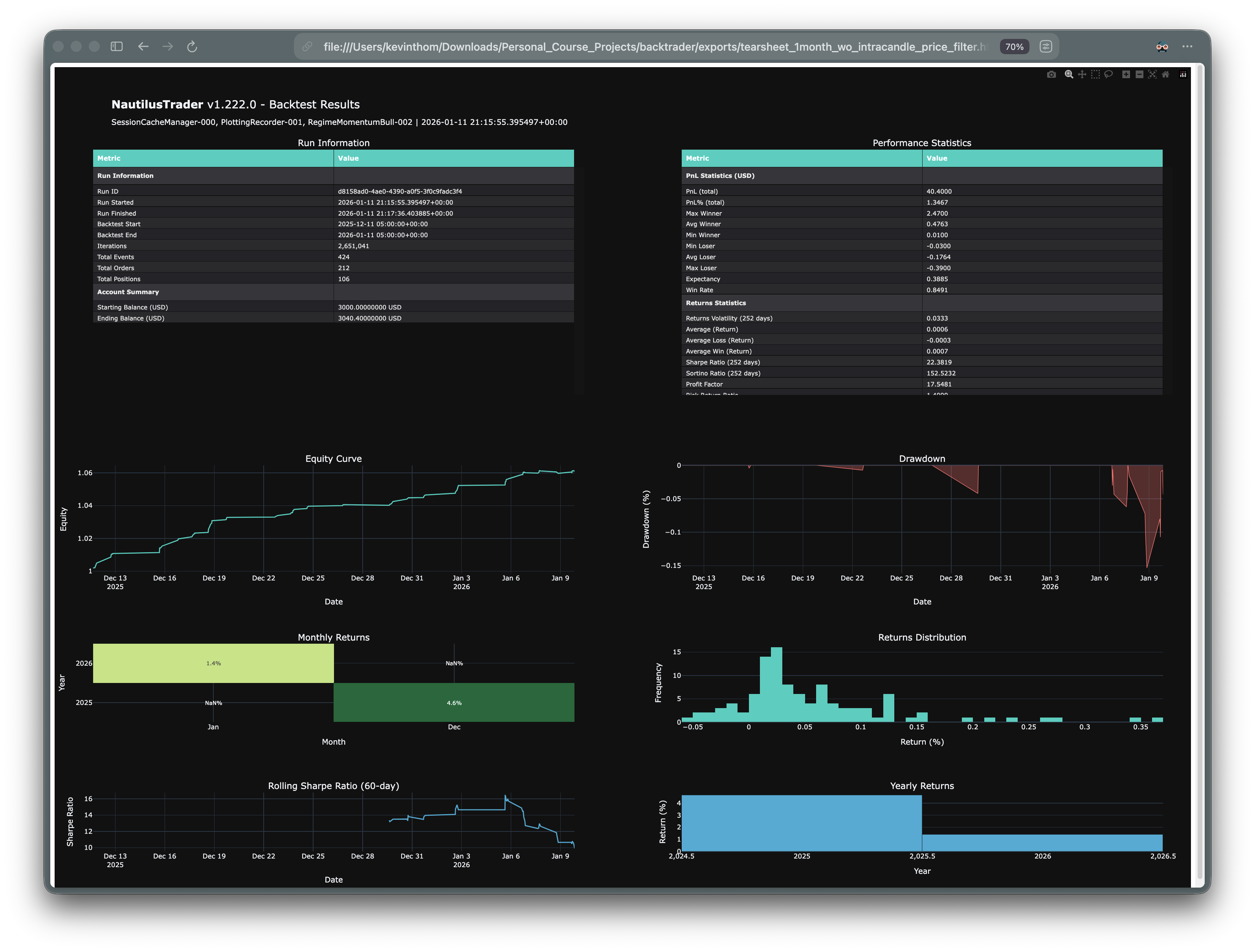
The Plotting Recorder Strategy
NautilusTrader already keeps the orders and positions generated during a backtest, which I can retrieve afterwards to inspect executions and realised profit and loss. However, I also wanted to plot the indicators alongside the price movement throughout the run. Having an indicator’s latest value is not enough for that. I need a record of how its values changed over time.
To collect that history, I created PlottingRecorder. It extends NautilusTrader’s Strategy class so it can subscribe to bars and use the same lifecycle hooks as my trading strategies, although it does not submit any orders. This keeps the recording logic in a separate component that I can run alongside the strategies being tested.
The recorder uses IndicatorMixin to create and register its own indicators. Whenever a bar arrives, it saves the timestamp, opening price, high, low, closing price, and volume, together with a snapshot of the indicator values. These snapshots accumulate in memory and are later converted into a DataFrame for plotting.
Expand to view PlottingRecorder
from typing import Sequence, Optional, cast
from urllib.parse import unquote


import pandas as pd
from nautilus_trader.common.enums import LogColor
from nautilus_trader.model import InstrumentId, BarSpecification, BarType, Position
from nautilus_trader.model.data import BarAggregation, Bar
from nautilus_trader.model.enums import AggregationSource, OrderStatus, PriceType
from nautilus_trader.model.orders import Order
from nautilus_trader.trading import Strategy
from nautilus_trader.trading.config import StrategyConfig


from constants.attributes_naming import ATTRIB
from constants.enums import Leg
from strategies.mixins.indicator_mixin import IndicatorMixin
from utilities.bar_utilities import align_ts_to_bar


class PlottingRecorderConfig(StrategyConfig, frozen=True):
    """Adjustable config for plotting recorder."""
    # metadata
    instrument_id: InstrumentId
    bar_spec: BarSpecification


class PlottingRecorder(Strategy, IndicatorMixin):
    """
    This strategy is purely dedicated to recording both the ohlc and the computed indicator values (provided by the mixin)
    - it will not execute any trade
    - it can be extended to record rth (from cache)
    """
    def __init__(self, config: PlottingRecorderConfig):
        """Initialize recorder with the chosen instrument and bar spec."""
        super().__init__(config)
        IndicatorMixin.__init__(self)
        self.instrument_id: InstrumentId = config.instrument_id
        self.bar_spec: BarSpecification = config.bar_spec
        self.bar_type = BarType(
            self.instrument_id,
            self.bar_spec,
            AggregationSource.EXTERNAL
        )
        self._snapshots: list[dict] = []


    def on_start(self) -> None:
        """Subscribe to the bar that will determine the plotting resolution"""
        self.subscribe_bars(self.bar_type)
        self.register_all_indicators(self.bar_type, self.instrument_id.venue)
        self.log.info("All indicators registered for plotting recorder", LogColor.MAGENTA)
        # request historical data to back-fill indicators with warmup time (if required)


    def on_stop(self) -> None:
        """Cleanup"""
        self.unsubscribe_bars(self.bar_type)


    def on_bar(self, bar: Bar) -> None:
        """Record the latest bar and indicator snapshot for plotting."""
        if bar.bar_type != self.bar_type:
            return


        snapshot = {
            "timestamp": pd.Timestamp(bar.ts_event, tz="UTC"),
            "open": float(bar.open),
            "high": float(bar.high),
            "low": float(bar.low),
            "close": float(bar.close),
            "volume": float(bar.volume),
        }
        snapshot.update(self.indicators.snapshot())
        self._snapshots.append(snapshot)


    def build_plot_frame(self) -> pd.DataFrame:
        """Return a DataFrame of all recorded snapshots for plotting."""
        if not self._snapshots:
            return pd.DataFrame()
        df = pd.DataFrame(self._snapshots)
        if "timestamp" in df.columns:
            df = df.set_index("timestamp").sort_index()
        df.attrs["ema_periods"] = {
            "fast": self.indicators.ema.fast_period,
            "mid": self.indicators.ema.mid_period,
            "slow": self.indicators.ema.slow_period,
        }
        orders_df = self._build_filled_orders_frame()
        if orders_df.empty:
            return df


        # Align orders to the bar grid for plotting while retaining their own timestamps inside the payload.
        df = df.join(orders_df, how="left").sort_index()
        df.attrs["ema_periods"] = {
            "fast": self.indicators.ema.fast_period,
            "mid": self.indicators.ema.mid_period,
            "slow": self.indicators.ema.slow_period,
        }
        return df


    def _build_filled_orders_frame(self) -> pd.DataFrame:
        """
        Return a DataFrame of filled orders for the configured instrument.
        """
        orders: list[Order] = self.cache.orders(instrument_id=self.instrument_id)
        grouped: dict[pd.Timestamp, list[dict]] = {}


        for order in orders:
            if order.status != OrderStatus.FILLED:
                continue


            order_position: Position = self.cache.position(order.position_id)
            # compute leg
            if order.client_order_id == order_position.opening_order_id:
                order_leg = Leg.OPEN
            elif order.client_order_id == order_position.closing_order_id:
                order_leg = Leg.CLOSE
            else:
                order_leg = Leg.ADD


            # Compute the pnl
            order_pnl: Optional[float] = None
            order_pnl_pct: Optional[float] = None
            if order_leg == Leg.CLOSE:
                order_pnl = float(order_position.realized_pnl)
                basis = abs(order_position.avg_px_open * order_position.peak_qty.as_double())
                if basis > 0:
                    order_pnl_pct = (order_pnl / basis) * 100.0


            # pull additional custom info from tags
            meta = self.decode_bt_tags(order.tags)


            ts_ns = order.ts_closed or order.ts_last or order.ts_accepted
            if not ts_ns:
                continue
            ts_order = cast(pd.Timestamp, cast(object, pd.Timestamp(ts_ns, tz="UTC")))
            ts_bar_aligned = align_ts_to_bar(ts_ns, self.bar_spec, mode="floor")
            ts_index = cast(pd.Timestamp, cast(object, pd.Timestamp(ts_bar_aligned, tz="UTC")))
            grouped.setdefault(ts_index, []).append(
                {
                    ATTRIB.order.timestamp: ts_order,
                    ATTRIB.order.tx_id: str(order.position_id),
                    ATTRIB.order.leg: order_leg.value,
                    ATTRIB.order.price: order.avg_px,
                    ATTRIB.order.order_action: order.side.name,
                    ATTRIB.order.size: float(order.quantity),
                    ATTRIB.order.core_strategy: meta.get(ATTRIB.order.core_strategy),
                    ATTRIB.order.sub_strategy: meta.get(ATTRIB.order.sub_strategy),
                    ATTRIB.order.direction: meta.get(ATTRIB.order.direction),
                    ATTRIB.order.pnl: order_pnl,
                    ATTRIB.order.pnl_pct: order_pnl_pct,
                    ATTRIB.order.reason: meta.get(ATTRIB.order.reason),
                }
            )


        if not grouped:
            return pd.DataFrame(columns=[ATTRIB.strat.orders])


        records = [
            {
                ATTRIB.order.timestamp: ts,
                ATTRIB.strat.orders: sorted(
                    orders_at_ts,
                    key=lambda o: o.get(ATTRIB.order.timestamp, ts),
                ),
            }
            for ts, orders_at_ts in grouped.items()
        ]
        df = pd.DataFrame(records).sort_values(ATTRIB.order.timestamp)
        df = df.set_index(ATTRIB.order.timestamp)
        return df[[ATTRIB.strat.orders]]


    # Tags helpers -----------------------------------------------------------
    @staticmethod
    def decode_bt_tags(tags: Sequence[str]) -> dict[str, str]:
        """
        Decode namespaced bt:key=value tags into a dictionary with URL-unescaped values.


        Non-namespaced or malformed tags are ignored.
        """
        out: dict[str, str] = {}
        for tag in tags:
            if not tag.startswith("bt:"):
                continue
            body = tag[3:]
            if "=" not in body:
                continue
            key, val = body.split("=", 1)
            if not key:
                continue
            out[key] = unquote(val)
        return out


    # Positions helper -------------------------------------------------------
    def export_positions_to_csv(
        self,
        path: str = "exports/positions.csv",
        *,
        tz: str = "UTC",
        datetime_fmt: str = "%d-%b-%Y %I:%M:%S%p",
        round_dp: int = 2,
        include_header: bool = True,
    ) -> None:
        """
        Export positions (with metadata from order tags) to CSV.
        """
        df: pd.DataFrame = self.positions_to_frame()
        if df.empty:
            df.to_csv(path, index=False, header=include_header)
            self.log.info(f"[Positions] No positions to export. Wrote header-only CSV to {path}", LogColor.MAGENTA)
            return


        # Round numeric columns
        for c in ("avg_px_open", "avg_px_close", "pnl", "total_pnl", "pnl_pct", "pnl_per_order"):
            if c in df.columns:
                df[c] = pd.to_numeric(df[c], errors="coerce").round(round_dp)


        # Format time columns
        for c in ("ts_opened", "ts_closed"):
            if c in df.columns:
                s = pd.to_datetime(df[c], utc=True, errors="coerce")
                df[c] = s.dt.tz_convert(tz).dt.strftime(datetime_fmt)


        df.to_csv(path, index=False, header=include_header)
        self.log.info(f"[Positions] Exported positions CSV to {path}", LogColor.MAGENTA)


    def positions_to_frame(self) -> pd.DataFrame:
        """
        Build a positions DataFrame with strategy metadata derived from opening orders.


        Columns:
        - position_id, instrument_id, core_strategy, sub_strategy, direction
        - peak_qty, avg_px_open, avg_px_close
        - pnl, total_pnl, pnl_pct
        - close_reason (from closing order tags if available)
        - ts_opened, ts_closed
        """
        positions: list[Position] = self.cache.positions(instrument_id=self.instrument_id)
        orders = self.cache.orders(instrument_id=self.instrument_id)


        # Index orders by position_id for tag lookup
        orders_by_pos: dict[str, list[Order]] = {}
        for order in orders:
            if order.position_id is None:
                continue
            orders_by_pos.setdefault(str(order.position_id), []).append(order)


        rows: list[dict] = []
        for pos in positions:
            pos_id = str(pos.id)
            pos_orders = orders_by_pos.get(pos_id, [])


            # Opening order = earliest ts_init
            opening_order: Order = min(pos_orders, key=lambda o: getattr(o, "ts_init", 0), default=None)
            closing_order: Order = max(pos_orders, key=lambda o: getattr(o, "ts_init", 0), default=None)


            open_tags = self.decode_bt_tags(opening_order.tags)
            close_tags = self.decode_bt_tags(closing_order.tags)


            core_strategy = open_tags.get(ATTRIB.order.core_strategy)
            sub_strategy = open_tags.get(ATTRIB.order.sub_strategy)
            direction = open_tags.get(ATTRIB.order.direction)
            close_reason = close_tags.get(ATTRIB.order.reason)


            open_qty = pos.peak_qty
            avg_px_open = pos.avg_px_open
            avg_px_close = pos.avg_px_close
            pnl = pos.realized_pnl
            open_price = opening_order.avg_px
            orders_count = len(pos_orders)


            denominator = avg_px_open * open_qty
            pnl_pct = pnl / denominator * 100.0


            rows.append(
                {
                    "core_strategy": core_strategy,
                    "sub_strategy": sub_strategy,
                    "direction": direction,
                    "pnl": float(pnl),
                    "pnl_per_order": (float(pnl) / orders_count) if orders_count else None,
                    "pnl_pct": pnl_pct,
                    "close_reason": close_reason,
                    "peak_qty": open_qty,
                    "open_price": open_price,
                    "avg_px_open": avg_px_open,
                    "close_price": avg_px_close,
                    "ts_opened": pos.ts_opened,
                    "ts_closed": pos.ts_closed,
                    "position_id": pos_id,
                    "instrument_id": str(pos.instrument_id),
                }
            )


        df = pd.DataFrame(rows)
        if not df.empty and "ts_opened" in df.columns:
            df = df.sort_values("ts_opened")
        return df
Once the backtest finishes, the recorder combines those snapshots with orders and positions retrieved from NautilusTrader’s shared cache. It reads the custom tags attached to orders to extract information such as the strategy name, direction, and reason for the trade. For plotting, it groups the filled orders against the corresponding bars while retaining their original timestamps in the details.
The same component also prepares the position data for CSV export. This gives me two ways to inspect the run: a trade ledger for sorting and comparing results, and an interactive chart for examining those results alongside prices and indicators.
The Trade Ledger
The tear sheet gives me an overview of the backtest, but I also want to inspect the individual positions contributing to those results. For that, I export a CSV ledger with one row per position. A position can involve several orders, such as an initial entry, additional purchases, and an eventual exit, so keeping those together makes it easier to examine the overall outcome.
The ledger includes the strategy name and direction, opening and closing timestamps, average entry and exit prices, peak quantity, realised PnL, and the recorded reason for closing. I also include PnL as a percentage of the average entry price multiplied by the peak quantity. This gives me another way to compare outcomes alongside their absolute gains and losses, although it measures the return against that capital basis rather than the risk defined by the stop loss.
Having these fields in a CSV lets me sort and filter the results to investigate specific questions. Which positions contributed the largest losses? Were those losses concentrated in a particular strategy? How often did positions close because of a stop loss rather than a take-profit signal? These details help me identify which parts of a strategy deserve a closer look.
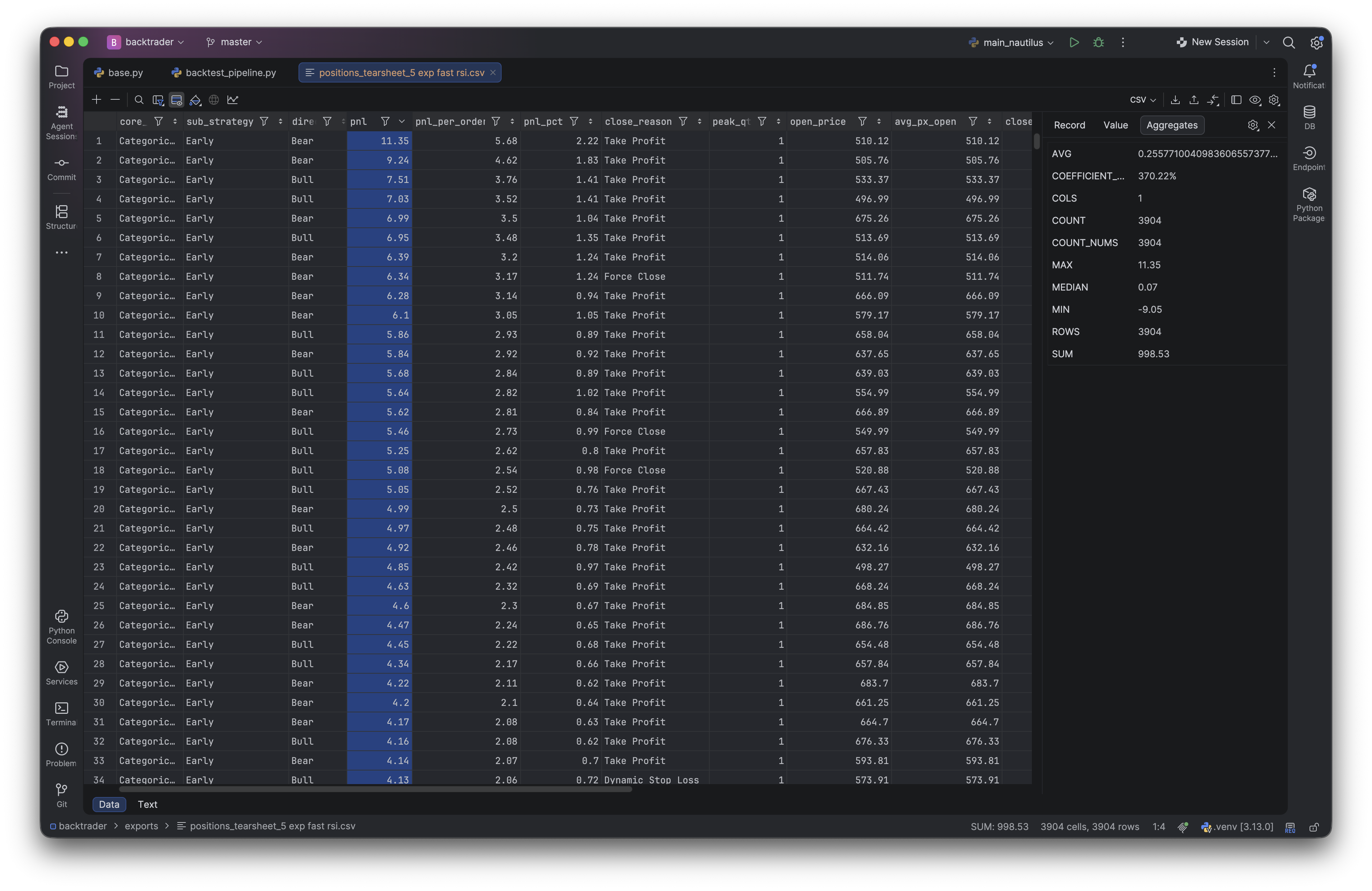
The Interactive Chart
The trade ledger helps me find positions worth investigating, but the numbers alone do not show what was happening in the market around them. For that, I built an interactive chart, taking inspiration from modern desktop trading applications. I used Plotly as the foundation for rendering the charts, then added my own plotting components and JavaScript to shape how the interface behaves.
The chart displays the price movement as candlesticks, with indicators drawn either over the main price chart or in separate panels below it. Putting them together lets me examine how the indicators behaved as prices moved, and whether the conditions around a trade matched what I intended the strategy to look for.
Trades are marked directly on the chart. Hovering over a marker shows details such as the strategy, trade direction, execution price, and the reason attached to the order. Closing markers also include the position’s realised PnL. I can zoom into a particular period to inspect an entry or exit, then zoom back out to see the broader price movement.
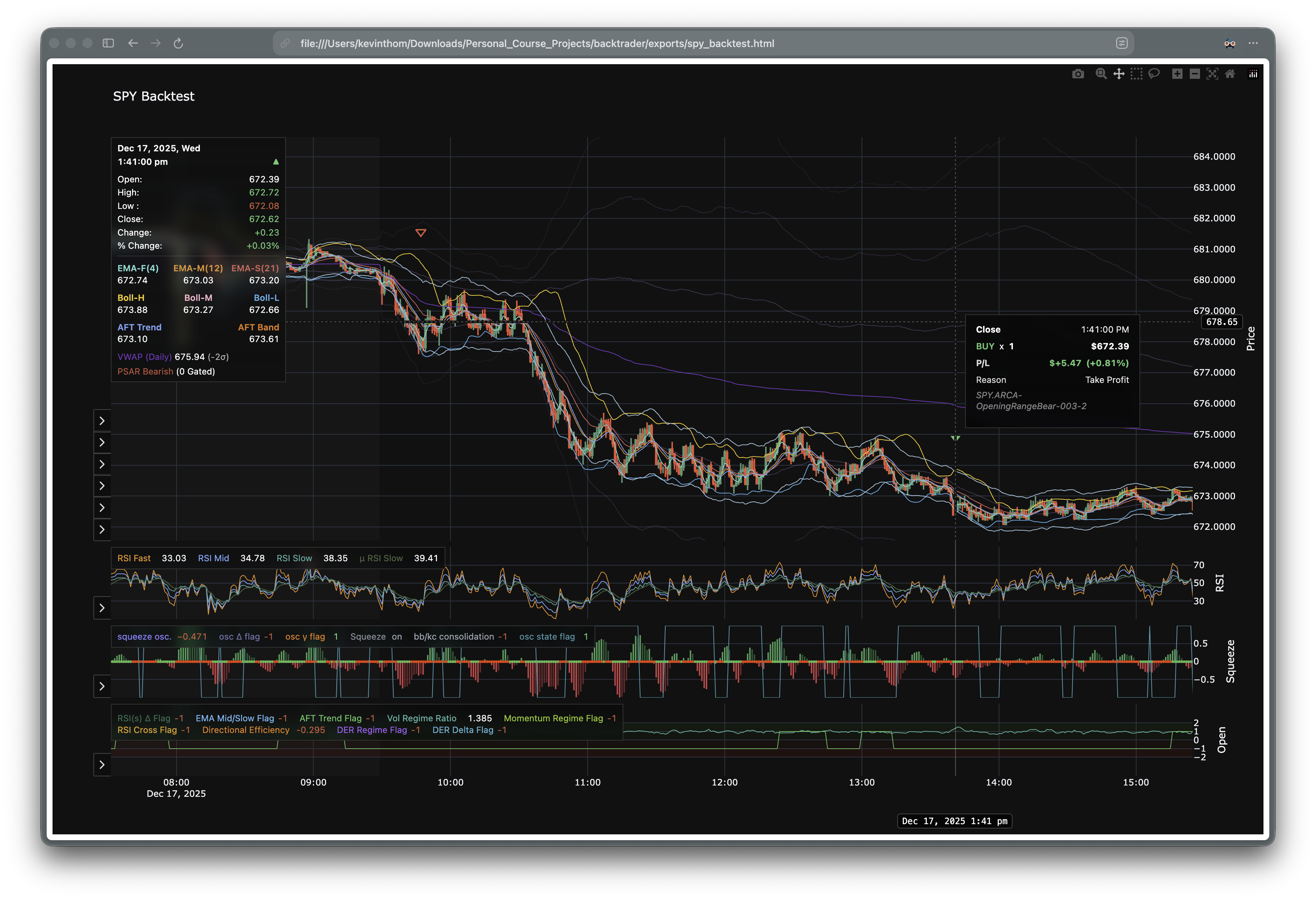
Getting the experience I wanted involved more than passing data into Plotly. On the Python side, I separated the layout and configuration from the overlays for indicators, orders, and trading sessions. This lets me work on how each part is displayed without putting all the plotting logic into one large function.
I also inject custom JavaScript into the generated HTML to extend the chart’s interactions. These additions bring the interface closer to the desktop trading tools that inspired it, with the main behaviours summarised below.
- Table:
Custom chart interactions and how they help me inspect backtest results.
| Custom interaction | How it helps when inspecting a backtest |
|---|---|
| Crosshair across chart panels | A vertical guide extends across the price chart and indicator panels at the hovered candle, making it easier to compare their behaviour at the same point in time. |
| Price and indicator axis labels | A label beside the vertical axis shows the value at the cursor’s height, using the scale of the panel being inspected. This lets me read a price or indicator level without estimating between axis ticks. |
| Candle timestamp label | A label near the bottom axis shows the timestamp of the candle beneath the cursor, making it easier to identify the period I am inspecting. |
| Pinned price and indicator readouts | Hovering updates information boxes anchored to the chart panels. These show the candle’s OHLC values and price change, alongside indicator readings, so I can compare values without chasing moving tooltips. |
| Detailed trade hover cards | Hovering at or near a candle containing orders reveals their execution details, strategy, recorded reason, and closing PnL where available. A small hover tolerance makes trades easier to inspect without positioning the cursor exactly over their candle. |
| Collapsible legends | Each legend has its own expand-and-collapse control. I can keep the chart less cluttered while still bringing up the legend when I need to identify its plotted series. |
| Separate time and value zoom controls | Scrolling over the main chart is configured for horizontal time zoom, while holding Shift adjusts its price scale. Scrolling over an indicator panel adjusts that panel’s vertical scale, letting me inspect it without changing the displayed time window. |
This gives me a way to investigate the positions I find in the ledger. If a position closed at a loss, I can examine where it entered, how the price developed afterwards, and the recorded reason for its exit. The ledger helps me decide where to look; the chart gives me the surrounding context to investigate what happened.
Running the system
Now that we have gone through all the major components of the system, all that is left is to run it. The system primarily runs in two modes, and both start from main.py. This section follows the flow of each major workflow.
Historical Backtest
Historical backtesting brings me back to why I built this platform in the first place. When I have a trading or investment hypothesis, I want to see how it would have played out against historical market data. Instead of waiting for market data to arrive in real time, the system processes historical data and simulates the resulting trades. We have already covered the major components used in the previous section, with the exception of BacktestWorkflow, which acts as the orchestrator for historical backtest runs.
Expand to view BacktestWorkflow
"""Backtest runner that replaces the Backtrader Cerebro workflow."""


from __future__ import annotations


import webbrowser


from pathlib import Path


import pandas as pd
from nautilus_trader.analysis import TearsheetConfig
from nautilus_trader.backtest.engine import BacktestEngine
from nautilus_trader.config import BacktestEngineConfig
from nautilus_trader.model import Money
from nautilus_trader.model.currencies import USD
from nautilus_trader.model.data import BarType, BarSpecification
from nautilus_trader.model.enums import OmsType, AccountType, AggregationSource
from nautilus_trader.model.identifiers import TraderId
from nautilus_trader.model.instruments.base import Instrument
from nautilus_trader.persistence.catalog import ParquetDataCatalog
from nautilus_trader.persistence.config import DataCatalogConfig


from main_config import MainConfig
from services.instruments.instrument_helper import ib_instrument_meta, IBInstrumentMetadata
from services.historical_price_service import PriceHistoryService
from strategies.plotting_recorder import PlottingRecorderConfig, PlottingRecorder
from strategies.session_cache_manager import SessionCacheManager, SessionCacheManagerConfig
from utilities.calendar_utilities import resolve_date_window
from nautilus_trader.analysis.tearsheet import create_tearsheet
from plotting.plot import plot_with_plotly


class BacktestWorkflow:
    """Workflow for executing Nautilus Trader backtests."""


    def __init__(self,
        instrument: Instrument,
        execution_bar_spec: BarSpecification,
        indicator_bar_spec: BarSpecification,
        catalog: ParquetDataCatalog,
    ) -> None:
        self._instrument: Instrument = instrument
        self._instrument_meta: IBInstrumentMetadata = ib_instrument_meta(self._instrument)
        self._execution_bar_spec: BarSpecification = execution_bar_spec
        self._indicator_bar_spec: BarSpecification = indicator_bar_spec


        self._catalog = catalog


    def run(self, config: MainConfig) -> None:
        """Execute the configured backtest, returning raw results + helpers."""
        start_ts_ns, end_ts_ns = resolve_date_window(config.backtest_window, self._instrument_meta.time_zone_id)
        backfill_duration_ns = config.system_settings.backfill_delta.value


        # Request price data (into parquet data catalog)
        price_hist_svc = PriceHistoryService(self._catalog, self._instrument, config.resolutions)
        price_hist_svc.set_price_data(start_ts_ns-backfill_duration_ns, end_ts_ns)
        execution_price_data = price_hist_svc.request_price_date(
            start_ts_ns-backfill_duration_ns,
            end_ts_ns,
            BarType(
                self._instrument.id,
                self._execution_bar_spec,
                AggregationSource.EXTERNAL
            )
        )
        indicator_price_data = price_hist_svc.request_price_date(
            start_ts_ns-backfill_duration_ns,
            end_ts_ns,
            BarType(
                self._instrument.id,
                self._indicator_bar_spec,
                AggregationSource.EXTERNAL
            )
        )


        # -------------------- SETUP CONFIGS --------------------
        # get engine instance
        catalog_cfg = DataCatalogConfig(path=str(self._catalog.path))
        engine_config = BacktestEngineConfig(trader_id=TraderId("BACKTESTER-001"), catalogs=[catalog_cfg])
        engine = BacktestEngine(config=engine_config)


        # add venue
        engine.add_venue(
            self._instrument.venue,
            OmsType.HEDGING,
            AccountType.MARGIN,
            [Money(3_000.0, USD)],  # Multi-currency account
        )


        # add instrument
        engine.add_instrument(self._instrument)


        # Load each replay stream once when both resolutions are identical.
        engine.add_data(execution_price_data)
        if self._indicator_bar_spec != self._execution_bar_spec:
            engine.add_data(indicator_price_data)


        # add rth management strategy
        session_cache_manager_config = SessionCacheManagerConfig(
            # services
            parquet_data_catalog_path = self._catalog.path,
            cal_venue_map = config.cal_venue_map,


            # metadata
            instrument_id = self._instrument.id,
            venue = self._instrument.venue,
            tz = self._instrument_meta.time_zone_id,
            backfill_delta = config.system_settings.backfill_delta,
            is_live=False,


            # bar stream
            indicator_bar_spec = self._indicator_bar_spec,
            execution_bar_spec = self._execution_bar_spec,
        )
        session_cache_manager = SessionCacheManager(session_cache_manager_config)
        engine.add_strategy(session_cache_manager)


        # add plotting recorder strategy (record values for plotting later on)
        plotting_recorder_config = PlottingRecorderConfig(self._instrument.id, self._indicator_bar_spec)
        plotting_recorder = PlottingRecorder(plotting_recorder_config)
        engine.add_strategy(plotting_recorder)


        # add strategies
        for strategy, strategy_config in config.strategies.items():
             strategy_config = strategy_config(
                 # core params
                 instrument_id=self._instrument.id,
                 leverage_with_options=config.instrument.leverage_with_options,


                 # resolutions
                 execution_bar_spec=self._execution_bar_spec,
                 indicator_bar_spec=self._indicator_bar_spec,


                 # extra params
                 backfill_delta=config.system_settings.backfill_delta,
                 is_live=False
             )
             engine.add_strategy(strategy(strategy_config))


        engine.run(start=start_ts_ns, end=end_ts_ns)


        # post run analytics
        plotting_recorder.export_positions_to_csv()
        tearsheet_file_tag = ""
        if config.system_settings.tearsheet_tag:
            tearsheet_file_tag = f"_{config.system_settings.tearsheet_tag}"
        tearsheet_file_path = f"exports/tearsheet{tearsheet_file_tag}.html"
        create_tearsheet(
            engine=engine,
            output_path=tearsheet_file_path,
            config=TearsheetConfig(theme="nautilus_dark")
        )
        out = Path(tearsheet_file_path).resolve()
        webbrowser.open(out.as_uri())


        # check if test is longer than 1 week (do not plot if so, performance issue)
        backtest_duration = end_ts_ns - start_ts_ns
        backtest_timedelta = pd.to_timedelta(backtest_duration, "ns")


        if backtest_timedelta < pd.Timedelta(days=8):
            # pull plotting df from plotting recorder after run
            plot_df = plotting_recorder.build_plot_frame()
            plot_with_plotly(plot_df)
The workflow first resolves the configured backtest window into start and end timestamps, using the instrument’s timezone. It also extends the data retrieval window backwards by the configured backfill_delta. This makes earlier bars available for historical warm-up requests, while the simulation itself runs between the selected start and end timestamps.
PriceHistoryService prepares the required price data in the Parquet catalog. The workflow then retrieves the execution and indicator bars using their respective bar specifications. Both streams are added to the engine when their resolutions differ. When the specifications match, the data is added only once so the same stream can serve both purposes.
Next, I create the BacktestEngine and connect it to the catalog. In this configuration, the simulated venue uses a margin account with a starting balance of US$3,000 and a hedging order management model. The resolved instrument is also registered with the engine. These settings define the simulated environment in which the strategies will operate.
The workflow then brings the earlier components together:
- Table:
The historical backtest workflow, from data preparation to result generation.
| Stage | What happens |
|---|---|
| Resolve the date window | Convert the configured backtest period into start and end timestamps using the instrument’s timezone. |
| Prepare historical data | Use PriceHistoryService to prepare the required data, including an earlier look-back period for warm-up requests. Retrieve the execution and indicator bar streams. |
| Configure the simulation | Create the engine with access to the Parquet catalog, register the instrument, and configure the simulated venue. This version uses a margin account with US$3,000 in starting capital and a hedging order management model. |
| Register data and components | Load each distinct bar stream once, then register SessionCacheManager, PlottingRecorder, and the selected trading strategies. |
| Run the backtest | Process the selected historical period, allowing bars and simulated execution events to drive the strategies. |
| Generate the outputs | Export the position ledger, generate and open the tear sheet, and produce the interactive chart for runs shorter than eight days. |
At a high level, the general flow of what I do when I am performing historical backtest using my personal quant platform could be visualized as the following:
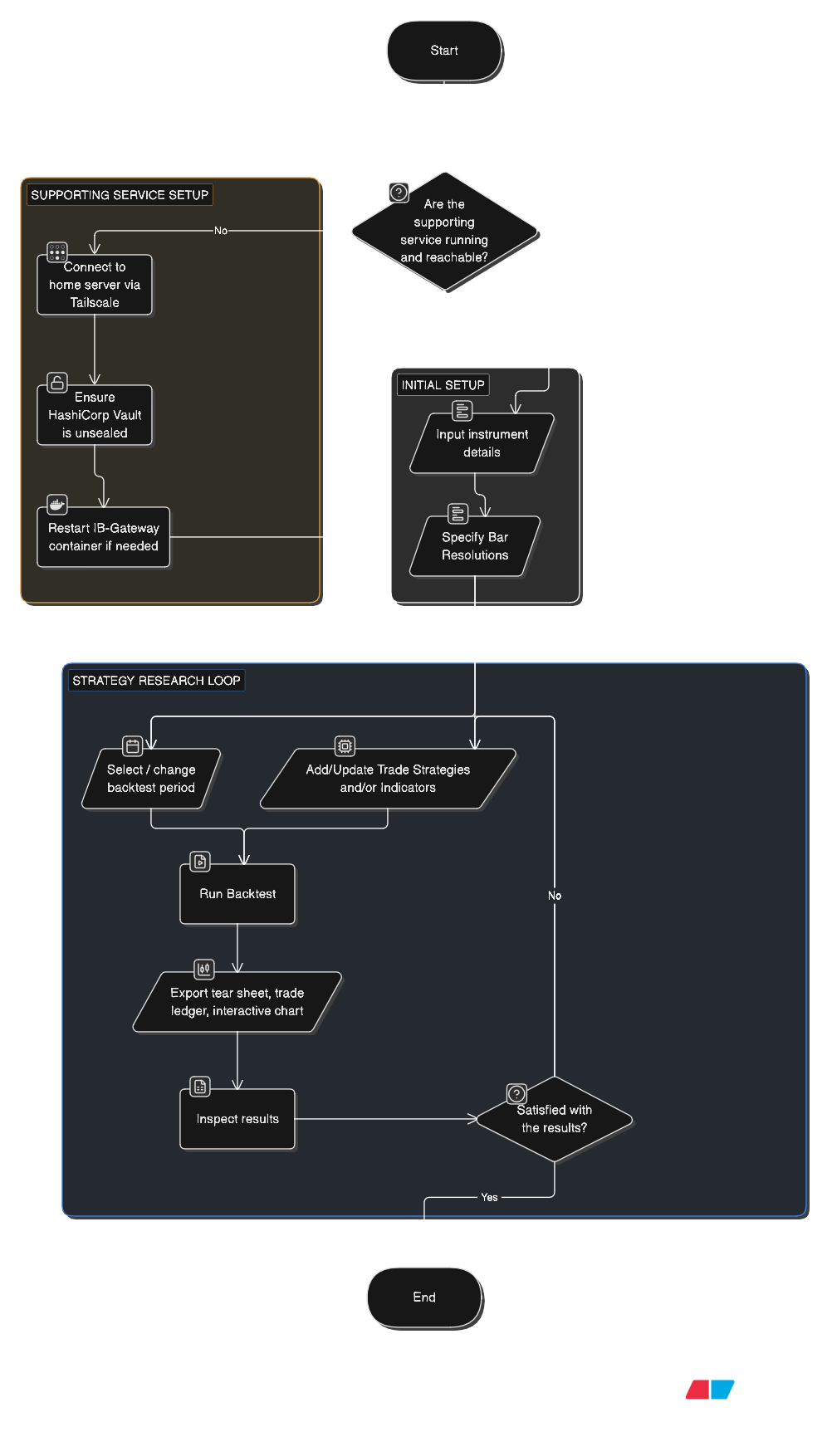
I would divide the process of a historical backtest into 3 general stages. The supporting service setup, initial setup, and strategy research loop. I usually only need to set up the supporting services and choose the instrument and bar resolutions once per session. Most of my time goes into the third stage, the strategy research loop.
I usually start with a few short periods that cover different market conditions. If the strategy behaves as expected across those periods, I expand the backtest to cover several years and see whether that behaviour holds up. That’s what I wanted from the platform in the first place.
This design then lowers my cognitive load to just focusing on the most important part of strategy research - finding and testing trading alphas.
Trading in the Live Market
Once I’m satisfied with how a strategy behaves in a backtest, I want to see what it does as the next trading session unfolds. One question my historical bars leave open is how much of an order could have filled at the price the strategy saw.
The limitation with backtest, especially with the tier of data I had, was unrealistic liquidity environment. Every single trade requires both a buyer and seller to go through. NautilusTrader can replay historical changes to the order book if I supply the corresponding L2 or L3 data. Massive provides the best bid and offer for US equities, but my backtest bars don’t show how much liquidity was available at each price level. Sourcing that depth of historical data separately was more than I wanted to spend on this project.
Slippage is still a consideration, especially for strategies that submit market orders. IBKR simulates paper fills using the best bid and offer, so the price I get in paper trading can still differ from what I would get with real money. What I want to learn at this stage is how the strategy behaves as a trading session unfolds. When a new bar comes in, does the strategy generate the signal I expect? If it submits an order, does it handle the broker’s updates and track the resulting position correctly? Paper trading lets me follow that whole sequence through IB Gateway without putting capital at risk.
In the previous subsection, we saw how main.py hands the resolved instrument and configuration to BacktestWorkflow for a historical run. When I select the live paper trading profile, main.py takes the other branch and hands them to LiveWorkflow.
Expand to view LiveWorkflow
import traceback


from ibapi.common import MarketDataTypeEnum
from nautilus_trader.adapters.interactive_brokers.common import IB
from nautilus_trader.adapters.interactive_brokers.config import  \
    InteractiveBrokersDataClientConfig, InteractiveBrokersExecClientConfig, InteractiveBrokersInstrumentProviderConfig
from nautilus_trader.adapters.interactive_brokers.factories import InteractiveBrokersLiveDataClientFactory, \
    InteractiveBrokersLiveExecClientFactory
from nautilus_trader.common.config import LoggingConfig
from nautilus_trader.live.config import RoutingConfig, TradingNodeConfig, LiveDataEngineConfig, LiveExecEngineConfig
from nautilus_trader.live.node import TradingNode
from nautilus_trader.model import TraderId
from nautilus_trader.model.data import BarSpecification


from nautilus_trader.model.instruments.base import Instrument
from nautilus_trader.persistence.catalog import ParquetDataCatalog


from main_config import MainConfig, ProfileSettings
from services.instruments.instrument_helper import ib_instrument_meta, IBInstrumentMetadata, build_ib_contract
from strategies.session_cache_manager import SessionCacheManagerConfig, SessionCacheManager
from utilities.vault_utils import get_ibkr_credentials


class LiveWorkflow:
    """Workflow for executing Nautilus Trader Live."""
    def __init__(self,
        instrument: Instrument,
        execution_bar_spec: BarSpecification,
        indicator_bar_spec: BarSpecification,
        catalog: ParquetDataCatalog,
        profile_settings: ProfileSettings,
    ) -> None:
        self._instrument: Instrument = instrument
        self._instrument_meta: IBInstrumentMetadata = ib_instrument_meta(self._instrument)
        self._execution_bar_spec: BarSpecification = execution_bar_spec
        self._indicator_bar_spec: BarSpecification = indicator_bar_spec


        self._catalog = catalog
        self._profile_settings = profile_settings


    def run(self, config: MainConfig) -> None:
        """Run the live node with independent pre-session calendar refreshes."""


        timezone = self._instrument_meta.time_zone_id
        backfill = config.system_settings.backfill_delta
        if timezone is None or backfill is None:
            raise ValueError("Live trading requires instrument timeZoneId and backfill_delta")


        node = None


        # instrument provider config
        contract = build_ib_contract(config.instrument)
        instrument_provider_config = InteractiveBrokersInstrumentProviderConfig(
            # IB definitions load at connection time; calendar refresh is managed below.
            load_contracts=frozenset([contract]),
        )


        md_type = getattr(MarketDataTypeEnum, self._profile_settings.market_data_type)


        # Data client with dockerized gateway
        data_client_config = InteractiveBrokersDataClientConfig(
            ibg_host=self._profile_settings.host,
            ibg_port=self._profile_settings.port,  # TWS paper trading port
            instrument_provider=instrument_provider_config,
            ibg_client_id=self._profile_settings.client_id,
            use_regular_trading_hours=False,  # RTH only for stocks
            market_data_type=md_type,
            ignore_quote_tick_size_updates=True,  # Include size-only updates
            connection_timeout=300,  # 5 minutes
            request_timeout=60,  # 1 minute
        )


        credentials = get_ibkr_credentials()
        exec_client_config = InteractiveBrokersExecClientConfig(
            ibg_host=self._profile_settings.host,
            ibg_port=self._profile_settings.port,
            instrument_provider=instrument_provider_config,
            ibg_client_id=self._profile_settings.client_id,
            account_id=credentials.account_id_paper,  # Your IB account ID (paper or live)
            connection_timeout=300,
            routing=RoutingConfig(default=True),  # Route all orders through this client
        )


        # Live trading node configuration
        config_node = TradingNodeConfig(
            trader_id=TraderId("LIVE-TRADER-001"),
            data_clients={IB: data_client_config},
            exec_clients={IB: exec_client_config},
            data_engine=LiveDataEngineConfig(
                time_bars_timestamp_on_close=False,
                validate_data_sequence=True,
                debug=True
            ),
            exec_engine=LiveExecEngineConfig(
                load_cache=False,
                debug=True,
                generate_missing_orders=False,
                reconciliation=False,
                reconciliation_startup_delay_secs=30.0,
                graceful_shutdown_on_exception=True,
            ),
            logging = LoggingConfig(
                log_level="INFO",
                log_level_file="INFO",
                log_file_format="json",
                log_directory="exports/logs"
            ),
            timeout_reconciliation=15.0,
            timeout_disconnection=10.0,
            timeout_post_stop=10.0,
        )


        try:
            # Create and build node
            node = TradingNode(config=config_node)
            node.add_data_client_factory(IB, InteractiveBrokersLiveDataClientFactory)
            node.add_exec_client_factory(IB, InteractiveBrokersLiveExecClientFactory)
            node.build()


            # Add custom trading hour and bar stream manager(session cache manager)
            session_cache_manager_config = SessionCacheManagerConfig(
                # services
                parquet_data_catalog_path=self._catalog.path,
                cal_venue_map=config.cal_venue_map,


                # metadata
                instrument_id=self._instrument.id,
                venue=self._instrument.venue,
                tz=timezone,
                backfill_delta=backfill,
                is_live=True,
                refresh_ib_host=self._profile_settings.host,
                refresh_ib_port=self._profile_settings.port,
                refresh_ib_client_id=self._profile_settings.client_id + 1000,
                refresh_market_data_type=self._profile_settings.market_data_type,


                # bar stream
                indicator_bar_spec=self._indicator_bar_spec,
                execution_bar_spec=self._execution_bar_spec,
            )
            session_cache_manager = SessionCacheManager(session_cache_manager_config)
            node.trader.add_strategy(session_cache_manager)


            # Add your strategies here
            for strategy, config_type in config.strategies.items():
                strategy_config = config_type(
                    instrument_id=self._instrument.id,
                    leverage_with_options=config.instrument.leverage_with_options,
                    execution_bar_spec=self._execution_bar_spec,
                    indicator_bar_spec=self._indicator_bar_spec,
                    backfill_delta=backfill,
                    is_live=True
                )
                node.trader.add_strategy(strategy(strategy_config))


            # Run the node
            node.run(raise_exception=True)


        except KeyboardInterrupt:
            print("Shutting down...")
        except Exception as e:
            print(f"Error: {e}")
            traceback.print_exc()
            raise
        finally:
            if node:
                node.dispose()
By the time LiveWorkflow takes over, main.py has already resolved the instrument I want to trade. The workflow first checks that it has the instrument’s time zone and a configured look-back period for warming up the strategies. It then builds the IB contract that the live adapter will load when it connects to IB Gateway. I configure two clients for that connection. The data client receives market data, while the execution client sends orders and receives updates from the broker. For this workflow, I use the paper account ID retrieved from Vault and make the execution client the default route for orders.
With those clients configured, I build the TradingNode and register the SessionCacheManager first. This is where the pre-session refresh I covered earlier comes into play. In live mode, the manager uses the node’s clock to schedule a refresh of IBKR’s trading hours before the upcoming session, even if no market bars have arrived yet. I then register each strategy selected in main.py with its instrument ID, indicator and execution bar specifications, and warm-up period. This lets me carry the same strategy rules I tested in a backtest into a paper trading session.
Once I call node.run(), incoming market data drives the strategies. When a strategy decides to place an order, the execution client routes it through IB Gateway to my paper account, and the strategy receives the resulting order and position events through the hooks covered earlier. I can follow the run from the browser console and inspect the JSON logs under exports/logs afterwards. When I press Stop in the console, the wrapper sends an interrupt to the trading process. As the workflow exits, its finally block calls node.dispose() to release the node’s resources.
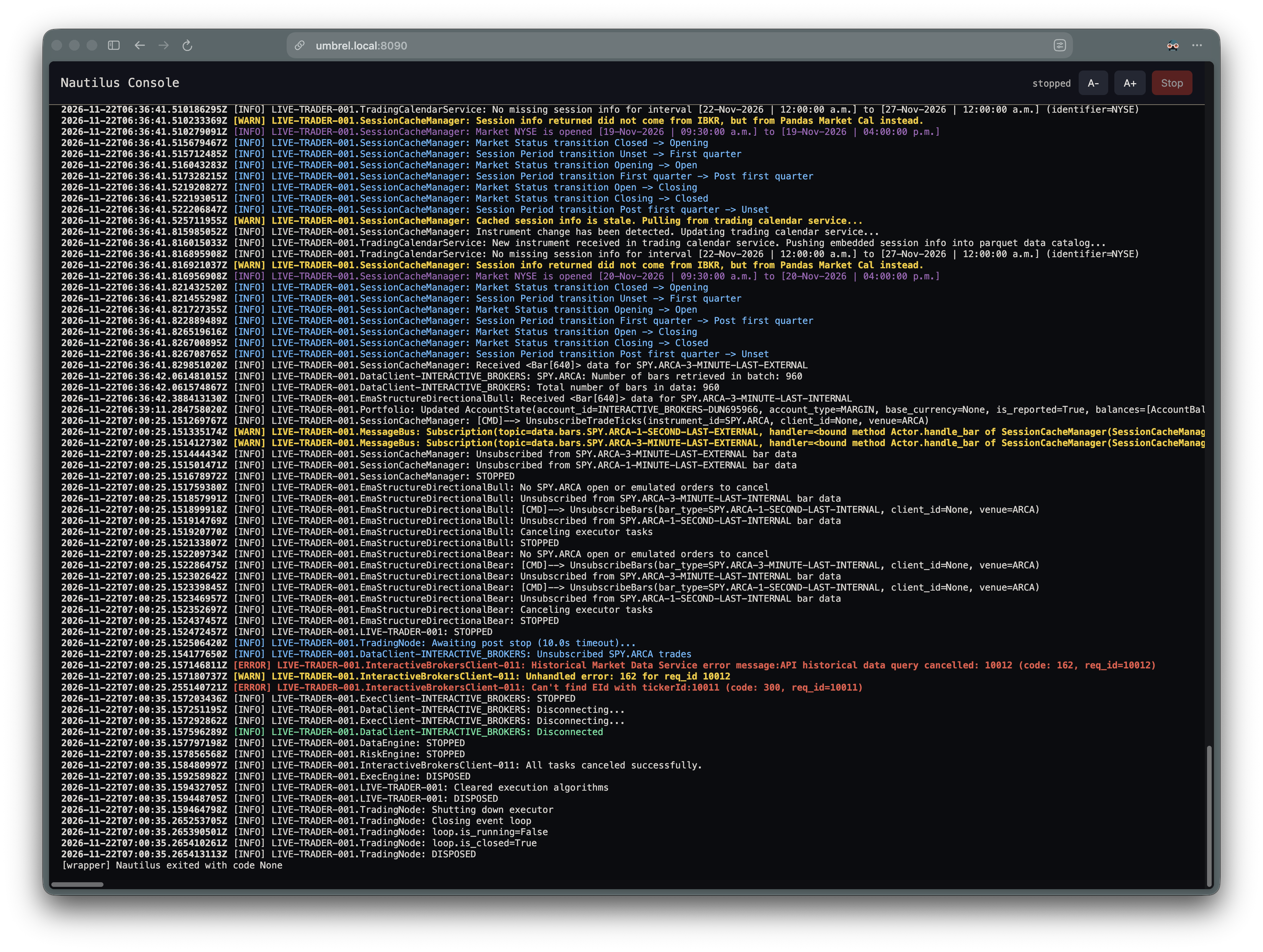
As discussed in the previous deployment section, backtesting could simulate months to years of performance in a matter of minutes to hours, live trading happens in real time, and have to be left running throughout the regular trading hours, spanning across as many days as the amount of data I want to collect.
Hence, I have decided to deploy the live trading node on my home server, wrapped so that it integrates nicely with the operating system the home server is running. The process of going from a selected group of strategies, to a live trading node, could be visualized as the following:
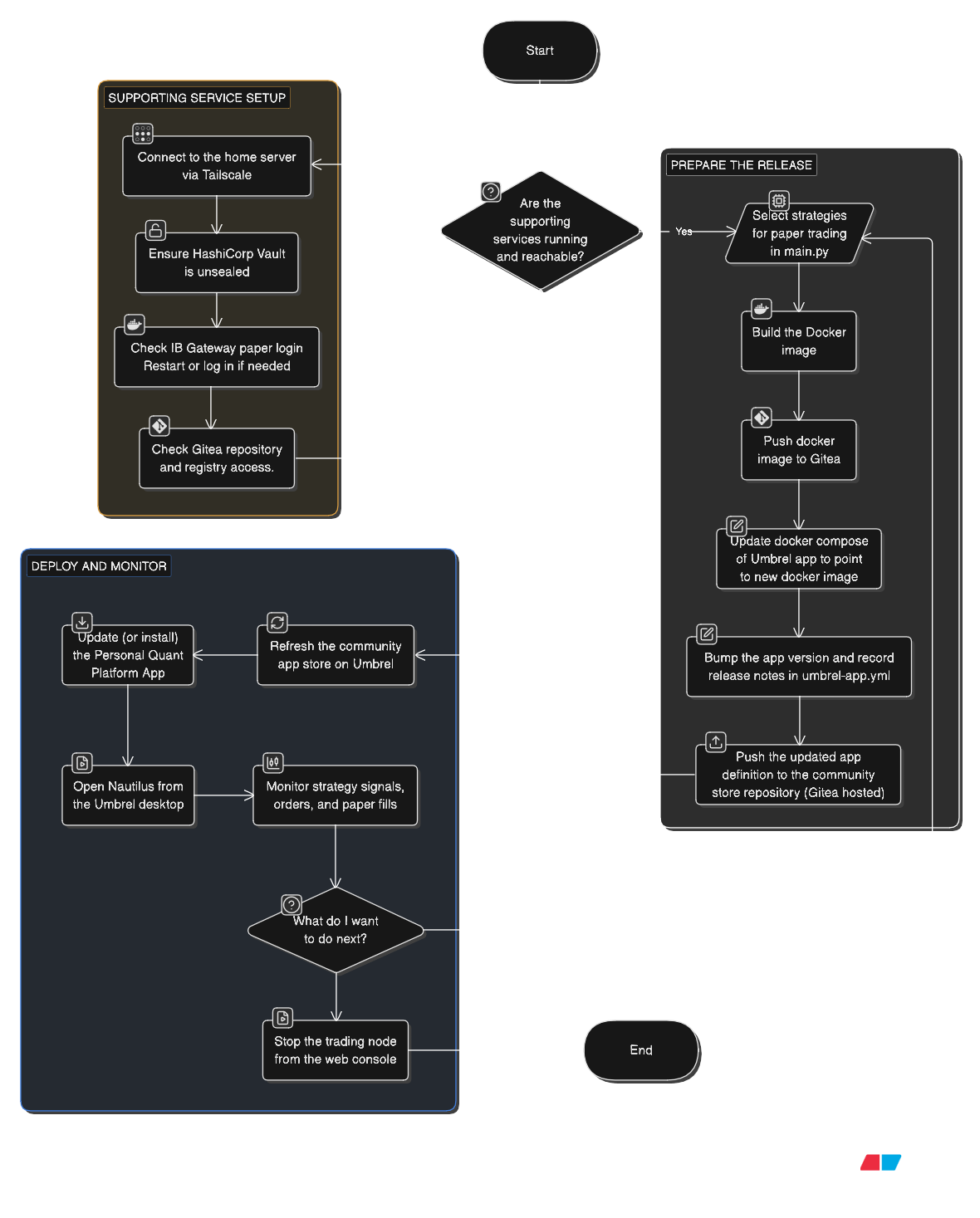
With a backtest, I can change the strategies in main.py and run it again on my MacBook. On the Pi, the selected strategies are packaged into the Docker image, so changing which ones I want to paper trade means building a new image, pushing it to Gitea, and updating the Umbrel app to use it. One thing I no longer have to change for each release is the run profile. After a few deployments where I’d left it set to backtest, I added an environment override in the app’s Compose file. I can now keep main.py set up for local backtests and have the Pi start in LIVE_PAPER each time.
Leveraging with Options
Another component that I have actually not talk about is my options leverage component. And the reason for that is that it is only used in the live component of the system, and that it is still experimental. Interactive Brokers does not provide prices of options contract that had already expired. Massive’s free options plan gives me historical one-minute bars after the trading day ends. For my backtests, I wanted to simulate execution on five-second bars, which would require a paid options data plan. That’s why I’ve kept options leverage limited to paper trading for now.
However, in live, there are a couple of components provided by the IBKR adapter in NautilusTrader that we can actually leverage with to pull options data, making it a low cost way to start playing around with it.
If you had already noticed in main.py, there is an option in the instrument definition section to take in a boolean, turning on options leverage. There are also configurations inside the base strategy BaseStrategy to configure settings for options selection.
Expand to view options config snippet from BaseStrategy
...
leverage_with_options: bool = False


options_otm_strikes: int = 1
options_dte_first_quarter_lower: int = 0
options_dte_first_quarter_upper: int = 3
options_dte_post_first_quarter_lower: int = 1
options_dte_post_first_quarter_upper: int = 3
...
The config revolves around a couple of assumptions that needs to be true for it to even function. For one, the biggest assumption of all, and one that might not hold true a lot of the time, is
Options contract are fairly priced for any asset at a certain price, and with publicly available expectations set in place.
This of course, is a dangerous assumption to make, and would attract a million rebuttals from quantitative financier. But there is levels to truth to that statement. And that has all to do with he liquidity of the options chain. With some of the highest traded options chain, such as the SPY 0DTE options, the assumptions become more true as any edge or inefficiencies in pricing would have already been profited out by people or firms much smarter then me.
When I enable leverage_with_options, the strategy still generates its signal from the underlying asset. If it expects SPY to move up, the question is which call to buy. If it expects SPY to move down, the same question applies to puts. For this experiment, I take the quoted premiums as my starting point. The idea I want to test is whether my strategy can anticipate a move in SPY and choose a contract that responds to it.
The two Greeks I care about most for that purpose are delta and gamma. Delta tells me roughly how much the option premium would change for a small move in SPY, all else being equal. Gamma tells me how quickly that delta changes as SPY moves. For example, if I buy a call and SPY starts rising, the call’s delta can increase, making it more responsive to the next move up. That changing exposure is part of what interests me about buying short-dated options. Gamma tends to be highest for contracts near the money and close to expiry.
The trade-off is how long I can afford to wait for the signal to play out. Suppose I buy a call and SPY spends the next hour trading sideways. Even though SPY hasn’t moved against me, the call can still lose time value. Theta estimates that loss from the passage of time, all else being equal. For a contract near the money, time decay generally accelerates as expiry approaches.
That trade-off is why time of day factors into my contract selection. During the first quarter of the regular trading session, I look for a contract that expires that day, commonly called a 0DTE option. If I can’t find one with the strike I want, I try each later expiry in order, up to three calendar days out. What interests me here is the premium I pay per unit of absolute delta. If two calls give me similar initial exposure to SPY, the cheaper one ties up less capital for that exposure.
After the first quarter, I skip same-day contracts and look for the nearest suitable expiry between one and three calendar days out when opening a new position. I’m willing to pay more for comparable delta if it gives the trade more time to develop with less immediate pressure from time decay. The first-quarter cutoff is one of the rules I’m testing in paper trading.
Expand to view OptionSelectionMixin
"""Mixin for selecting option contracts from cached option chains."""


from __future__ import annotations


from datetime import date, datetime, timezone
from typing import Iterable, Optional, cast, List, TYPE_CHECKING


from nautilus_trader.model.enums import OptionKind
from nautilus_trader.model.identifiers import Symbol
from nautilus_trader.model.instruments.base import Instrument
from nautilus_trader.model.instruments.option_contract import OptionContract


from constants.enums import Direction
from services.sessions.session_info import SessionInfo, SessionPeriod
if TYPE_CHECKING:
    from strategies.base import BaseStrategy


class OptionSelectionMixin:
    """Provide reusable helpers for selecting option contracts from cache."""


    def _select_option_contract(
        self,
        direction: Direction,
    ) -> OptionContract | None:
        """
        Return the option contract to trade for the given direction and session period.


        Uses the cached option chain (already loaded by Nautilus) and selects:
        - Nth OTM strike (default 1)
        - 0DTE in the first quarter, 1DTE in the post-first quarter
        """
        base_strategy = cast("BaseStrategy", cast(object, self))
        current_session_info = base_strategy.current_session_info()
        if current_session_info is None:
            base_strategy.log.warning("Session info missing; skipping option selection.")
            return None
        if current_session_info.session_period == SessionPeriod.UNSET:
            return None


        target_dtes = self._resolve_target_dte_range(current_session_info)
        if not target_dtes:
            base_strategy.log.warning("Target DTE range cannot be resolved; skipping option selection.")
            return None


        underlying_symbol = self._resolve_underlying_symbol()


        if not underlying_symbol:
            return None


        option_chain = self._load_option_chain(underlying_symbol)
        if not option_chain:
            return None


        eligible = self._filter_by_kind(option_chain, direction)


        if base_strategy.current_price is None:
            base_strategy.log.warning("Current price missing; skipping option selection.")
            return None
        for target_dte in target_dtes:
            dte_filtered = self._filter_by_dte(eligible, target_dte, current_session_info)
            if not dte_filtered:
                continue
            selected = self._select_otm_contract(dte_filtered, direction, float(base_strategy.current_price))
            if selected is not None:
                return selected
        return None


    def _resolve_target_dte_range(self, session_info: SessionInfo) -> list[int]:
        """Return the DTE range in ascending order based on the current session period."""
        base_strategy = cast("BaseStrategy", cast(object, self))


        period = session_info.session_period
        if period == SessionPeriod.FIRST_QUARTER:
            lower = int(base_strategy.config.options_dte_first_quarter_lower)
            upper = int(base_strategy.config.options_dte_first_quarter_upper)
            return self._build_dte_range(lower, upper)
        if period == SessionPeriod.POST_FIRST_QUARTER:
            lower = int(base_strategy.config.options_dte_post_first_quarter_lower)
            upper = int(base_strategy.config.options_dte_post_first_quarter_upper)
            return self._build_dte_range(lower, upper)


        return []


    @staticmethod
    def _build_dte_range(lower: int, upper: int) -> list[int]:
        """Return an ascending DTE range from lower to upper (inclusive)."""
        if lower > upper:
            lower, upper = upper, lower
        return list(range(lower, upper + 1))


    def _resolve_underlying_symbol(self) -> Optional[str]:
        """Resolve the underlying symbol used by option contracts in cache."""


        base_strategy = cast("BaseStrategy", cast(object, self))


        instrument: Instrument = base_strategy.cache.instrument(base_strategy.underlying_instrument_id)


        if instrument is None:
            return None
        symbol: Symbol = instrument.raw_symbol


        return symbol.value


    def _load_option_chain(self, underlying_symbol: str) -> list[OptionContract]:
        """Load the option chain for an underlying symbol from cache."""


        base_strategy = cast("BaseStrategy", cast(object, self))


        instruments: List[Instrument] = base_strategy.cache.instruments(
            venue=base_strategy.underlying_instrument_id.venue,
            underlying=underlying_symbol,
        )


        return [inst for inst in instruments if isinstance(inst, OptionContract)]


    @staticmethod
    def _filter_by_kind(
        contracts: Iterable[OptionContract],
        direction: Direction,
    ) -> list[OptionContract]:
        """Filter option contracts by option kind based on direction."""


        target_kind = OptionKind.CALL if direction == Direction.BULL else OptionKind.PUT
        return [contract for contract in contracts if contract.option_kind == target_kind]


    @staticmethod
    def _filter_by_dte(
        contracts: Iterable[OptionContract],
        target_dte: int,
        session_info: SessionInfo,
    ) -> list[OptionContract]:
        """Filter option contracts by DTE relative to the session date."""


        try:
            session_date = date.fromisoformat(session_info.iso_date)
        except ValueError:
            return []


        matches: list[OptionContract] = []
        for contract in contracts:
            expiration_date = datetime.fromtimestamp(
                contract.expiration_ns / 1_000_000_000,
                tz=timezone.utc,
            ).date()
            dte = (expiration_date - session_date).days
            if dte == target_dte:
                matches.append(contract)
        return matches


    def _select_otm_contract(
        self,
        contracts: Iterable[OptionContract],
        direction: Direction,
        underlying_price: float,
    ) -> OptionContract | None:
        """Select the Nth OTM contract relative to the underlying price."""


        base_strategy = cast("BaseStrategy", cast(object, self))
        otm_strikes = max(1, int(base_strategy.config.options_otm_strikes))
        if direction == Direction.BULL:
            eligible = [
                contract for contract in contracts
                if contract.strike_price.as_double() > underlying_price
            ]
            eligible.sort(key=lambda contract: contract.strike_price.as_double())
        else:
            eligible = [
                contract for contract in contracts
                if contract.strike_price.as_double() < underlying_price
            ]
            eligible.sort(key=lambda contract: contract.strike_price.as_double(), reverse=True)


        if len(eligible) < otm_strikes:
            return None
        return eligible[otm_strikes - 1]
Delta and gamma are what interest me about short-dated options, and time decay is why I change my preferred expiry as the session progresses. The selector itself uses the time of day, days to expiry, and distance out of the money to choose a contract. Whether those rules give me the exposure I’m looking for is what I want to test in paper trading.
I assume changes in interest rates have little effect over the short time I hold a position, and I also treat changes in implied volatility as small enough to ignore when selecting a contract. That second assumption is part of why I still consider this experimental. I can get the direction of SPY right and still lose money on the option if implied volatility falls enough during the trade. One thing I want to learn from paper trading is how often that matters for the contracts I actually select.
What’s Next?
As I mentioned at the start of this article, this platform is still a work in progress. I can now take a trading idea, test it against historical data on my MacBook, and run the same strategy in a paper trading session on my Raspberry Pi. Along the way, I’ve also found a few things I’d like to improve. Some became obvious the first time I tried to open a chart with too much data. Others only started to bother me after I’d gone through the same deployment steps a few times.
Upgrading the Interactive Chart
The first thing I’d like to revisit is the interactive chart. Right now, Plotly generates a standalone HTML file containing the candlesticks, indicator values, and trade markers for the entire backtest period. That makes it easy to open the result in a browser, but even if I’m only looking at one trading session, the browser still has the data for the whole run. As I increased the backtest window, panning and zooming became sluggish enough that I limited chart generation to runs shorter than eight days.
What I’d like to do is run a backtest over several years, find a trade that interests me in the ledger, and open the chart directly around that trade. A small chart server could read the relevant bars, indicators, and trades for the visible period, then load more as I pan. I’d also like to try a library designed for financial charts, such as TradingView's Lightweight Charts, and see how well it handles the features I use most, particularly the indicator panes, crosshair, and trade markers.
That would also open up an improvement I’d appreciate during paper trading. At the moment, I can follow an order through the browser console, but I have to piece together what the market was doing from the logs. I’d like to open the same chart during a live session and see a paper fill appear on the candle where it happened, with the strategy’s indicators already plotted alongside it.
Separating the Backtest and Live Entrypoints
Having both workflows start from main.py made sense when I was building the platform. I could change the run profile and take the same strategy from a backtest into paper trading. As the two workflows grew, though, it became less obvious which settings mattered to the run I was about to start. A backtest needs a date window. A live node needs a broker connection, and I want to know exactly which strategies it will run and whether options leverage is enabled.
The LIVE_PAPER override in Docker Compose already saves me from deploying the Pi with the run profile I last used on my MacBook. I’d like to take that a step further by giving live trading and backtesting their own entrypoints. They could stay in the same codebase and continue sharing the strategy classes, indicators, and services. The benefit would be at startup: when I configure a backtest, I’d see the choices relevant to that test. When I prepare a live release, the strategies and options settings I’m about to deploy would be there together for me to review.
Automating Builds and Releases
My build-and-push script already packages the application into a Docker image and publishes it to Gitea. The manual work comes immediately afterwards. I still have to point the Umbrel app’s Compose file at the new image, bump the version in umbrel-app.yml, record what changed, and push the updated app definition. Publishing the image is only useful once Umbrel knows which one to pull, and keeping those two pieces in sync is the part I’d most like to automate.
Since I already host the source code, container images, and community app store repository on Gitea, I’d start by looking at Gitea Actions. Ideally, tagging a release would run the tests, build and publish the image, and prepare an update to the app definition with the matching image reference and version. I’d still like to choose when to apply that release on the Pi. If the node is halfway through a paper trading session, publishing a new version can wait to become a deployment until I’m ready to interrupt the run.
Recovering a Live Session After a Restart
One question I still want to test is what happens if the Pi restarts halfway through a trade. My live execution engine currently starts with cache loading and reconciliation disabled. Suppose a strategy opens a paper position, sets an initial stop loss, and then loses its connection before the position closes. When the node comes back, IBKR may still have an open position or a working order. The strategy also needs to know why it entered and which exit conditions it was tracking.
I’d start with a controlled restart in the paper account while a position is open. I could then compare what IBKR reports with what the strategy knows after startup and identify which pieces of state I need to persist locally. The behaviour I’d want is straightforward: before the strategy considers its next entry, it should be able to account for the trade it was already managing.
There’s a similar question I’d like to answer for the experimental options component. When a strategy chooses a contract, I’d like to record the underlying price, the contract’s bid and ask, its implied volatility, and the available Greeks, then capture those values again at exit. If SPY moves in the direction I expected but the option still loses value, I’d have a record of what changed during the trade. That’s the same thing I wanted from the backtest ledger in the first place: to be able to pick one trade and understand what went into its result.
About the author
- Engineering write-ups documenting real systems I’ve built, the constraints involved, and the trade-offs behind key design decisions. The systems I have built are targeted to serve my own personal needs, as I strongly believe in building to solve real problems. Most projects run on private infrastructure (self hosted Gitea); articles focus on architecture and reasoning rather than full source exposure.
Comments
Join the discussionNo comments yet. Be the first to comment.
Showcases
Showcases document systems I’ve built to solve real-world problems. These write-ups dive deeper into the constraints, architectural decisions, and trade-offs involved in designing solutions intended for long-term personal use.